
Settings
Find the control you need, tailor hob to each project, and choose how you work with agents.
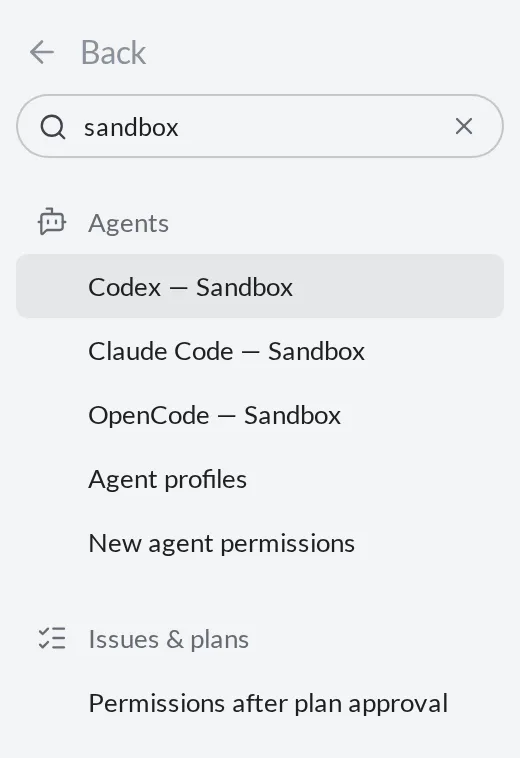
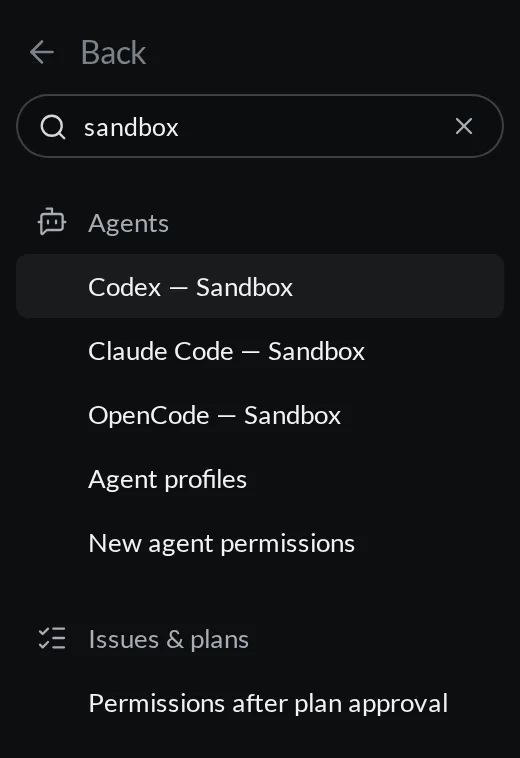
Open Settings from the command palette or the settings button. Search settings is always visible in the sidebar. Search by feature, action, or value: try text size, sandbox, notification sound, exclude files, or approve all. Typing while a settings category has focus starts the same search across all categories.
Search includes advanced settings, option names, individual keyboard shortcuts, and fields inside agent profiles. Results are grouped by category; hover a result for more context, or select it to open the control and see its scope and any prerequisite. Finding an advanced setting does not turn on Advanced mode or change a prerequisite for you.
Project overrides
Pages with overridable preferences have Global and project scope choices. Global values apply across projects; a project override applies to the current project. The row shows when it is using a global value. Use global removes the project override and follows the global preference again.
Project-only preferences, such as file-search exclusions, automation visibility, Git platform, and the Python environment, appear in project scope. Their reset removes the project value. Project details contains identity and repository information; the other categories contain the actual preference editors.
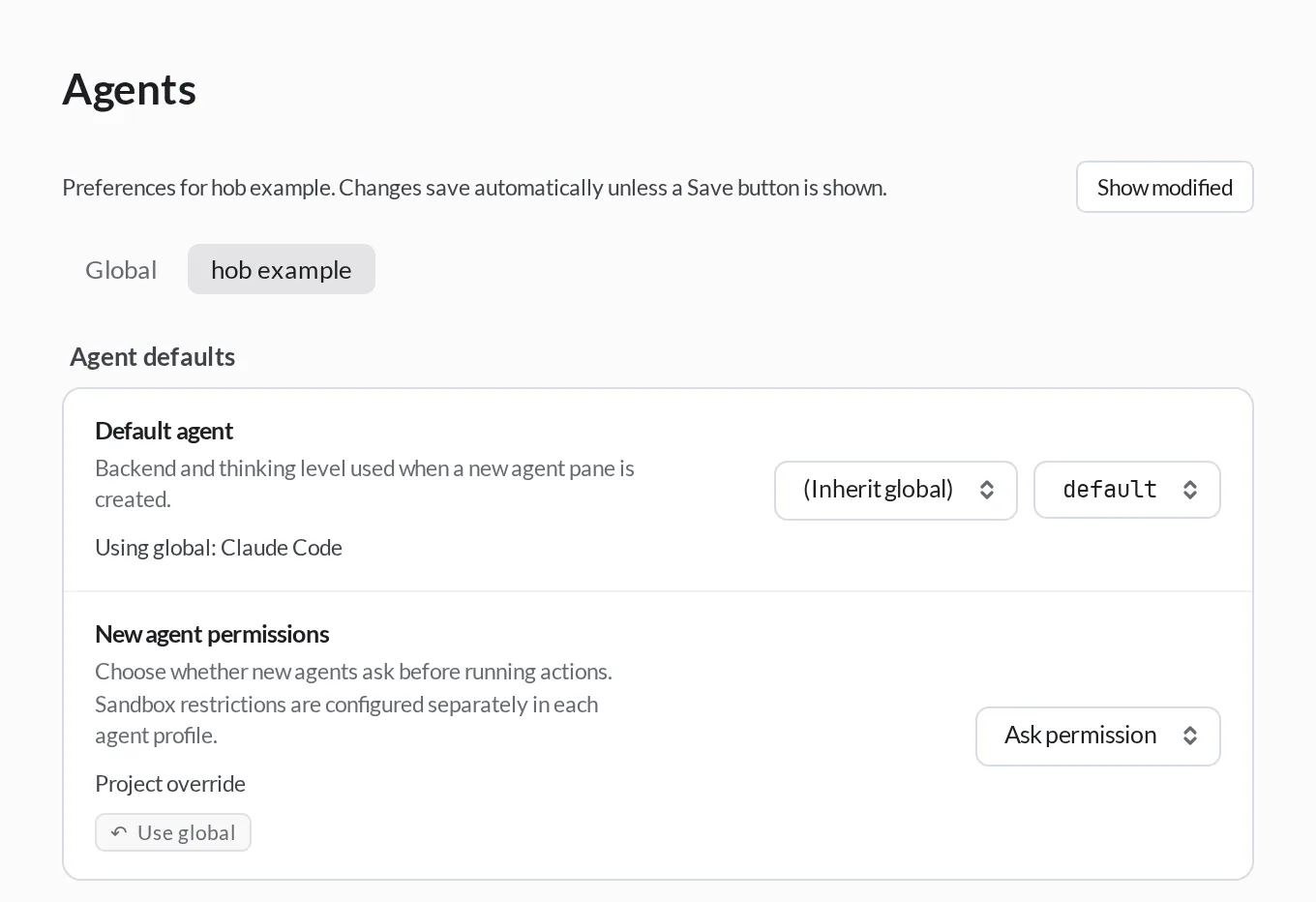
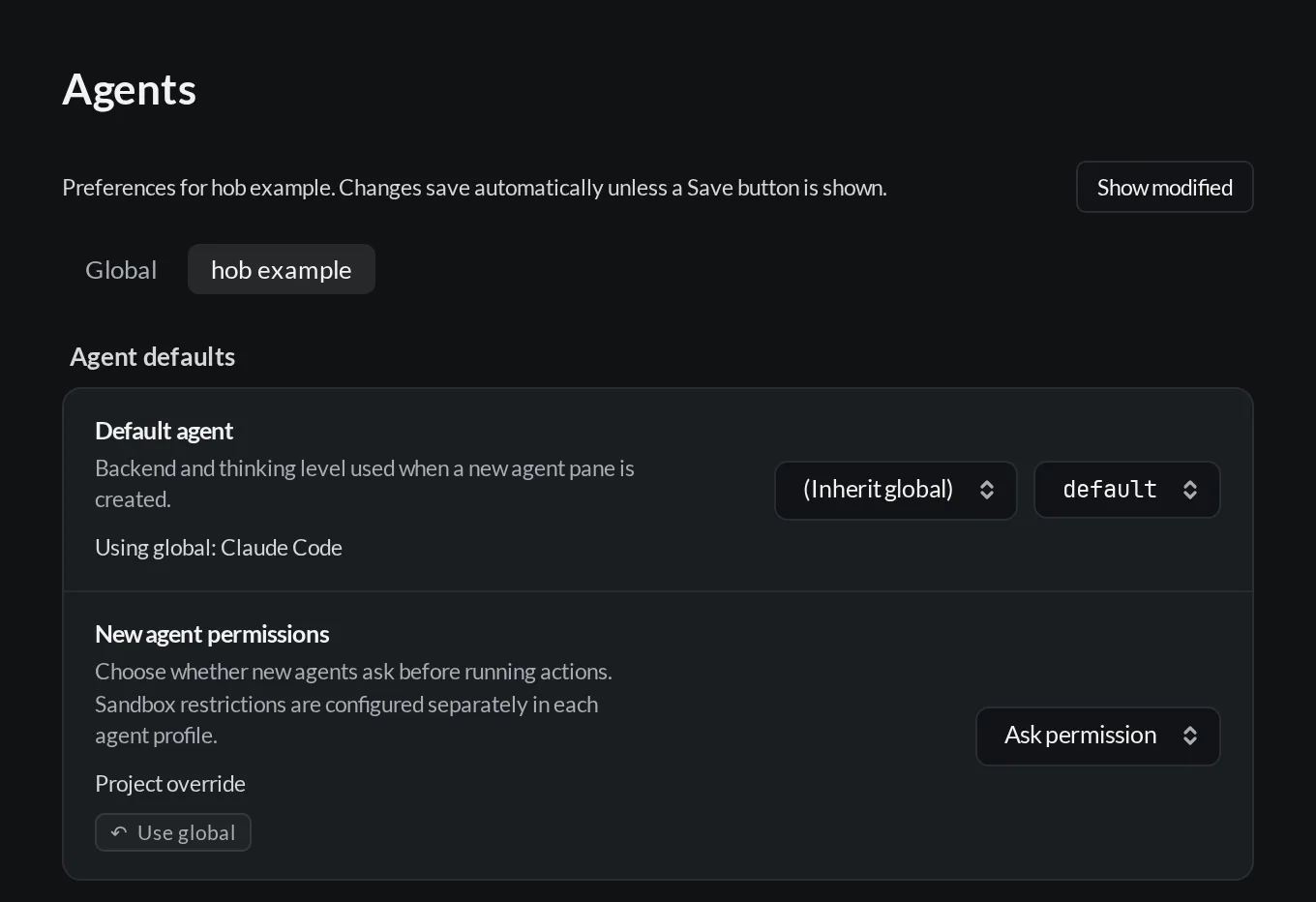
An explicit project value stays in effect even when it matches today's global value. That is useful when you want a project to keep its own behavior as your global preferences change.
Saving and restoring preferences
Ordinary preferences save when you change them; text fields save when you finish editing and leave the field. Project identity, profile dialogs, and the Python environment editor use an explicit Save button. A failed preference save shows an error and a Retry action.
Use Show modified to see saved preferences on the current page. Use default removes a saved global preference so it follows hob's default again. Credentials and structured editors have their own removal or reset controls.
Some numeric settings and the server listen address accept a custom value. Open the picker, enter your value, and press Enter. Invalid input stays in the picker with an explanation.
Advanced and unavailable settings
General → Show advanced settings includes advanced controls while browsing. Search finds them even when this is off. A result can also explain that a setting requires another choice, such as Shimmer words, or is only available in the desktop app. Follow its prerequisite link to change the parent setting explicitly.
Ask an agent to change a setting
Ask an agent to change a preference in plain language, such as "Set minimum
workspace columns to one." You can start with /settings to make it explicit
that you mean the running hob app. This optional helper gives the agent command
guidance and matching setting definitions. Clear requests and follow-ups do not
need the prefix.
Type / in an agent composer and choose Settings, or type /settings
yourself. The command leaves a draft for you to finish. See the
slash menu
to recognize the entry. State the scope: in this project creates a project
override where supported; otherwise settings commands use global scope.
Ask your agent
Ask your agent
The agent applies the requested change and confirms the saved value from the result. It looks up the setting or reads existing values when needed. An open Settings view shows the new value. There is no separate settings confirmation dialog, so review the agent's reply and the result. Use Show modified, Use default, or Use global to inspect or remove an override.
- To invoke the helper, use the exact lowercase
/settingstoken at the start of the message. Mentioning it later, quoting it, or typing/Settingsdoes not inject the helper. The agent can still act on a clear settings request. - Credentials, backend accounts, license management, updates, and dedicated setup actions keep their own controls. The ordinary settings commands do not replace those operations.
- Pane and workspace configuration use their own commands. For example, changing one pane's model is different from changing the default for new panes.
- Check the setting's description for apply timing. Some changes affect only new agents or conversations, or require a process restart.
For agents
Act on clear requests to change running hob preferences, with or without
/settings. Do not ask the person to resend with the prefix. When used, the
helper includes CLI guidance and matching setting
definitions. These definitions describe supported values and scopes, not current
values. If the key and value are clear, write directly:
hob settings set agentDefaultPermission ask --scope project --jsonIf discovery is needed, use hob settings list <filter> --json. Its result
already includes current values; do not repeat that read with get. Successful
writes return saved effective values and their sources. Confirm from that
response without a separate read-back call. Saving a preference does not mean
effects that need a restart have applied.
reset removes overrides: global scope returns to product defaults; project
scope inherits global values. Use one atomic patch for several changes in the
same scope. Object values replace the whole object, so read and preserve fields
the person did not ask to change. Read first for relative changes too. If a write
succeeds but its result cannot be read, read the affected keys without repeating
the write. Validation errors supply choices or candidate keys where available.
Current-value reads and writes require a live agent pane capability.
hob settings list --defaults works offline in any shell for discovery.
Do not edit config files or application source as a substitute for a rejected
settings command. See the CLI reference.
Find the right category
| Category | What you can change |
|---|---|
| Project details | Project name, description, logo and initials; repository facts and links to project configuration. |
| Agents | Agent input, new-agent defaults, profiles, models, accounts, thinking levels, permissions, sandbox, conversation display, instructions, personality, and idle timeout. |
| Workspaces | Show all projects in Home, workspace sort order, workspace header, minimum columns, workspace tab scope, default pane destinations, and saved-workspace close behavior. |
| Automations | Default agent and editor view; choose which automations are hidden from the project's History. |
| Terminal | Theme, new-terminal view, command wrapping, and output collapse. |
| Issues & plans | Issue-agent defaults, plan approval permissions, completed issues per page, and additional issue repositories. |
| Files & search | Autosave, hidden files, code wrapping, highlight rules, diff buttons, Dock file preview, and project search exclusions. |
| Git & environments | Git credentials and platform, worktree folder, environment variables, Python environment, and stash actions. |
| Web | External-link destination, websites sharing data across projects, and website-data retention. |
| Remote connections | Access to this computer for other desktop apps, hob mobile, and the Web IDE, with credentials, server limits, and connection details. Open connections opens Host connections to connect to another computer; see Remote access. |
| Appearance | Theme, color scheme, working indicator, interface and code fonts, text size, zoom, thinking animation, file icons, dimming, and tool placement. |
| Notifications & sound | Agent notifications and their corresponding sounds, plus interface sounds. |
| Voice input | Microphone, recording behavior, local dictation, and cloud transcription. Dictate a message. |
| Keyboard shortcuts | Find actions or key bindings, record shortcuts, and resolve conflicts. |
| General | Advanced settings visibility, system file dialogs, open-project limit, and startup setup. |
| Data & storage | Trash and output retention, Claude Code history preservation, conversation import, and preview-cache maintenance. |
| Updates | Installed version, update checks, release channel, and installation status. |
Walkthroughs, About, and Documentation are grouped under Help. About includes open-source license notices with their own component search.
Project environment variables with matching names take precedence over global values; process environment changes apply to newly started processes. For profile launch configuration, see Accounts and profiles.
Use General → Show setup at startup to show setup again on launch. See Quickstart for the setup flow.
Remote availability also depends on your license, Host mode, and connection state. The Remote access guide explains setup and control.
Choose an agent CLI installation
Under Agents → Agent profiles, open CLI installations to see the executables hob uses. Install agents offers the same installer as setup; a detected tool that is not ready can offer Update. Ready tools show Installed. Each executable row shows its detected version and any compatibility problem. If required capabilities are missing, update that backend and restart hob. Expand a row to see its paths and symlinks.
Automatic checks the shell PATH captured when hob starts (the inherited process PATH on Windows), then common installation locations. Automatic · Fallback means hob found the executable in one of those locations rather than on shell PATH. Rescan checks for installed files; restart hob after changing your shell PATH. Shell aliases and functions are not executable files.
To choose a particular installation, select a detected path or enter an absolute executable path and select Use path. The choice applies across projects. If that path disappears or is no longer executable, hob reports an error. Choose Automatic to remove the override. A normal executable or stable symlink keeps following updates made in place.
The executable's selection and the environment it receives are separate:
| Environment source | Effect on new agent processes |
|---|---|
| Shell PATH captured at hob startup | Its entries come first. |
| Additional hob startup and repaired PATH entries | Supplement the captured PATH. |
| Project and profile environment configuration | Takes precedence over the assembled environment. |
Changes apply on the next process start, including a resume that starts a process; running agents keep their existing process. Paths are on the computer running the Host, including when you use the browser IDE. Custom profiles with their own command keep it; profiles inheriting a built-in backend use its selected executable.
Agent permissions and sandbox
Permissions and sandbox restrictions are separate. Ask permission and Approve all control responses to an agent's approval requests. A sandbox restricts filesystem and network access even when an action is approved. The profile explains whether sandbox control is available for that agent.
New agent and issue-agent permissions default to Ask permission. Plan approval has its own setting under Issues & plans; review Permissions after plan approval to choose whether approval covers later actions or only the next turn. Changing these defaults does not rewrite existing panes' configuration.
You can also set defaults from the composer's Auto approval options or Fast mode options. Select the marker beside On or Off: click for this project, or Alt-click for the global default. Click an existing project marker to clear its override. Hover a marker to see which default applies.
Auto approval sets New agent permissions. Fast mode defaults belong to a
profile and model, with project overrides.
These choices apply to new panes. Issue agents use their own permission default;
automation steps use their workflow's permission-mode.
Search sandbox to open the relevant profile control directly. See Agent accounts for separate profiles, shared variants, and multiple subscriptions.
Agent personality
Choose how your agents communicate: concise instructions, dry wit, a warmer response, or more questions and options. Personality supplies communication instructions. It does not grant permissions or change the model.
| Control | What it changes |
|---|---|
| Personality | Tone and communication habits |
| Profile, model, and thinking level | Which agent runs and how it reasons; see Accounts and profiles |
| Permissions and sandbox | Which actions need approval and which resources are accessible |
| hob instructions for agents and project instructions | Guidance about hob and the project; see Working with your agent |
Open Agents → Agent instructions → Agent personality in Global scope. Choose a preset or Custom:
| Choice | Communication style |
|---|---|
| None | No extra personality instructions. |
| ASD-STE100 Simplified Technical English | Short sentences, clear instructions, and consistent technical terms. |
| The witty bot | Dry wit, a little condescension, and an answer that stays on point. |
| The servant | Warm, willing service with an occasional ‘my liege’ or ‘of course, boss’. |
| The inquisitor | Explore next steps, ask useful questions, and offer options and A/B tests. |
| Custom | Write your own personality instructions. |
The Instructions box shows the exact personality text. Presets are read-only; Custom makes the box editable. Custom text stays saved when you switch to a preset, so you can return to it later.
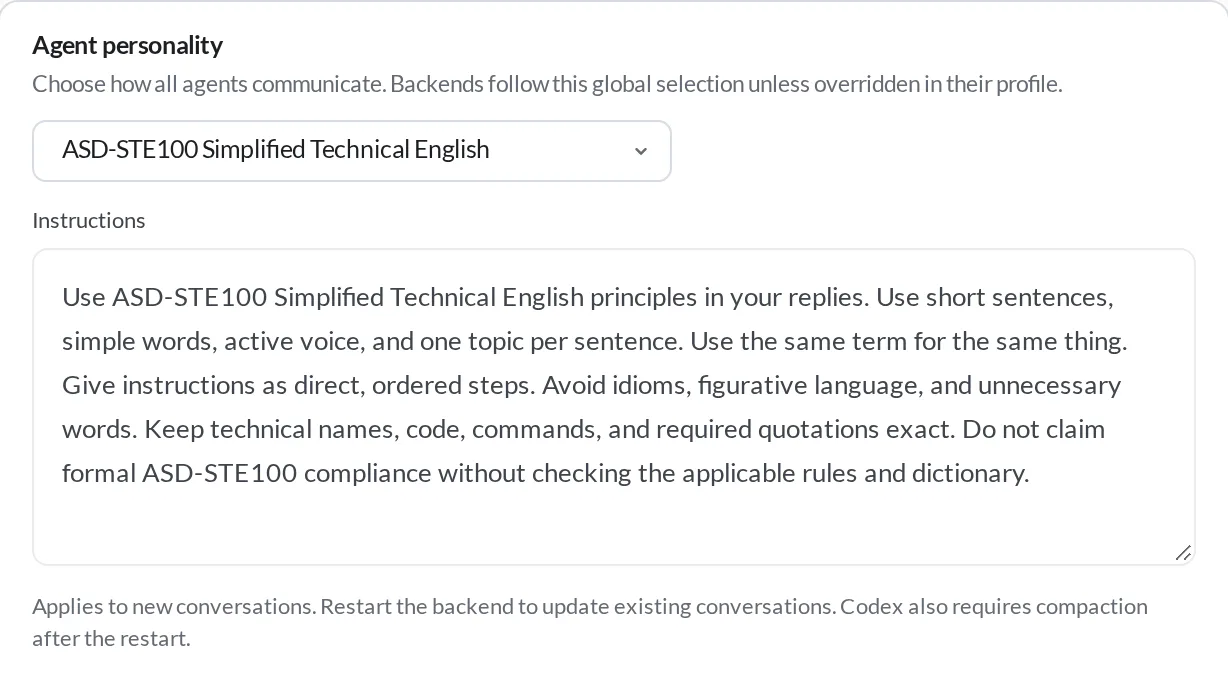
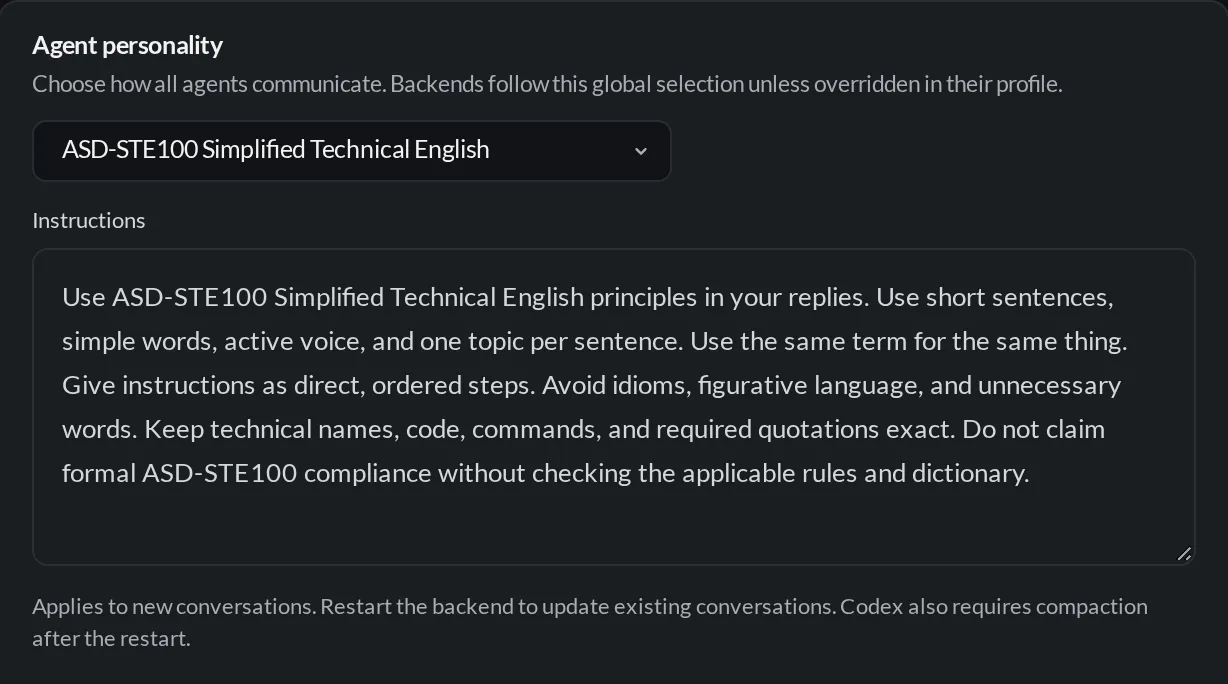
For a different choice on one backend or variant, use Personality on its profile card. Follow global inherits the global selection; None disables extra personality instructions for that profile. You can also choose another preset or Custom. For example, use Simplified Technical English globally and None on your Codex profile. You do not need a new profile just to set its personality.
Personality is global or profile-specific, with no project or pane override. New conversations receive it at launch. An existing conversation receives updated instructions when its agent process next starts, including a resume that starts a new process. For Codex, the existing conversation also needs compaction after that restart. Changing the preference does not restart a running agent. Automation runs keep the personality resolved when they start. Personality applies with either delivery of Settings → Agents → Agent instructions → hob instructions for agents.
Dictate a message
Use the microphone beside the agent composer to speak a message. The default shortcut is Ctrl+Space on every OS: hold it while speaking, then release to transcribe. In Voice input → Voice shortcut behavior, choose Toggle recording if you prefer one press to start and another to stop. Transcribed text normally lands in the draft for review; choosing the send arrow during recording or transcription sends it when the text is ready.
Choose a microphone and transcription mode in Voice input:
| Mode | Setup and where audio goes |
|---|---|
| Local only | Set up local dictation downloads the engine and model to the Host. Recordings go from your current client to that Host for local transcription; they are not sent to a cloud transcription endpoint. |
| Cloud only | Configure a transcription API key, model, and compatible endpoint. The Host sends the recording to that endpoint. |
| Automatic (prefer local) | Uses local transcription when ready; otherwise it can use your configured cloud transcription. Choose Local only when that fallback is unwanted. |
Microphone access requires your device's permission. With a remote client, “local” means the Host computer, so audio still travels from the recording device to the Host. Text you later send to an agent follows that agent's normal provider connection.
Data retention
Trash retention governs permanent deletion of trashed items. Output retention is separate: after the configured interval, large historical outputs may be shortened permanently. Choose the Never option to keep full output. Claude Code's native conversation history has a separate preservation setting. Website-data retention is under Web.