
MCP
Bring external tools and data into your agent’s work, with their activity visible in the conversation.
hob supports MCP through your agent's backend: configure servers in that tool's own configuration, and hob launches it with the selected profile and environment. The backend connects to the servers; hob shows the tool activity it reports in the conversation, keeping results beside the work that uses them.
Configure tools for your backend
MCP (Model Context Protocol) connects agents to tools and data sources. Setup belongs to each backend; hob has no shared MCP server-management screen.
Follow the setup and authentication instructions for your tool:
| Backend | Setup guide |
|---|---|
| Claude Code | Configure MCP servers and their scope |
| Codex | Configure MCP through the CLI or config.toml |
| OpenCode | Configure local and remote MCP servers |
Check the pane's backend/profile and account chips. A variant profile shares its base profile's data; an isolated profile uses a separate data directory. Project configuration and launch overrides can still affect which servers load, and an added account has its own settings directory. See Accounts and profiles.
See a tool's work
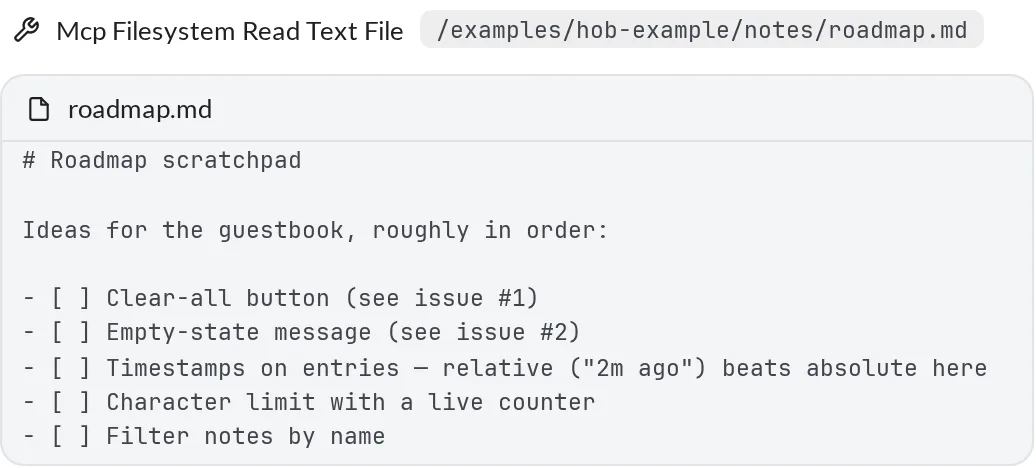
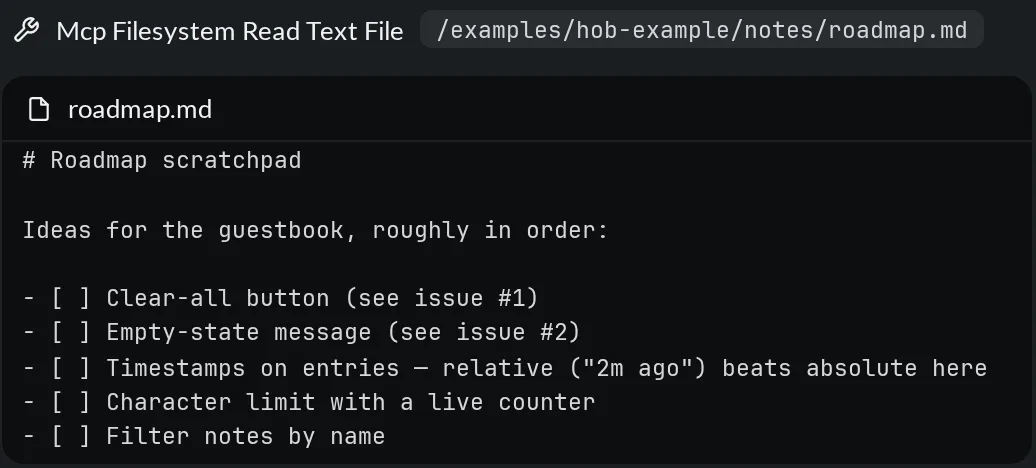
Ask the agent to use an available tool for the task. Expand its tool-call row to inspect the reported input and result. Names and presentation depend on what the backend reports; in this example, the name identifies both the filesystem server and its read tool.
If the backend exposes MCP prompts as commands, find supported entries in the slash menu. A tool does not need a slash entry to be usable by the agent.
When a tool is missing
- Check the selected backend, profile, account, and project. Configure the same environment the pane actually launches.
- After changing configuration, follow the backend's reload instructions. For settings read at launch, test in a fresh agent pane using that profile.
- Use the backend's MCP diagnostics to check server availability, authentication, and tool enablement. Its terminal interface may expose setup commands that are not available in hob's slash menu.
For agents
Use the tools available in your current backend and report errors with enough context to identify the server. Use the hob CLI to open files, arrange panes, or point at results; hob attention and walkthroughs are separate collaboration features. See Working with your agent.