
Slash commands
Find pane actions and your agent’s reusable commands without leaving the composer.
Keep common actions and reusable prompts within reach of the conversation.
Type / in an agent pane to discover hob actions alongside commands supplied
by that pane's backend. The menu filters as you type, so you can find a command
without remembering its full name.
The backend group depends on your tool, its configuration, and the commands supported by hob's integration. Your menu may differ from the example and from the tool's standalone terminal interface.
Using slash commands
Type / in the composer
Start an empty message with /. Add the first letters of a command to narrow
the list: /se matches /settings, /session, and backend commands beginning with se.
The group heading identifies who handles the command; badges identify skills,
custom commands, and MCP prompts when the backend supplies them.
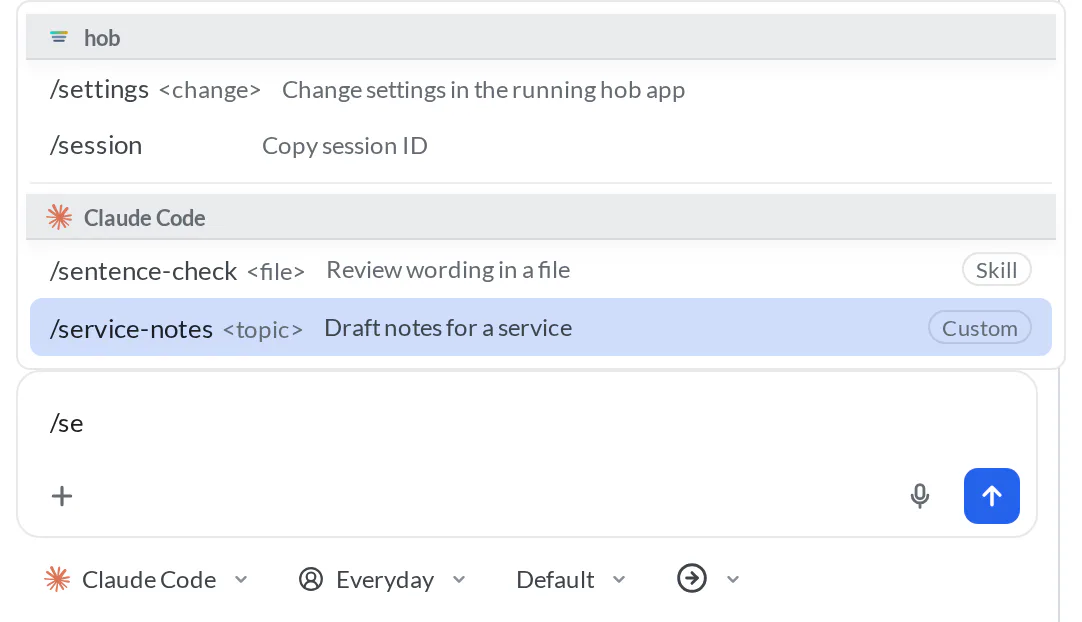
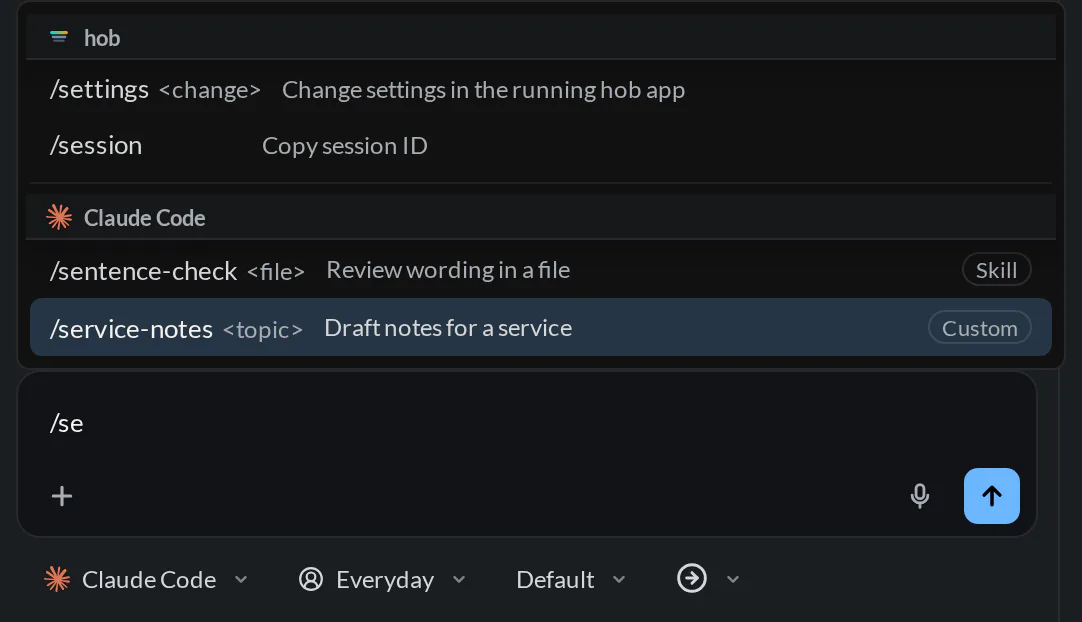
The pictured Claude Code commands are illustrative configuration, not commands shipped with the example project.
Choose a command
Use the up and down arrows to select a row. Press Enter or click the row to choose it. A command can run immediately or leave a draft for you to finish, depending on what it does.
Press Tab to insert the selected command without running it. Press Escape to dismiss the menu and keep your text.
Finish any arguments before sending
Skills, custom commands, MCP prompts, and commands with argument hints normally leave text in the composer. Add the file, topic, or instruction they need, review the completed message, then send it. Some prompt commands expand into editable prompt text instead of leaving a slash name.
For example, the illustrated /sentence-check command leaves room for a file
argument. Typing notes/roadmap.md completes that command's input; it does not
change which project or backend you are using.
Backend commands
The menu brings two kinds of action into one place:
| Group | Who handles it | Where it comes from |
|---|---|---|
| hob | Most entries act directly in hob. /settings and your hob skills draft a request for the agent to receive when you send it | Built into hob and your skills |
| Your backend, such as Claude Code or Codex | The backend handles a supported command, or receives the message you finish in the composer | The tool's supported command catalog, skills, custom commands, and connected MCP prompts |
Some backend commands use a dedicated backend action rather than a chat message. The menu handles that distinction for you. A source badge describes the kind of entry; it does not mean hob created the underlying prompt or skill.
To use one skill in every backend, add it to hob's skills. A hob skill appears once, in the hob group, even when a backend has a skill with the same name. To add instructions or commands for one backend only, configure that backend:
- Claude Code: see its skills documentation.
- Codex: see OpenAI's skill documentation.
- OpenCode: see its custom command documentation.
Use accounts and profiles when you need separate tool configurations or different launch defaults. Terminal panes have a smaller menu containing only hob's pane actions; see Terminals.
Change a setting with an agent
Choose Settings to draft /settings , then describe the change and send it.
This entry belongs to hob and appears only in agent panes, even if your backend
also defines a command named settings. The prefix adds command guidance and
matching setting definitions for that request. It is optional: agents can act on
clear settings requests and follow-ups in plain language. See
Ask an agent to change a setting.
Plan mode
/plan enables plan mode on a backend that supports it. It does not toggle
plan mode off, and choosing it does not send a task. Write your planning request
after changing the mode.
Use the composer's mode controls to change plan or permission settings. For questions, permissions, and plan approval, see Working with your agent.
For agents
Use the hob CLI to arrange the work directly. For example,
hob pane open agent --task "Review the guestbook counter without editing files"
opens a second agent with a task, and hob pane open terminal adds a terminal.
These commands add panes; they do not replace the current conversation like
/agent or /terminal in the menu.
Use hob pane set for supported pane settings. See the
CLI reference and
Working with your agent for commands
that make your work visible to the person collaborating with you.
hob commands
/agent and /terminal replace this pane in its current position. To keep
the current conversation and add another agent beside it, use New Agent or
ask the agent to open a second pane. See
Parallel agents.