
Working with your agent
Let agents show their work, ask for your judgment, and bring the right context into view.
hob is a workspace your agents can operate. An agent can arrange the context for a task, open a working preview, run a check, and point to the detail that needs your judgment. It can also use a web page while you watch and hand a step back to you. You spend less time moving information and opening tools on its behalf.
This connects the work from issue to review and commit. The agent brings the result and evidence to you in the same workspace. You direct the task, try the result, and decide what happens next.
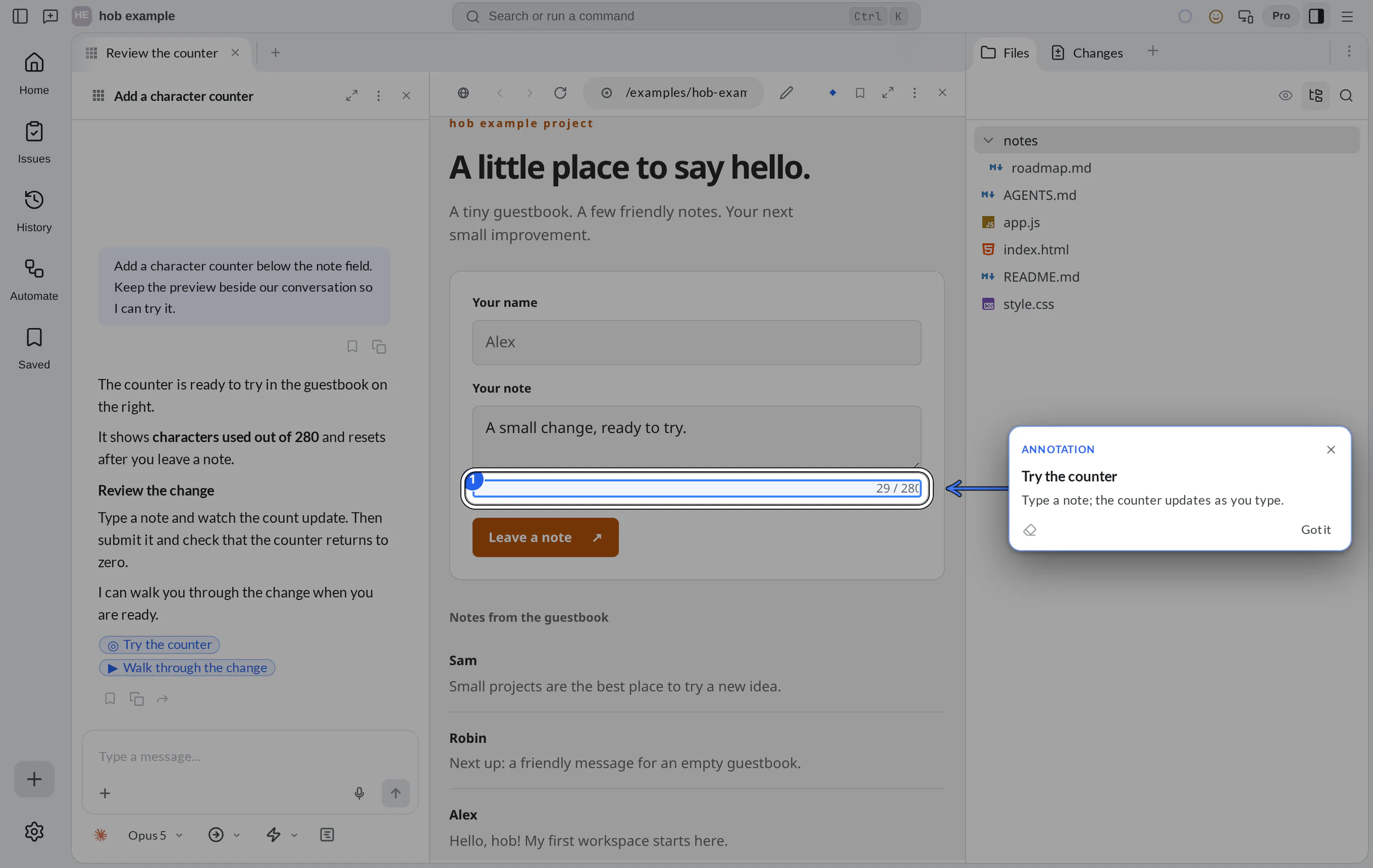
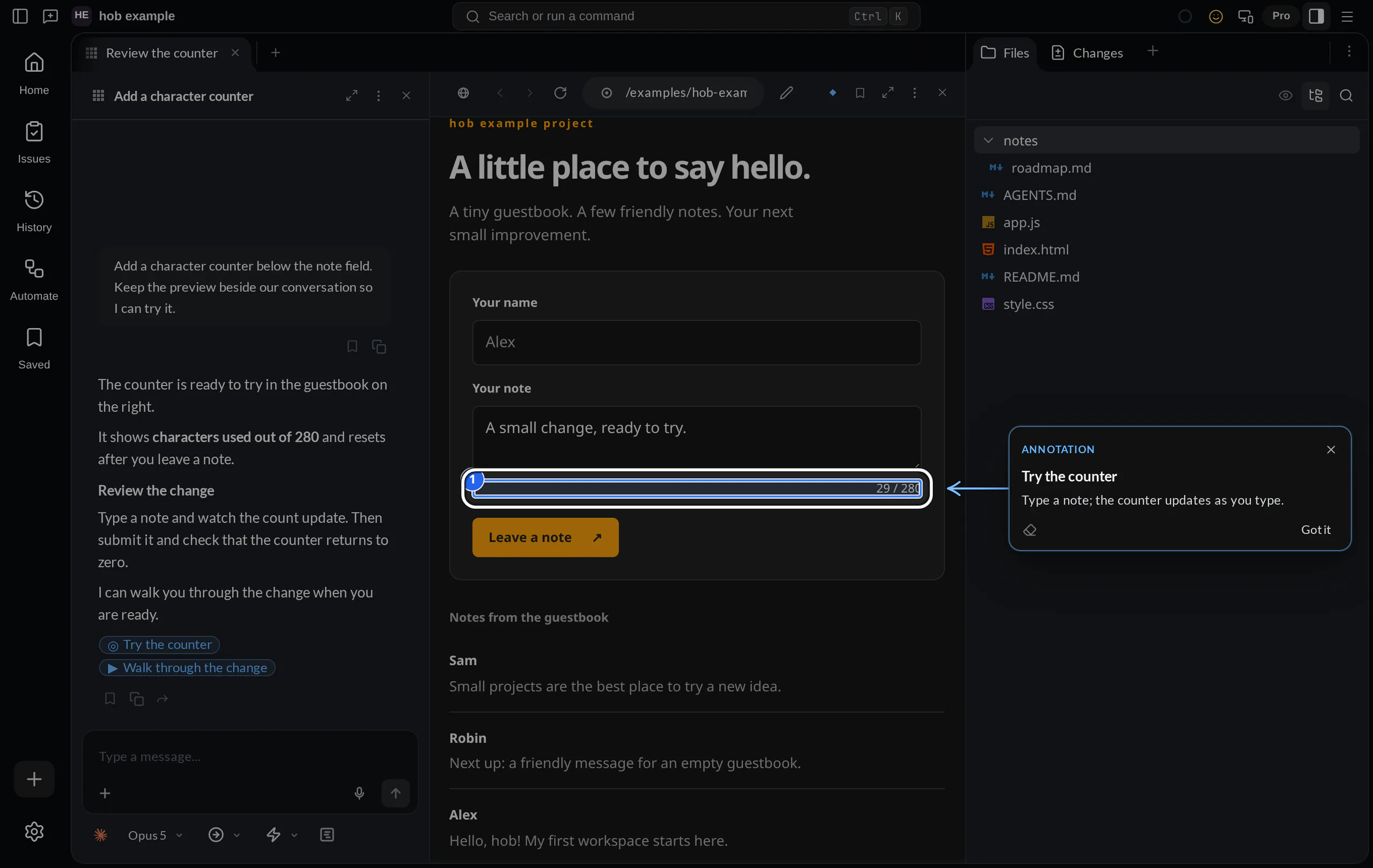
The agent shows you something
Ask for the result where you can use it. A mockup belongs in a preview pane; a design note, PDF, or source file can sit beside the conversation. Commands and their results belong in a terminal you can inspect and reuse. An agent can also keep a previous file version when you ask.
Ask your agent
Agents launched inside hob receive guidance for its CLI. For example, an agent can open the guestbook's HTML file in a live preview:
hob pane open web --file index.htmlThe preview reloads when the HTML file changes. An agent can add watches for
related files with --watch, or open a URL for your project's development
server. Browser previews explains file watching
and server recipes; Files and previews covers
the other kinds of context you can bring into a pane.
An agent can draw its explanation. A mermaid fence in a completed reply
becomes a diagram. While the reply
streams, you see its source. Ask for a diagram when a process is
easier to see than to read:
Ask your agent
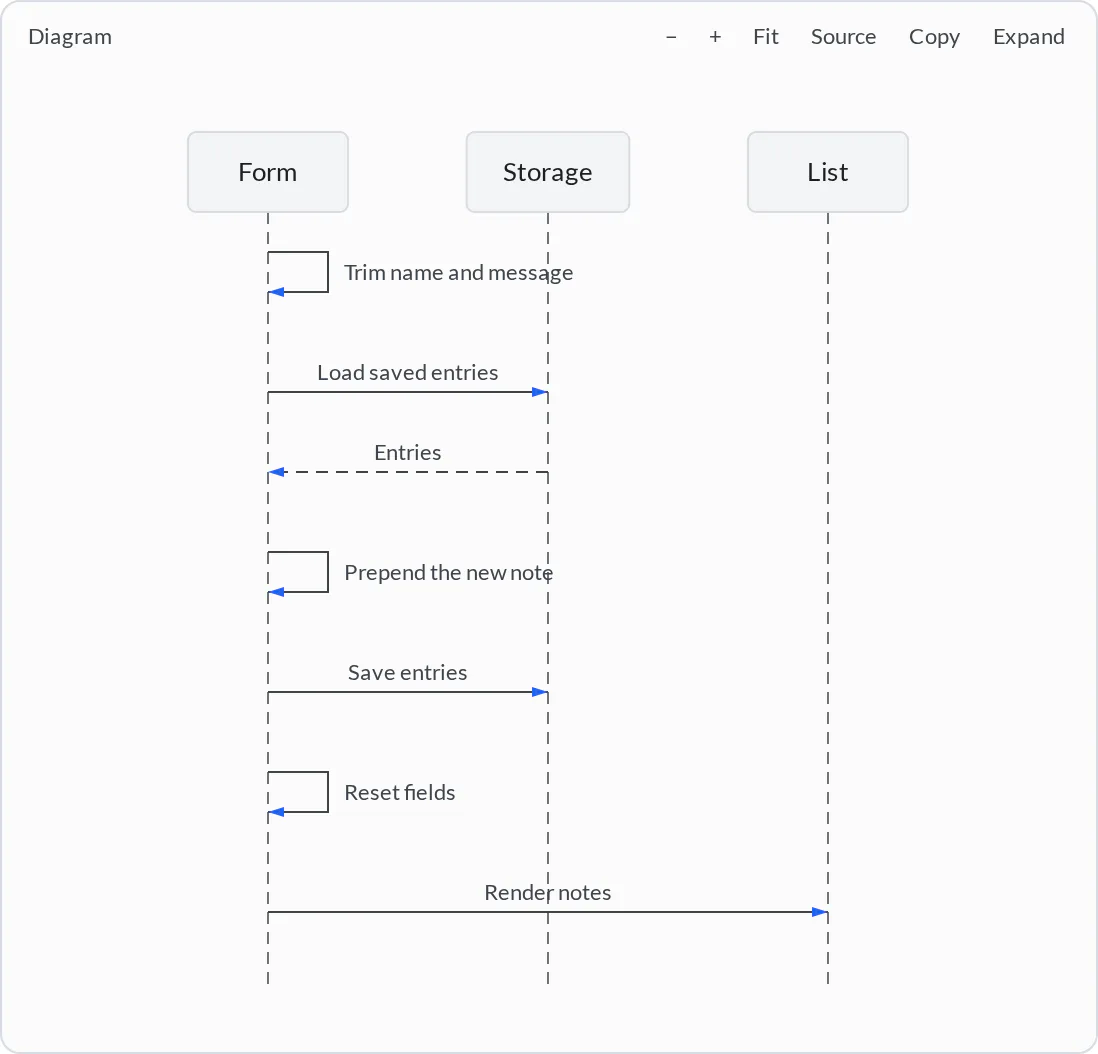
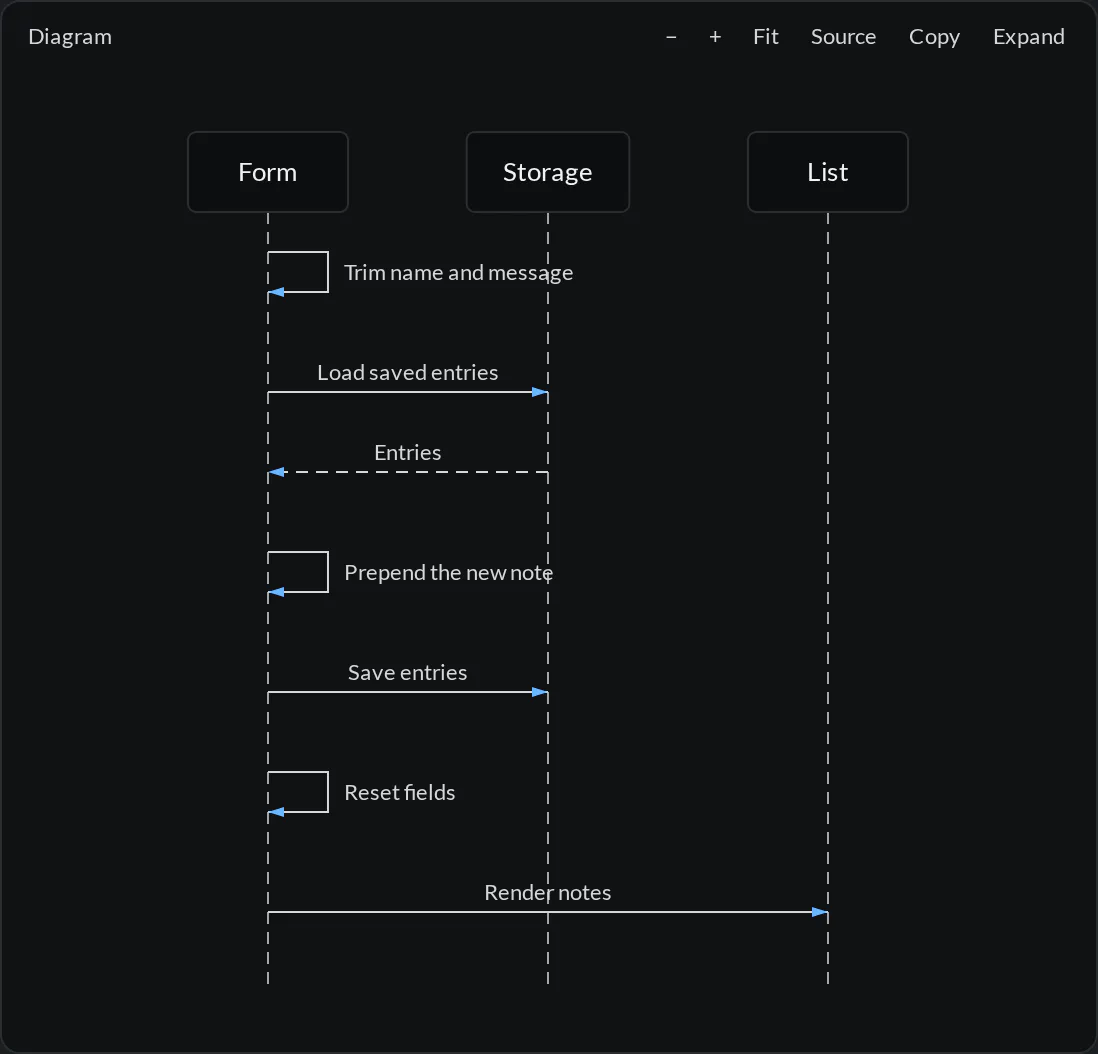
The same viewer works in a Markdown file. See Diagrams in Markdown for its controls, source editing, and rendering limits.
The agent points at the detail
An attention link gives an explanation a precise destination. Instead of “look somewhere in the preview,” an agent can point at a web element, a file line, a terminal command, or a setting. hob brings the target into view and shows a temporary spotlight with the agent's note. Press Esc to dismiss it.
For a web element, the agent first reads the live pane with hob pane view.
That returns node references and a snapshot fingerprint. The agent passes
both to hob attention; hob checks the reference instead of guessing when
the page has changed.
Attention appears as part of the agent's request, before the command returns. Its temporary card leaves a marker you can revisit. The attention link replays the pointer.
When the agent asks you a question
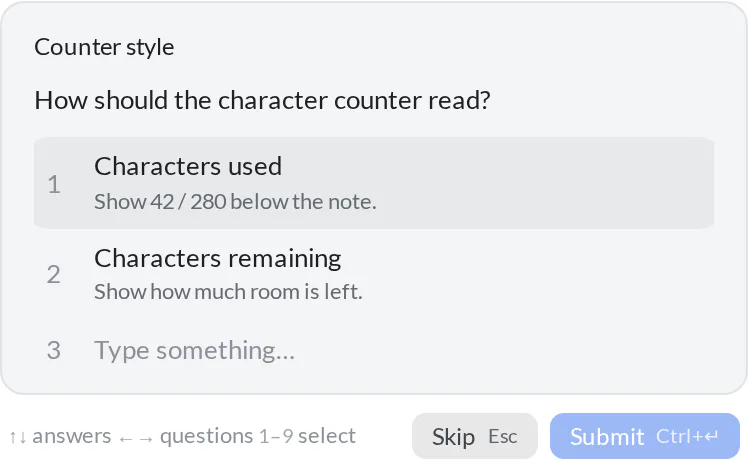
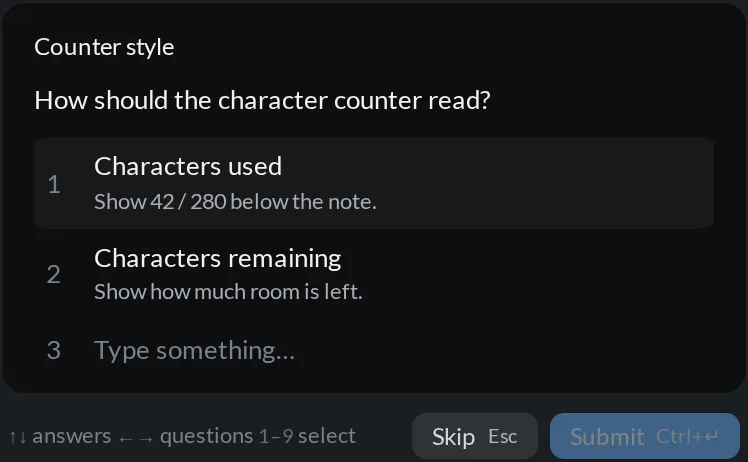
Some decisions need your judgment. The agent can present a question with suggested answers and a custom-answer field. Choose an option or explain what you want, then submit your answer to continue the conversation.
Questions, permissions, and plans serve different purposes:
- Questions ask what you want. Number keys select the displayed options; you can also write your own answer or skip a question.
- Permission requests ask whether an action may proceed. Review the action before choosing Allow once or Deny.
- Plan approval asks you to review a proposed approach. Depending on the backend and mode, you can approve, deny, or hand the plan off for implementation.
While a permission request is open, its card replaces the composer controls. Allow once answers this request; Allow always also enables Auto approval for the pane.
Hand off starts a fresh agent with the plan text. To continue the same conversation from a chosen turn, fork it.
The available controls depend on the agent backend and its selected permission or planning mode. Opening a preview or explaining a command does not replace the approval that an action needs. To change direction while a turn is running, use queueing or steering.
The agent walks you through it
Ask for a walkthrough when a change needs more than one stop: the behavior in the preview, the code that produces it, and the check that verifies it. The agent can offer a walkthrough link with ordered steps. You choose when to start it. Use Next to advance and Esc to leave.


You can mark up a surface for an agent, or ask the agent to leave notes for you. Mark up and annotate covers both directions, drafts, sent batches, and saved file revisions.
The agent arranges the work
An agent can name its pane for the current task, open supporting panes, and create a workspace for a separate workstream. Pane titles become a useful index as the project grows: “Add a counter,” “Review accessibility,” and “Check saving” tell you where to return.
You can also ask agents to work together. An agent can launch a delegate
with an initial task, send a question to an existing agent pane, and link
contributing conversations to an issue or commit. See
Parallel agents
for launching, messaging, and using @- to hand a pane over as context.
Messages between agent panes are delivered at turn boundaries. The receiving agent sends its answer back; the sender should finish its turn to receive it. Use clear, bounded assignments, especially when one agent is advising and another owns implementation.
An agent can also change a hob preference
when you ask in plain language. The optional /settings prefix supplies command
guidance and matching setting definitions.
Keep the decisions and evidence together
When an agent creates a commit, issue, or other supported artifact through hob, the result can link back to the turn that produced it. Open it later from History to recover the reasoning, or save useful context for another session.
The shared interface keeps you in the loop. A feedback draft waits for your review and Send action. An issue pane opens when you ask to view it. Your agent's managed guidance includes these collaboration boundaries alongside its CLI instructions. For reusable prompts and pane actions, explore Slash commands in the composer.
For agents
Give your agent these docs
Use hob list to orient yourself before arranging the work, and consult the
CLI reference for commands and their boundaries.
The Markdown version of each guide describes the same interface the person sees.
Use the page's Markdown copy action to share a guide with an agent. The docs
also have .mdx URLs for a text version, so an agent can read the same
instructions without needing to navigate the website visually.
hob instructions for agents are always on: they are how your agents know
hob. With Injected at launch, the default, hob passes its CLI guidance to
each agent at launch, including resumes, and does not insert it into your
repository files. Repo files (deprecated) writes it into AGENTS.md and
CLAUDE.md instead. Choose the delivery in
Settings → Agents → Agent instructions → hob instructions for agents,
globally or for the project.
Agent file sync is a separate setting. It keeps project guidance in
AGENTS.md and CLAUDE.md aligned using symlinks when supported, with a
copy fallback. Your project instructions remain yours. See
Settings for these controls.
Next
Agents on web pages
Watch an agent use a site or test your app, and take control at any time.
Parallel agents
Give each workstream a pane and coordinate across backends.
Terminals
Keep commands, output, and reusable history beside the conversation.
Artifacts
Trace durable results back to the work that produced them.