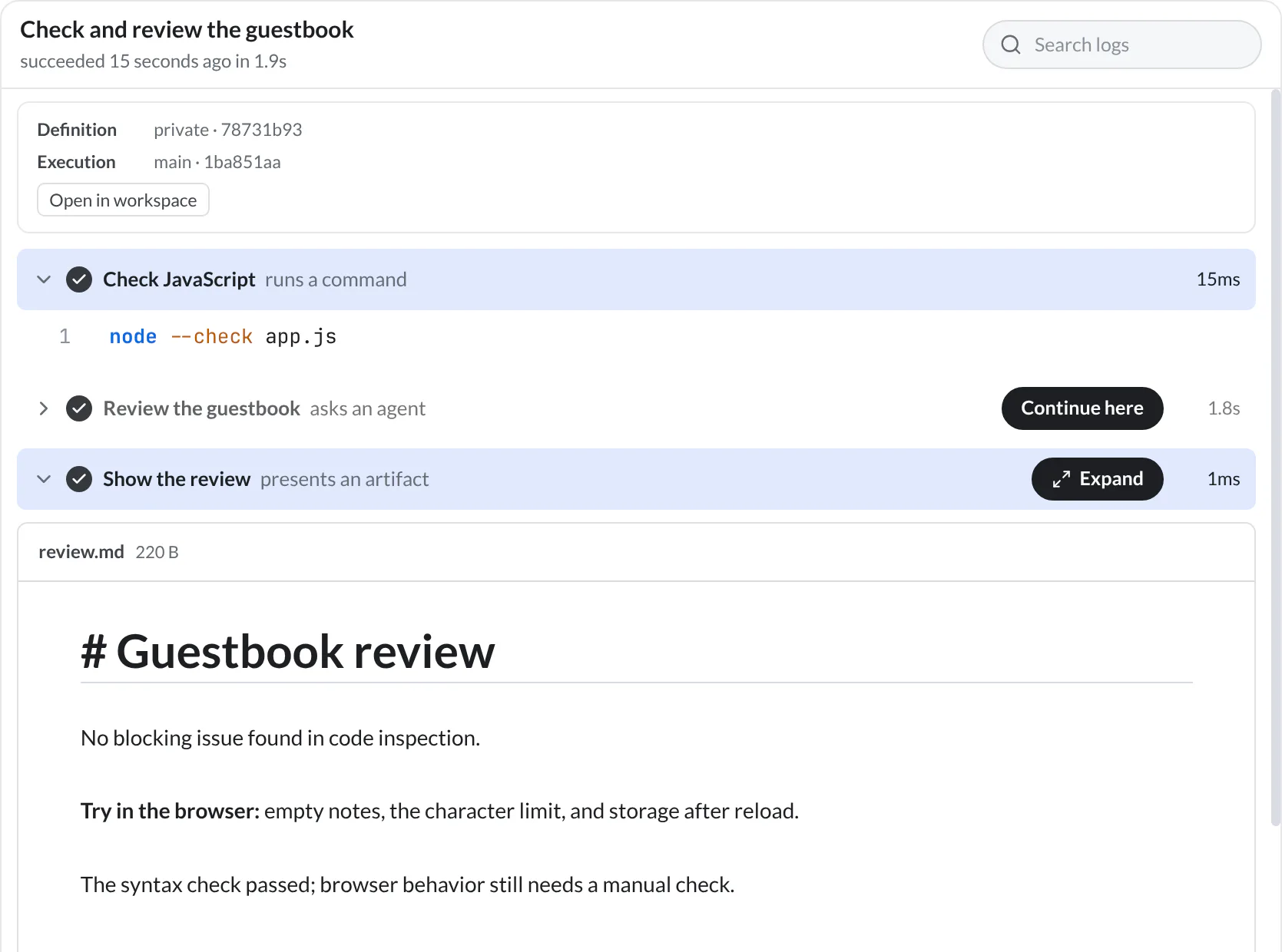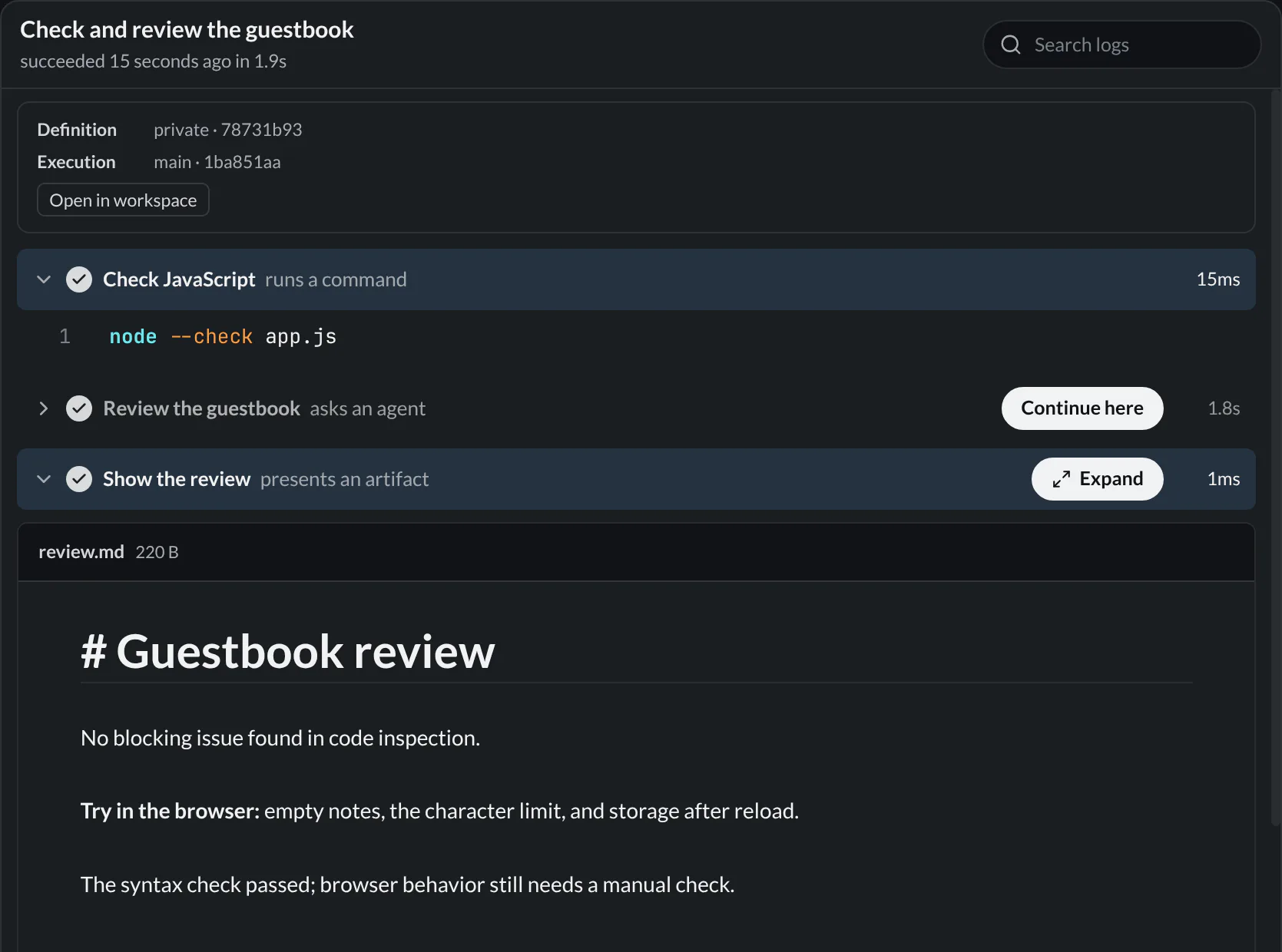
hobhob
Core features

Automations

Save commands and multi-step processes — shell, agent, and presentation steps with inputs, secrets, schedules, and artifacts.

Automations let you save commands, scripts, and multi-step processes and run them without rebuilding the same setup every time. They live next to your agents, with agent steps as a first-class citizen.

Two ways in

Automations have two surfaces:

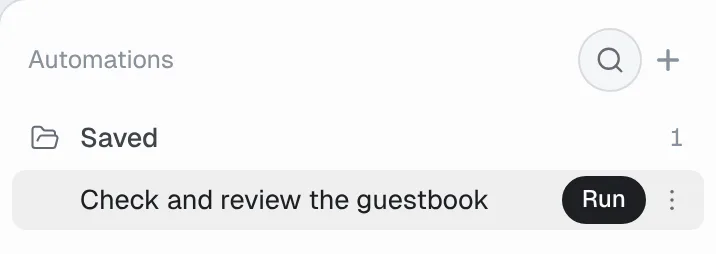
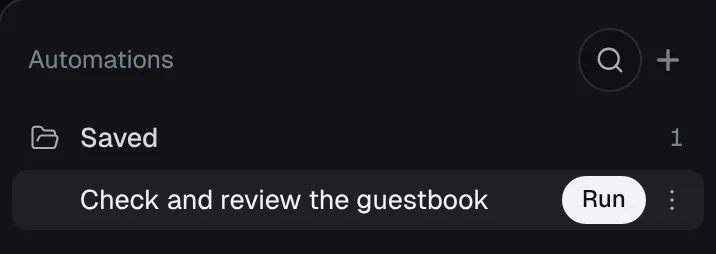
  • The Automations panel (Cmd/Ctrl+Shift+X) is the quick launcher: a list of every automation in the project with run, pause, and edit actions.
  • The Automations view is the full page: an overview with run statistics, drill-down into a single automation's configuration and run history, and the builder. Open it from the panel, or with hob open view automations.

Where automations live

ScopeLocationShared with team?
Shared.hob/automations/<uuid>/ in your repoYes
Private{configDir}/automations/{projectID}/<uuid>/No
Global{configDir}/automations/global/<uuid>/No

Creating an automation

  1. Open the Automations panel and click +. This opens the builder in the Automations view.
  2. Start from a template, or describe what you want to the builder agent.
  3. Edit the definition directly in the File tab, or use the Configuration tab for triggers, steps, models, and environment variables.
  4. Choose a scope (shared, private, or global) and click Save.

Until you save, the automation is a draft: your in-progress edits are kept — including across restarts and other windows — and an invalid draft is fine to leave sitting there, with diagnostics shown inline. A draft does not run on a schedule and is not supervised; saving is what activates it.

Each saved automation is a UUID bundle with one automation.yaml manifest:

.hob/automations/dce7771f-5949-4c98-b8d5-81088c4062f5/automation.yaml
version: 1
id: dce7771f-5949-4c98-b8d5-81088c4062f5
name: Build & Test
shell: sh
command: npm run build && npm test
category: CI/CD

The UUID directory is stable identity and must match the manifest id. Put literal templates and scripts under assets/ or scripts/, and structured agent result contracts under schemas/, in the same bundle. All bundle files reload automatically and participate in shared-automation trust.

Validation is strict by design: loose manifests, mismatched IDs, symbolic links, oversized bundles, extra YAML documents, and unknown fields are rejected rather than ignored. Create a canonical bundle with hob automation init "My automation" --scope shared, inspect its exact paths with hob automation show, and validate it with hob automation validate <bundle>.

For atomic one-shot creation, pipe a complete version 1 document without an id to hob automation init --stdin --scope shared. hob generates the UUID, reports all anchored diagnostics together, and writes nothing when validation fails. If the automation includes templates or scripts, stage the complete bundle and use hob automation init --bundle <dir> --scope shared; the manifest and every supporting asset publish together.

Builder agents linked to an automation receive the complete version 1 authoring contract plus the exact bundle and manifest paths. They can inspect the current definition with hob automation show "$HOB_AUTOMATION_ID" and atomically replace it with hob automation apply --stdin; invalid input leaves the working copy unchanged. hob automation apply --bundle <dir> atomically replaces the manifest and all supporting assets when the layout changes.

Humans and agents can start runs with hob automation run <id-or-name>, provide structured values with repeatable --input key=value or --inputs-json, inspect history with hob automation runs, and read captured output with hob automation logs <run-id>. Shared-automation trust approval remains a human action in the hob window.

Every run receives HOB_AUTOMATION_DIR, the authored bundle, and HOB_RUN_DIR, a unique writable output directory. The equivalent expressions are ${{ automation.dir }} and ${{ run.dir }}. Read templates and scripts from the bundle and normally write generated files to the run directory. A file presentation may also capture an explicitly managed regular file elsewhere; the run directory is the clean default, not a sandbox boundary. For a polished data view, keep one literal HTML template in the bundle and inject run data directly when execution reaches its presentation step. The template contains exactly one __HOB_DATA__ marker in JavaScript value position:

assets/report.html
<script>
  const report = __HOB_DATA__;
</script>
automation.yaml
- id: show-report
  name: Show report
  present:
    template: ${{ automation.dir }}/assets/report.html
    data:
      commits: ${{ steps.collect.outputs.commits_json }}
      summary: ${{ steps.summarize.result }}

hob expands the mapping, converts valid JSON values to their native JSON types, safely serializes the complete object, and snapshots the resulting HTML. There is no generated intermediary or build script to manage.

When an earlier step already produced the text to display, present it directly without creating a temporary file:

steps:
  - id: summarize
    name: Summarize
    agent:
      prompt: Summarize today's changes as Markdown
      permission-mode: deny_all
  - id: show-summary
    name: Show summary
    present:
      content: ${{ steps.summarize.result }}
      as: markdown

Inline content requires as: markdown, as: source, or as: web. File presentations infer Markdown, sandboxed HTML, image, video, or source rendering from the extension unless as overrides it. Template presentations are always sandboxed web views. hob captures every form into the same private immutable run asset store and retains it with run history.

Create shortcuts for existing scripts

hob does not automatically turn package-manager scripts or build-tool targets into automations. Every panel entry is an intentional version 1 automation bundle, so its identity, trust decision, history, and capabilities are explicit.

Create an automation with +, then use an exec step to wrap the command you want:

version: 1
id: 7a91f7d4-c130-4fcb-9261-342e8a6a4834
name: Test
category: development
steps:
  - id: test
    name: Test
    exec: npm
    args: [run, test]

exec passes arguments without shell interpolation, making simple shortcuts portable and predictable:

Existing commandStep fields
npm run testexec: npm, args: [run, test]
pnpm run testexec: pnpm, args: [run, test]
yarn run testexec: yarn, args: [run, test]
bun run testexec: bun, args: [run, test]
make buildexec: make, args: [build]
just checkexec: just, args: [check]

When an automation needs a new supporting helper, prefer a Bash script stored inside the bundle under scripts/*.sh and invoke it with exec: bash. Include #!/usr/bin/env bash and set -euo pipefail. Avoid adding Node, Python, Ruby, or another runtime solely for the helper; use one when the user chooses it or the work genuinely requires it. Existing project scripts remain exceptions: an automation wrapping npm run test should still invoke npm directly.

Use a run step only when you need shell syntax such as pipes, redirects, or command chaining. shell is optional there: leave it off to use the machine's default, or name one (sh, bash, zsh, fish, pwsh, powershell, cmd) when the automation depends on that shell in particular. A wrapped shortcut can opt into inputs, surfaces, health checks, scheduling, or lifecycle restart like any other automation.

One execution model

Every automation executes as a step plan. command is concise authoring syntax for the common one-command case; hob compiles it in memory to an implicit foreground run step with id: main. For example:

version: 1
id: 5af1c74e-f97a-4db8-9eca-e76b9ed5afe3
name: Feedback Viewer
shell: sh
command: hob feedback viewer
surface: url
cwd: tools

has the same execution plan as:

version: 1
id: 5af1c74e-f97a-4db8-9eca-e76b9ed5afe3
name: Feedback Viewer
cwd: tools
steps:
  - id: main
    name: Feedback Viewer
    shell: sh
    run: hob feedback viewer
    surface: url

A definition must contain exactly one of command or steps. hob preserves the concise source form in the YAML editor; normalization does not rewrite the file. Automation-level context and lifecycle settings stay at the top level. Use explicit steps for more than one action or when you need step identity, retries, error policy, timeout, detach, or a non-shell step. automation: is a nested automation step and is unrelated to command shorthand.

Multi-step automations

Use steps instead of command. Steps run in sequence — shell commands, agent prompts, file presentations, or calls to other automations:

.hob/automations/<uuid>/automation.yaml
version: 1
id: e87eb1a2-1978-4567-aeaf-e63886839305
name: Release
inputs:
  target:
    description: Deploy target
    type: choice
    options: [staging, production]
    default: staging
steps:
  - id: build
    name: Build
    shell: sh
    run: npm run build

  - id: review
    name: Review
    agent:
      prompt: Review the diff for release blockers
      permission-mode: ask

  - id: deploy
    name: Deploy
    exec: ./scripts/deploy.sh
    args: ["${{ inputs.target }}"]
Step typeWhat it does
runExecute a shell command; foreground runs use a PTY with full color output, while detach: true launches in the background and moves on
agentSend a prompt to an agent pane — pick backend, model, effort, permission mode
presentSnapshot and show one concrete artifact as Markdown, web, media, or source
automationCall another saved automation as a child run
refreshrefresh: on-reconnect arms connected browser clients to reload once a replacement backend is serving — for rebuild-and-relaunch automations

detach is a boolean attribute of run, not a separate step type. Set it to true when a process should keep running while the automation moves to the next step:

version: 1
id: ad957cce-8e0a-457a-b553-06121a95386d
name: Preview server
steps:
  - id: preview
    name: Start preview server
    shell: sh
    run: npm run dev
    detach: true

Steps can pass data forward — ${{ steps.build.outputs.tag }}, ${{ steps.test.exit-code }} — and gate on conditions with if: (see Expressions). Failures stop the run unless a step sets on-error: continue or on-error: retry.

The focused YAML snippets from here on are fragments to place inside a complete automation with version: 1, a UUID id, and a name.

Every step declares a name and a unique id — starting with a letter or underscore, using only letters, digits, underscores, and hyphens. shell stays optional on run steps everywhere. env: and cwd: are valid only on run and exec steps; environment names match [A-Za-z_][A-Za-z0-9_]*, and a few are reserved by hob: anything beginning with HOB_, plus FORCE_COLOR and CLICOLOR_FORCE.

Agent steps

An agent step opens an agent pane, sends its prompt, and waits for the turn to finish:

steps:
  - id: review
    name: Review
    agent:
      prompt: Review the diff for release blockers
      permission-mode: plan
  - id: follow-up
    name: Follow up
    agent:
      prompt: Apply the review feedback
      pane: ${{ steps.review.pane-id }}
  • prompt is required. It supports interpolation but never secrets.
  • permission-mode is required when the step creates a pane: ask, approve_all, deny_all, plan, or plan_approve_all.
  • backend, model, and effort are optional and must be static text — no expressions. Omitted values follow hob's usual agent-pane defaults.
  • account optionally names a backend account for the pane; account: "" forces the backend's default account. The account must exist for that backend.
  • pane reuses an existing agent pane instead of creating one — typically ${{ steps.<id>.pane-id }}. With pane, the backend, model, effort, and permission-mode fields are invalid: the pane already has all four.
  • A reused pane is the same agent conversation, not a clone or reset. The agent retains the full context from earlier steps.
  • Every reuse is still a separate automation step with its own status, immutable transcript slice, and result. The shared pane shows a marker before each automation-authored prompt; selecting it opens that exact step in run history.
  • steps.<id>.prompt is the fully expanded prompt sent by an earlier agent step, and steps.<id>.result is its final answer. steps.<id>.outputs.output remains available as the compatibility spelling for the result.

When later steps consume structured agent data, make the result a validated postcondition:

steps:
  - id: summarize
    name: Summarize
    agent:
      prompt: Return the structured daily summary as JSON
      permission-mode: deny_all
      result:
        format: json
        schema: ${{ automation.dir }}/schemas/daily-summary.schema.json
    on-error: retry
    retry:
      max-attempts: 3

Keep the self-contained JSON Schema in the authored bundle, normally under schemas/. hob accepts bare JSON or one JSON Markdown fence, parses and validates it, and publishes only canonical validated JSON as the step result. hob delivers the exact schema and runtime paths in a machine-authored, response-scoped context block while preserving the authored prompt exactly. The block is collapsed in the conversation but remains inspectable, so the prompt does not need to duplicate the object shape. If validation fails and the step uses on-error: retry, hob adds a compact validation-feedback block with precise JSON-pointer errors and requests corrected JSON in the same agent pane. Later steps remain blocked until validation succeeds; exhausting the retry budget fails the step. A missing, malformed, or uncompilable schema is an automation setup error and is not retried. Result contracts work with agent.pane; each contract applies only to its step's immediate response.

Nested automations

An automation step runs another saved automation as a child run. The reference is a static scope:uuid, where scope is shared, private, or global:

steps:
  - id: deploy
    name: Deploy
    automation: shared:44444444-4444-4444-8444-444444444444
    inputs:
      target: "${{ inputs.target }}"
    secrets:
      DEPLOY_TOKEN: RELEASE_TOKEN
    timeout: 30m
  • inputs: values support interpolation but never secrets or secret: true inputs — the child would store and display them unmasked.
  • secrets: maps child secret names to parent secret names (CHILD: PARENT) and is the only channel that delivers a secret to a child: the parent must declare PARENT in its top-level secrets: list, and the child must declare CHILD in its own.
  • The child's top-level outputs: come back as ${{ steps.deploy.outputs.<name> }}.

Step failures, retries, and timeouts

on-error decides what a failing step does to the run: fail (the default) stops it, continue records the failure and moves on, and retry retries the step:

steps:
  - id: fetch
    name: Fetch upstream data
    run: ./scripts/fetch.sh
    on-error: retry
    retry:
      max-attempts: 3
      delay: 10s
    timeout: 2m
  • retry: is only valid with on-error: retry. max-attempts must be 2 through 20, and delay must be a positive duration when set.
  • Process and ordinary agent failures start the step again. A schema-invalid agent result is repaired in the same conversation so the agent keeps its context and receives the exact validation errors.
  • timeout is a positive duration, valid on run, exec, agent, and nested automation steps — never on a detached run. A step that exceeds it gets status timed-out.

Cleanup with finally

finally: steps run after the plan, whatever its outcome — even after a user Stop. They are for cleanup, so hob keeps them bounded and quiet: each must use run or exec, each requires a timeout, and none may detach, publish a surface, or expose a pty. Their ids share a namespace with steps:

.hob/automations/<uuid>/automation.yaml
version: 1
id: 68771b1b-db04-43fd-b586-a489ca89d63d
name: Integration tests
steps:
  - id: up
    name: Start services
    run: docker compose up -d
  - id: test
    name: Test
    run: npm run test:integration
finally:
  - id: down
    name: Stop services
    run: docker compose down
    timeout: 2m

A failing finally step marks an otherwise successful run failed.

Expressions

${{ ... }} is the only dynamic syntax in an automation, and it has exactly two tiers. Every value an expression touches is a string — there are no types, no arithmetic, and no functions.

Interpolation substitutes values into text. It is available in env: values, exec args:, step cwd:, agent prompt and pane, render file, surface value and label, artifact paths, nested-automation inputs: values, and top-level outputs:. Each ${{ ... }} token holds exactly one bare reference — no operators, literals, or comparisons:

ReferenceValue
inputs.<name>A declared input's value
secrets.<NAME>A declared secret — only where secrets are allowed (see Secrets)
steps.<id>.exit-codeAn earlier step's exit code; empty (not 0) for a skipped step
steps.<id>.statusThe step conclusion: success, failure, canceled, timed-out, interrupted, or skipped
steps.<id>.pane-idThe pane an earlier agent step ran in
steps.<id>.promptThe fully expanded prompt sent by an earlier agent step
steps.<id>.resultThe final answer from an earlier agent step
steps.<id>.outputs.<name>A named output an earlier step published via $HOB_OUTPUT
hob.web-idetrue when hob is serving its browser IDE, else false
automation.dirThe immutable authored automation bundle
run.dirThe writable directory unique to this run

Conditions — the if: field on a step — accept a full boolean grammar. The whole value must be a single ${{ ... }} expression with no text around it:

if: ${{ (steps.build.status == 'success' || inputs.force) && !inputs.dry_run }}
  • Operators: ==, !=, !, &&, ||, and parentheses. Precedence is !, then &&, then ||.
  • Literals: 'single-quoted' strings (backslash escapes the next character), "double-quoted" strings (Go string syntax), bare true/false, and bare numbers, which compare as their literal text — steps.build.exit-code == 0.
  • Everything is a string: == is exact string equality, and truthiness means non-empty, not 0, and not false.

Gating a step on an earlier one

Steps run strictly in order — there is no dependency graph. To keep going past a failure and branch on it, put on-error: continue on the earlier step and if: conditions on the later ones:

.hob/automations/<uuid>/automation.yaml
version: 1
id: aa395ba2-28f0-4a10-9636-c6d9dedc48c3
name: Build and deploy
steps:
  - id: build
    name: Build
    run: npm run build
    on-error: continue

  - id: deploy
    name: Deploy
    if: ${{ steps.build.exit-code == 0 }}
    exec: ./scripts/deploy.sh

  - id: report
    name: Report failure
    if: ${{ steps.build.status != 'success' }}
    run: echo "build failed - deploy skipped" >&2

A step whose if: evaluates false gets status skipped and an empty exit-code, so a later steps.deploy.exit-code == 0 stays false for a skipped step — conditions can never mistake "skipped" for "succeeded".

What expressions deliberately leave out

  • No functions. There is no contains(), format(), startsWith(), or always(). String work belongs in run and exec steps; run-outcome handling belongs to on-error: and finally:.
  • No expressions in executable positions. run: sources, exec: paths, health probes, automation: references, and agent backend/model/effort are always static, so a resolved value can never become code or change which program runs. Pass dynamic values through env: or exec args: instead. The automation-level cwd is also static; per-run directories go on individual steps.

Automation outputs

Top-level outputs: name the values an automation publishes when it finishes — usually forwarded step outputs:

outputs:
  image-tag: "${{ steps.build.outputs.tag }}"

A parent automation reads them from its nested step as ${{ steps.<id>.outputs.image-tag }}. Outputs are interpolation contexts and can never carry secrets.

Inputs

Declare inputs and hob prompts for them before the run starts:

inputs:
  tag:
    description: Version tag
    type: text
  confirm:
    description: Really deploy?
    type: bool

Input types are text (default), textarea, choice (pick from options), bool, number, integer, date, time, datetime, file, and directory. Input names must start with a letter or underscore and use only letters, digits, underscores, and hyphens. Inputs are required by default; set required: false to allow leaving one empty.

The remaining fields, and the types each one applies to:

FieldValid forMeaning
descriptionallLabel shown in the run form
defaultallPrefilled value; must itself pass the input's validation
placeholdertext, textarea, number, integer, date, time, datetimeHint text shown while empty
optionschoiceThe selectable values — at least one, non-empty, unique
multiplechoice, file, directoryAllow several selections; the value becomes a YAML list
min / maxnumber, integer, date, time, datetimeInclusive bounds; min must be ≤ max
stepnumber, integer, time, datetimeIncrement from min (or 0 / midnight); seconds for temporal types
rowstextareaEditor height in rows
acceptfileFile-type filter for the picker
appearancechoiceauto, select, radio, segmented, checkboxes, or chips
secrettext, textarea, number, integer, date, time, datetimePassword-style field, scrubbed from logs and history, barred from the same display sinks as declared secrets
group / group-title / group-descriptionallGroup related inputs in the run form
show-whenallShow the input only when other inputs have expected values

show-when maps other input names to an expected scalar, or a list of scalars meaning any-of:

inputs:
  channel:
    description: Release channel
    type: choice
    options: [stable, beta, dev]
  changelog:
    description: Changelog entry
    type: textarea
    show-when:
      channel: [stable, beta]

A hidden input must stay empty — supplying a value for an input whose show-when conditions do not hold fails the run. Self-references and dependency cycles between show-when conditions are rejected at validation time.

Automations with inputs: are interactive: they cannot use restart: and cannot be scheduled.

Secrets

Secrets are encrypted at rest, scrubbed from automation output and history, and never expanded in agent prompts. Manage them in the Automations panel. Every secret an automation may use must also be declared in its top-level secrets list, which makes credential access explicit and reviewable:

secrets: [DEPLOY_TOKEN]
steps:
  - id: push
    name: Push
    shell: sh
    run: ./deploy.sh
    env:
      TOKEN: "${{ secrets.DEPLOY_TOKEN }}"

Where a secret may appear is fixed by the grammar, not by convention:

  • Allowed: env: values (automation- and step-level), exec args:, step cwd:, and if: conditions.
  • Never: agent prompts or panes, presentation files, surface value/label, artifact paths, top-level outputs:, and nested-automation inputs: values. Inputs marked secret: true are barred from the same places.

A nested automation receives secrets only through the step-level secrets: mapping (see Nested automations) — never through its input values.

Resolution order is project secret first, then global. Keep secret-bearing actions in run steps and pass only scrubbed outputs back to agents.

Start an automation with the project

Use the Docker-style restart policy for a long-running development loop that should live for as long as the project is open:

.hob/automations/<uuid>/automation.yaml
version: 1
id: 7ecc791b-f9be-45aa-9594-2b5feb7ae2a5
name: dev-server
restart: unless-stopped
shell: sh
command: npm run dev

Declaring unless-stopped makes an automation eligible for lifecycle management, but does not start it. The first manual Run activates the policy. From then on, hob starts it through a short, staggered queue on project load and restarts it after a brief delay if the command exits. Choosing Stop deactivates it, so it stays stopped on later project loads until another manual Run.

If restart: unless-stopped is added to an automation that is already running from a manual Run, hob adopts that run without starting a second copy. Restart-managed automations do not block project or window close by default. Set block-on-exit: true to opt back in.

restart accepts no (the default) and unless-stopped, and unless-stopped is deliberately narrow: the canonical plan must be exactly one foreground run step — the command shorthand, or a single non-detached run step — concurrency must stay forbid (the default), and the automation cannot declare inputs: or pty: { input: true }. Omit restart (or use restart: no) for normal manually run automations.

Health checks

A restart-managed service is alive as long as its process runs; health: verifies it is also useful. It is only valid with restart: unless-stopped:

.hob/automations/<uuid>/automation.yaml
version: 1
id: 17a30923-8d9f-4086-a429-8c779a389455
name: dev-server
restart: unless-stopped
shell: sh
command: npm run dev
health:
  http: http://127.0.0.1:5173/
  interval: 30s
  timeout: 3s
  start-period: 20s
  on-unhealthy: restart
  • Exactly one probe: http (an absolute http/https URL), tcp (a host:port endpoint), or run (a shell command, with an optional shell naming one of the same shells run steps accept).
  • Probe endpoints and commands are static — no expressions; pass values through automation env:.
  • interval is an elapsed duration between probes: minimum 2s, default 30s. timeout is a positive duration no greater than interval, default 3s.
  • start-period delays the first probe — a grace window for slow starters. Default none.
  • failures consecutive failed probes mark the service unhealthy (default 3); successes consecutive passing probes mark it healthy again (default 1). Both accept 1 through 100.
  • on-unhealthy: report (the default) surfaces the state in the automations panel; restart also restarts the process.

Trusting shared automations

The first run of a shared automation from .hob/automations/ requires confirmation in the hob UI, regardless of whether a person, agent, CLI call, schedule, or parent automation requested it. Trust is stored locally against a hash of the canonical execution definition. Rewriting command shorthand into its exact explicit-step equivalent therefore does not revoke trust. If a trusted definition is edited directly in hob's automation editor, hob carries that trust—and its automatic-run choice—to the saved version. A repository update or edit made outside hob produces a new untrusted hash and requires review again. The confirmation distinguishes a clean repository update from an uncommitted working-tree edit.

A shared automation that declares restart: unless-stopped still cannot start automatically from YAML alone. Its trust confirmation includes a separate, default-off Allow automatic runs choice for that exact definition. The same two gates permit shared schedules: a schedule cannot become the first execution, and it remains disabled until both exact-hash trust and automatic-run authorization have been granted by the human UI.

A long-running automation can keep one useful line directly beneath its entry in the Running section. The url shortcut extracts the last HTTP(S) URL from output and makes it a one-click link. Links open in a hob web pane, keeping host-local URLs such as 127.0.0.1 on the host side even when the automations panel is viewed through a browser client:

.hob/automations/<uuid>/automation.yaml
version: 1
id: f7ad01a5-b5f6-45af-88fc-b3ad9fc913fe
name: Run Feedback Viewer
restart: unless-stopped
surface: url
shell: sh
command: hob feedback viewer

For precise output, use a regular expression. If group is omitted, hob uses the first capture group (or the complete match when there are no groups):

surface:
  regex: 'hob feedback viewer:\s+(https?://\S+)'
  label: Open feedback viewer
  search-timeout: 5m

Top-level surface is available only with command shorthand and becomes part of its implicit main step. In an explicit plan, put it on the run step that owns the value. Commands publish named values through the temporary $HOB_OUTPUT file:

steps:
  - id: viewer
    name: Start feedback viewer
    shell: sh
    run: |
      url="$(start-feedback-viewer)"
      printf 'viewer_url=%s\n' "$url" >> "$HOB_OUTPUT"
      wait
    surface:
      value: ${{ outputs.viewer_url }}
      label: Open feedback viewer

$HOB_OUTPUT accepts NAME=value records and delimiter-based multiline records. The file is private to the current command or run step, watched while it runs, and its values also become ordinary step outputs for later ${{ steps.<id>.outputs.key }} expressions. This avoids treating arbitrary subprocess logs as control commands.

URL and regular-expression extraction watch only a bounded recent-output buffer. Checks back off from 100 milliseconds to at most two seconds, run only when new complete output lines arrive, and stop permanently after the first match. Named-output surfaces are event-driven and do not poll. The search window defaults to five minutes; override it with search-timeout.

For a changing status or progress value, opt into live replacement:

surface:
  regex: '^Progress:\s+(.+)$'
  group: 1
  update: latest

There is no polling or authored refresh interval. hob evaluates only newly completed output lines, including carriage-return terminal progress, and publishes only when the extracted surface changes. search-timeout bounds finding the first value; after that, updates continue until the process exits.

Terminal status is opt-in. Add pty: true to a foreground run or exec step to show its latest terminal line as read-only status in the automations panel. To additionally forward keyboard input, use the mapping form:

pty:
  input: true

With command shorthand, top-level pty is moved onto the implicit main step. With explicit steps, put pty beside the individual run or exec. Omit it for no terminal status line.

Scheduling

Automations can run on a schedule with human-readable interval rules:

version: 1
id: d43ea588-a01b-48ec-9854-fee88b9db39b
name: health-check
on:
  schedule:
    - every: 30m
    - every: 1d
      at: "09:00"
      timezone: America/Chicago
    - every: 2w
      weekday: tue
      at: "09:00"
    - every: 1mo
      day: last
      at: "09:00"
      missed-run: run-once
steps:
  - id: check
    name: Check
    shell: sh
    run: ./scripts/health-check.sh

How scheduling behaves:

  • Scheduled automations fire only while the project is open in hob — there is no background daemon
  • every is nominal start-to-start spacing. Elapsed values include 2s, 5m, 1h30m, and 24h; the minimum is one second and the maximum is 2880h (120 days) — longer cadences belong to calendar intervals
  • Integer d, w, and mo values are calendar recurrences. 24h is elapsed time; 1d follows the effective local wall clock
  • Calendar counts are limited to 120. m means minutes while mo means months, so 1m and 1mo are intentionally very different
  • Every calendar schedule requires at (HH:MM); weekly schedules also require weekday, and monthly schedules also require day
  • Selectors establish the first occurrence and its phase: every: 2w with weekday: thu means the first matching Thursday, then every two weeks from that persisted anchor
  • Monthly day is 1 through 31 or last; missing numbered dates are skipped, while last follows the actual end of each month
  • timezone defaults to local, the host machine's timezone; specify an IANA name such as America/Chicago or UTC to pin it
  • dst defaults to compatible: spring-forward gaps move forward and fall-back repeats run once at the earlier occurrence. Advanced policies are earlier, later, and skipskip drops both nonexistent spring-forward times and ambiguous fall-back repeats. Declaring dst on a fixed-offset timezone such as UTC is rejected, since it could never take effect
  • Selector fields are strict: weekday works only with w, day only with mo, and calendar selectors are rejected on elapsed intervals
  • missed-run defaults to skip, which resumes at the next occurrence; run-once performs at most one catch-up run
  • overlap is optional and derives from automation concurrency, whose own default is forbid; when written, it must match that policy
  • Scheduled queue retains at most one pending run and coalesces further occurrences
  • Two entries cannot declare the same cadence with different policies; hob rejects them as semantic duplicates
  • Elapsed schedules skip missed ticks rather than generating catch-up bursts
  • hob persists the initial cadence anchor before the first run, so project close or scheduler handoff does not reset the clock
  • With the same project open in multiple windows, exactly one window owns the scheduler — no duplicate runs
  • An automation may declare at most 64 schedules

Pin a timezone in shared automations

timezone defaults to local — the wall clock of whichever machine happens to run the schedule. For automations committed to the repository and used across machines, pin an IANA zone such as America/Chicago so every machine agrees on when 09:00 is.

Scheduled automations must be non-interactive: no inputs: and no pty: { input: true }.

on: also controls manual runs: user-trigger: false removes the Run action for people, agents, and the CLI, so the automation starts only from its schedules or as another automation's nested step.

Artifacts

Record concrete files alongside a run — build outputs, reports, coverage:

artifacts:
  - path: dist/manifest.json
    name: build-manifest

Shell steps can also declare them at run time with step-level artifacts: entries. hob never interprets stdout as an automation command; dynamic named values use the private $HOB_OUTPUT file, while artifact paths remain explicit executable configuration reviewed before a shared automation runs.

Artifact paths are interpolation contexts — path: "dist/${{ inputs.target }}/manifest.json" — but can never reference secrets. Each path must exist and be a regular file when collected; missing paths and directories fail the producing step or run. hob snapshots each file, so history retains the exact collected version after run-local output is cleaned up. A run records at most 256 artifacts across the automation and all of its steps.

Run history

Every run is recorded. The Automations panel shows recent runs; multi-step runs show per-step status, duration, outputs, and artifacts. Live lifecycle states such as Queued, Waiting, Running, and Stopping are kept separate from the final conclusion. Completed runs explain why they ended—for example Stopped, Replaced, hob closed, Timed out, or Interrupted—instead of inferring the outcome from a process exit code. Every planned step has a durable outcome too, including Skipped conditions and Not run steps after an earlier failure or cancellation.

Runs appear in Activity unless you mute an automation there. Completed visible history is retained for 90 days and the newest 500 top-level runs per automation; active and explicitly trashed runs are excluded from automatic retention.

How is this guide?

On this page