
Issues
Turn findings into focused tasks, hand them to agents, and review the result with its original context beside you.
A useful finding should not disappear into a long conversation. Issues turn it into work you can name, delegate, and return to. Keep the issue, the agent, and the evidence together in hob, from the first report through review.
Start with local issues: they need no platform setup. When your work already lives on GitHub, Gitea, Forgejo, or Linear, use the same loop with connected issues.
Capture the work
Open Issues from the tool rail and choose Local. The example project already has three starter issues. Add findings as you work so each can get its own scope and review.
Select New issue (+), write a short title and a description, then choose Create issue. Include what happens, what should happen, and how you will know the task is done. The field above the list is search; it does not create an issue.
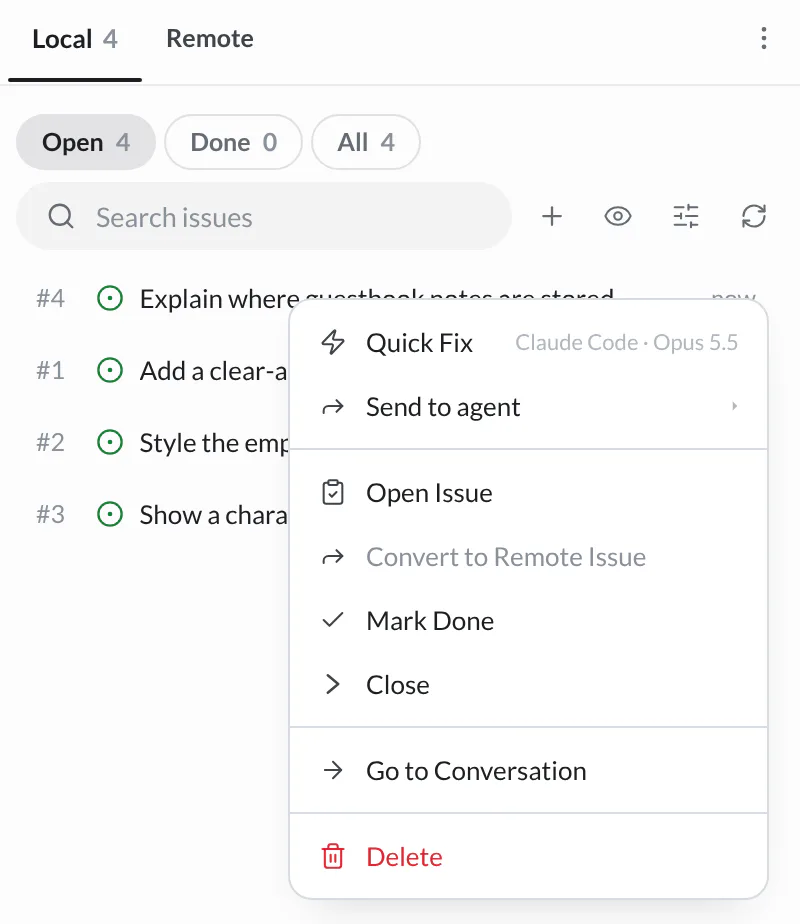
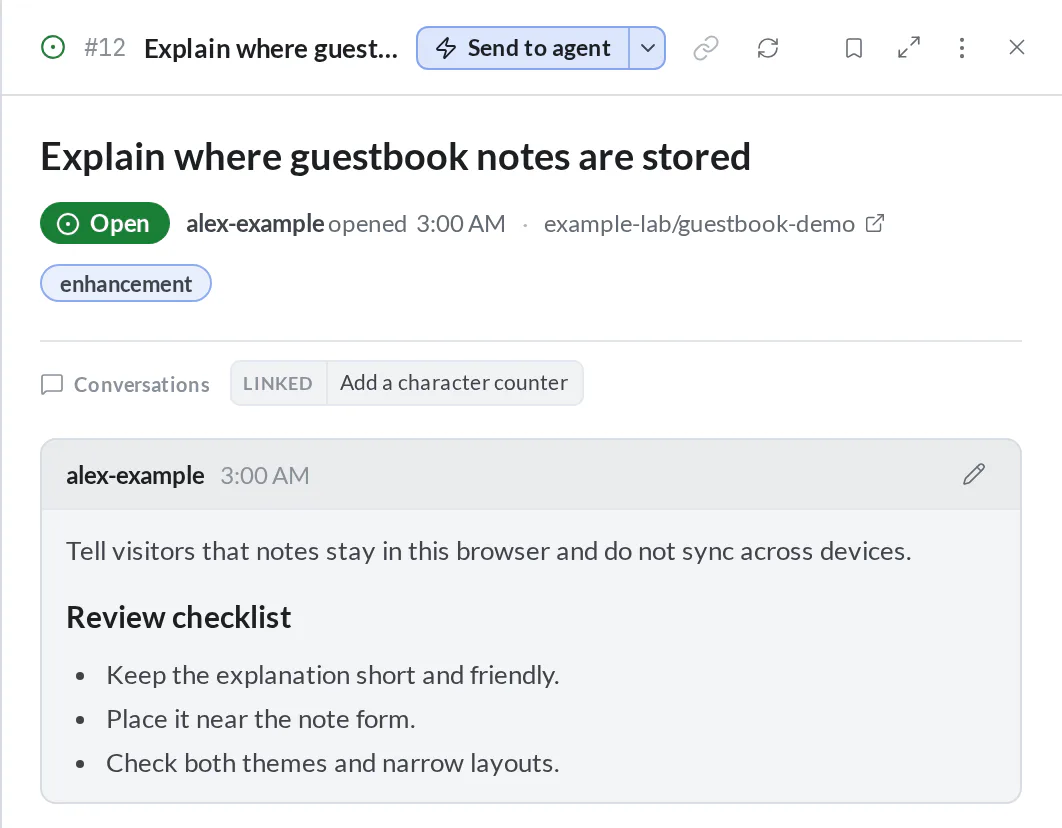
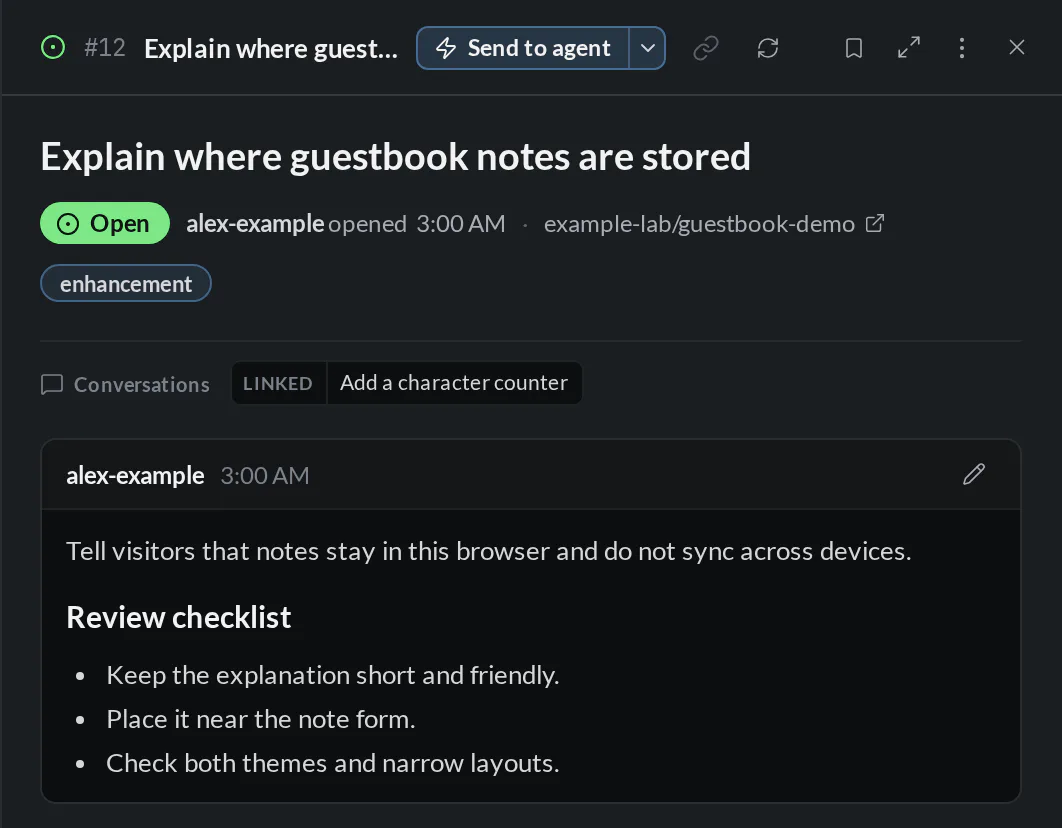
Your agent can record follow-up work too. In this example, reviewing the counter raises a separate task to explain where guestbook notes are stored:
Local by default
Local issues live in hob's database for this project and are not automatically
committed to Git or posted to a platform. Share explicitly writes a local
issue to your folder under .hob/members/, signed with one of your keys, so
teammates can verify who shared it. Convert to Remote Issue is a separate
action for publishing it to a connected issue tracker.
Handing an issue to an agent
Select a focused task
Select the checkbox beside Show a character counter for notes, then choose Send to agent. hob opens an agent pane with the issue context. Selecting several issues sends that group to one agent; use separate handoffs for independent tasks.
Choose how the agent starts
The issue's right-click Send to agent menu, or the arrow beside Send to agent in its detail pane, lets you choose a backend, Edit prompt first, or Send to open agent. Edit prompt first gives you room to add constraints before work starts. Quick Fix starts immediately with the configured defaults.
Set repeatable issue-agent choices in Settings → Issues & plans.
Review with the issue beside you
Double-click an issue or right-click → Open Issue to read its description in an issue pane. Open it beside the agent when you want to compare the result against the original request.
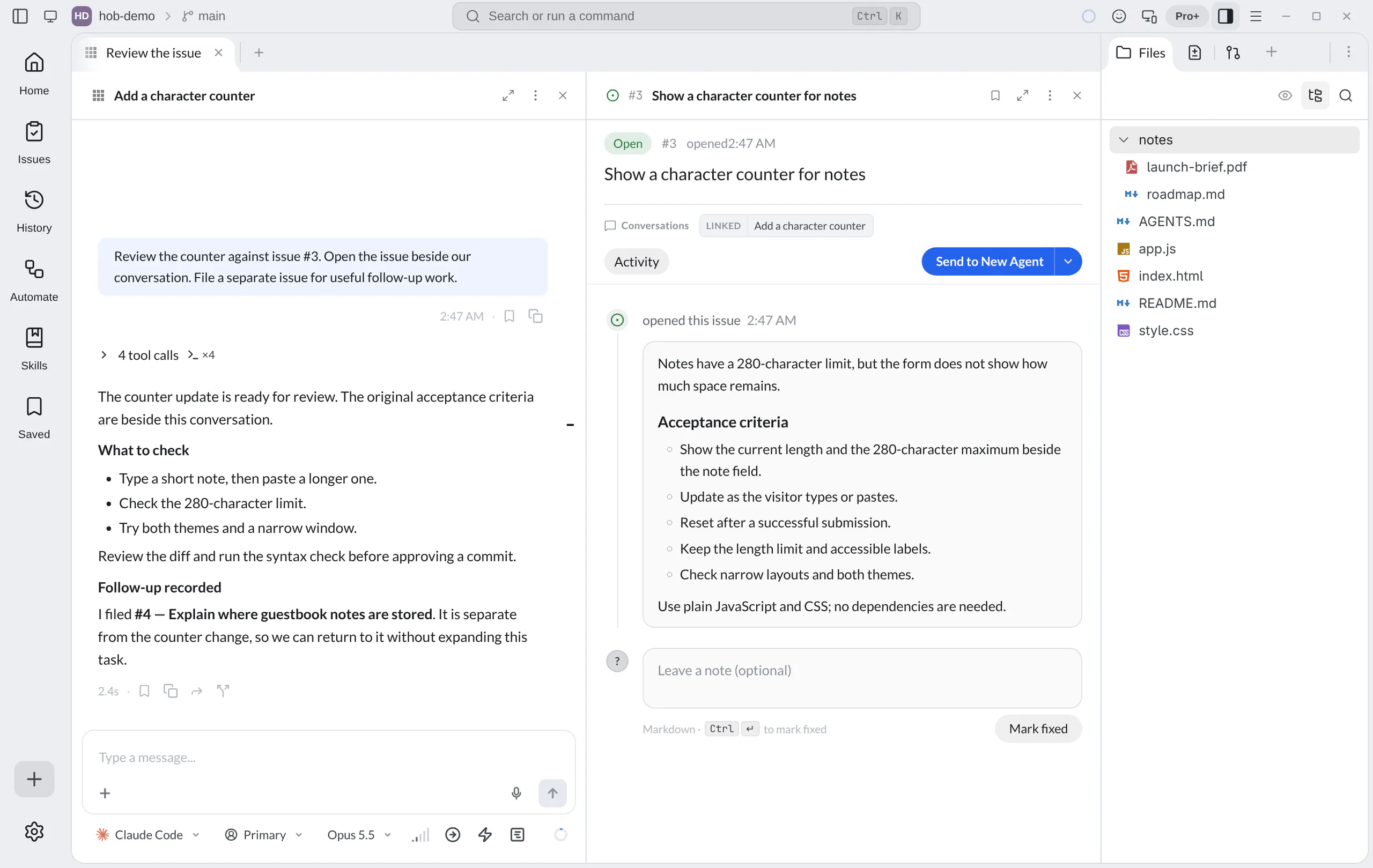
Use the issue as the review checklist: try the change in a browser preview, inspect the diff, and run a check in a terminal. A finished agent turn is a reason to review the result, not evidence that every acceptance criterion passed.
Close the loop
For a local issue, select Mark fixed in the detail pane after reviewing the change. Add a note first to use Mark fixed with note and preserve what you checked. The issue moves to the panel's Closed list; recorded fix details can include the note, model, and commit when available.
The local row menu also offers Mark Done, or Close when you are setting aside the issue without recording a fix. Return to Closed and reopen an issue when there is more work to do; its detail pane has Reopen issue. Search within the current Local/Remote and Open/Closed view to find it again.
Follow the conversation
Issues created or linked through an agent can retain their conversation context. Select a chip under Conversations in the issue pane to return to the linked turn. The row's Go to Conversation action is another route back; an assigned agent and the conversation that originally raised the issue may be different.
History also connects conversations with their issue and commit artifacts. These links explain where work came from and what it produced. Use the actual diff and checks to judge the change.
Local and remote issues
For issues that already live on GitHub, Gitea, Forgejo, or Linear, choose Remote in the same panel. Open an issue to read its description, labels, comments, and linked hob conversations. You can edit its title or description, change its labels and assignees, add a comment, close it with an optional comment, or reopen it from this pane.
A Linear team is an issue source of its own. Its issues show their Linear keys,
such as ENG-123. Closing moves an issue to the team's first completed state,
and reopening moves it back to a not-started state. A Linear issue has one
assignee.
Set up credentials in Settings → Git & environments → Git integrations.
Use a GitHub token or the Forgejo / Gitea tokens entry for your server;
Import Tokens can import existing gh or tea credentials. A project can
use its own Git API token instead of the global one. For Linear, add a personal
API key under Linear API keys; hob saves it for the workspace that the key
belongs to.
The project's detected origin repository is included automatically. To bring in related repositories or a Linear team, use Settings → Issues & plans → Issue sources → Additional issue sources in project settings. For a Linear team, choose Linear team, connect an API key if you have not added one, and pick the team. When creating a remote issue, check the Create in destination; it lets you choose among configured sources. Connected reads and updates use those credentials and the platform's permissions.
The Send to agent options work here too. Assigning an agent in hob tracks the work inside hob; it does not change the issue's assignees on the platform. Use the assignee button in the issue pane for that.
Work on several issues
Hand off separate issues to separate agent panes when the tasks are independent. Keep their titles specific so you can follow the work from workspace tabs and Home. Use worktree workspaces for parallel writers that need separate checkouts, or pair an implementer with a reviewer who reads the change in the same checkout.
Parallel agents explains provider choice, messaging, and how to hand context from one agent to another.
For agents
Agents can create actionable issues while reviewing, take on existing tasks, and link the work they produce. They use the same project issues you see in the panel, so follow-up work stays discoverable after the conversation ends.
hob issue create --local --title "Explain where guestbook notes are stored" \
  --body "Explain that notes stay in this browser and do not sync across devices."
hob issue list
hob issue start 3
hob issue complete 3 --comment "Reviewed the counter and recorded the checks."
Issue creation files the issue immediately and returns its exact project-bound link. The agent includes that link in its reply so you can reveal the issue. Opening an issue pane is a separate action, taken when you ask to view it:
hob pane open issue --local-id 3For connected issues, use the remote commands and an explicit source when needed:
hob issue view 12 --source origin
hob issue comment 12 --source origin --comment "The change is ready for review."
hob issue edit 12 --source origin --add-label needs-review --assignees alice
hob issue close 12 --source origin --comment "Reviewed and verified."
hob issue view ENG-123
A Linear key such as ENG-123 names its team, so it needs no --source.
create, edit, comment, close, and complete can attach additional
contributing conversations with repeatable --link-pane <pane-id> flags.
hob link issue 12 or hob link issue --local 3 links your current turn, and
any --link-pane panes, to an existing issue without changing it. See the
CLI reference for targeting by URL, repository, or
source. Keep local completion distinct
from closing a remote issue.
See Keyboard shortcuts for issue-panel bindings. Local and remote actions follow their respective source.