
Diff viewer
Review an agent's changes in place, keep the useful parts, and revert individual chunks before committing.
Review the change while its context is still beside you. Open a modified file from Changes, read the diff alongside the agent's explanation, and decide which parts belong in the result. You can keep a counter improvement while reverting an unrelated wording change, without leaving hob.
A working-file diff compares the file on disk with HEAD, the current Git commit. This is where you review uncommitted work before asking the agent to commit it.
Opening a diff
Open Changes with Cmd/Ctrl+Shift+D and select a modified text file.
If the file is already open, use its Pane actions menu and choose
Show diff. Choose Show source to return to code, or Show document
to return to editable Markdown.
For the guestbook task, start with
index.html: the counter element is small enough to understand at a glance.
Ask your agent
Compare a tracked file with a saved Git baseline. A new file has no version at HEAD, and a folder outside Git has no HEAD to compare against. Read those files in source mode when a baseline is unavailable.
Reviewing changes
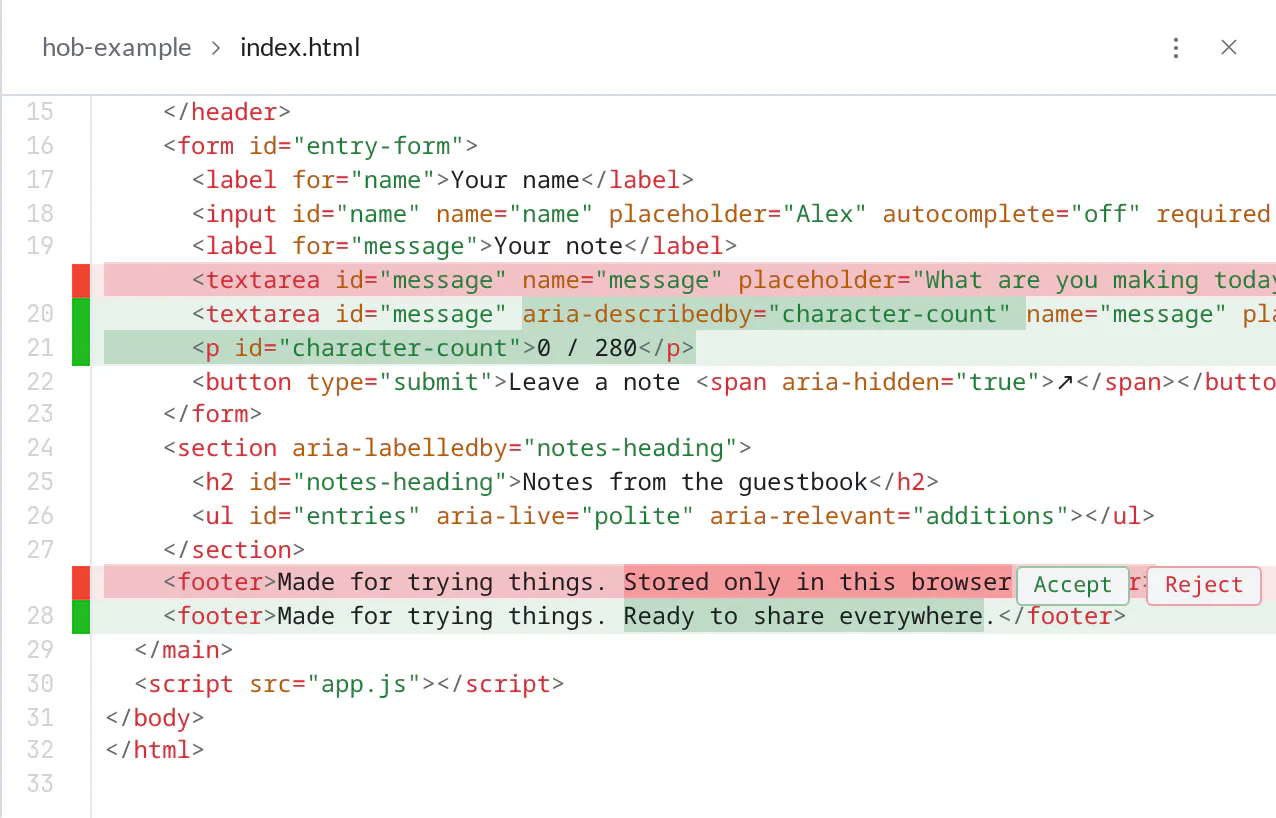
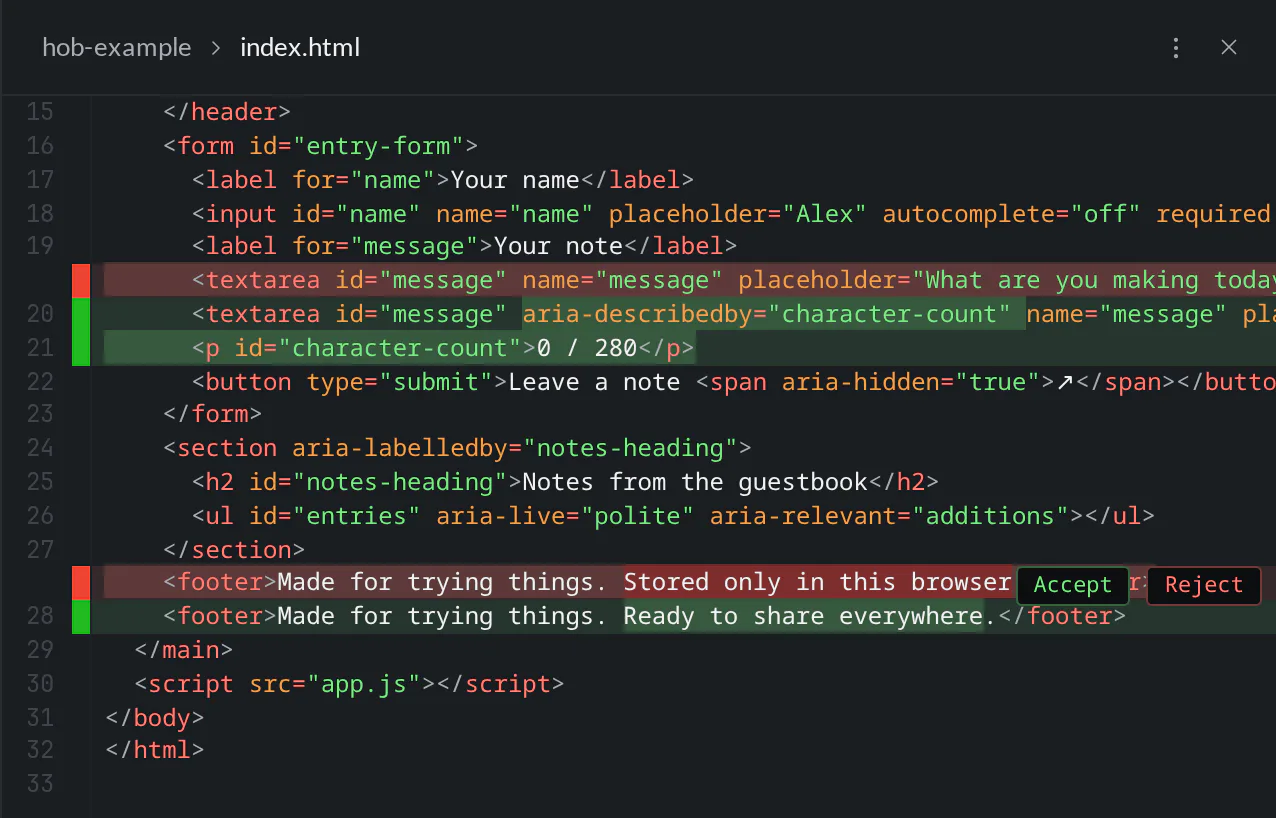
The diff is unified: deleted lines appear inline in red, and added lines appear in green. A chunk groups nearby changes into one decision. Read the surrounding lines as well as the highlights; they tell you what the change affects.
In this example, the first chunk adds the counter and connects it to the note field. The second replaces the footer's explanation of browser-local storage with “Ready to share everywhere.” That wording is unrelated to the counter and misrepresents how this guestbook stores notes.
Accepting and rejecting
| Action | What happens |
|---|---|
| Accept | Keeps the current content and resolves the chunk in the open comparison. It does not write, stage, or commit the file. |
| Reject | Replaces that chunk with its baseline content and saves the resulting file immediately. |
Accept the counter change, then reject the footer replacement. The useful change stays in the working file, and the original storage explanation returns.
Reject changes the file, so try the app again after reverting a chunk. A small markup reversal can affect the behavior of code elsewhere. The browser preview and terminal keep that check beside the review.
After reviewing
Switch to Show source, then Show diff to inspect the saved result against HEAD again. The counter is still highlighted because it remains an uncommitted change. The rejected footer edit is gone.
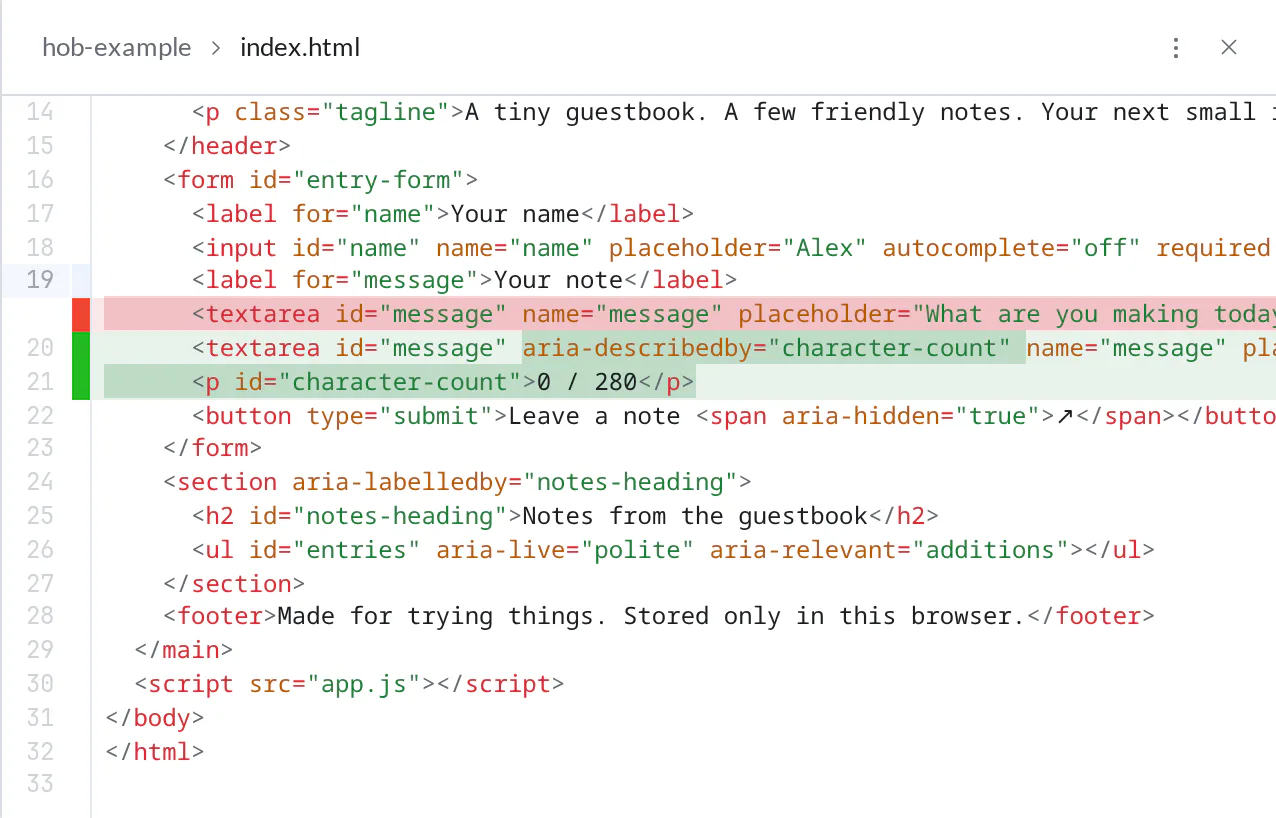
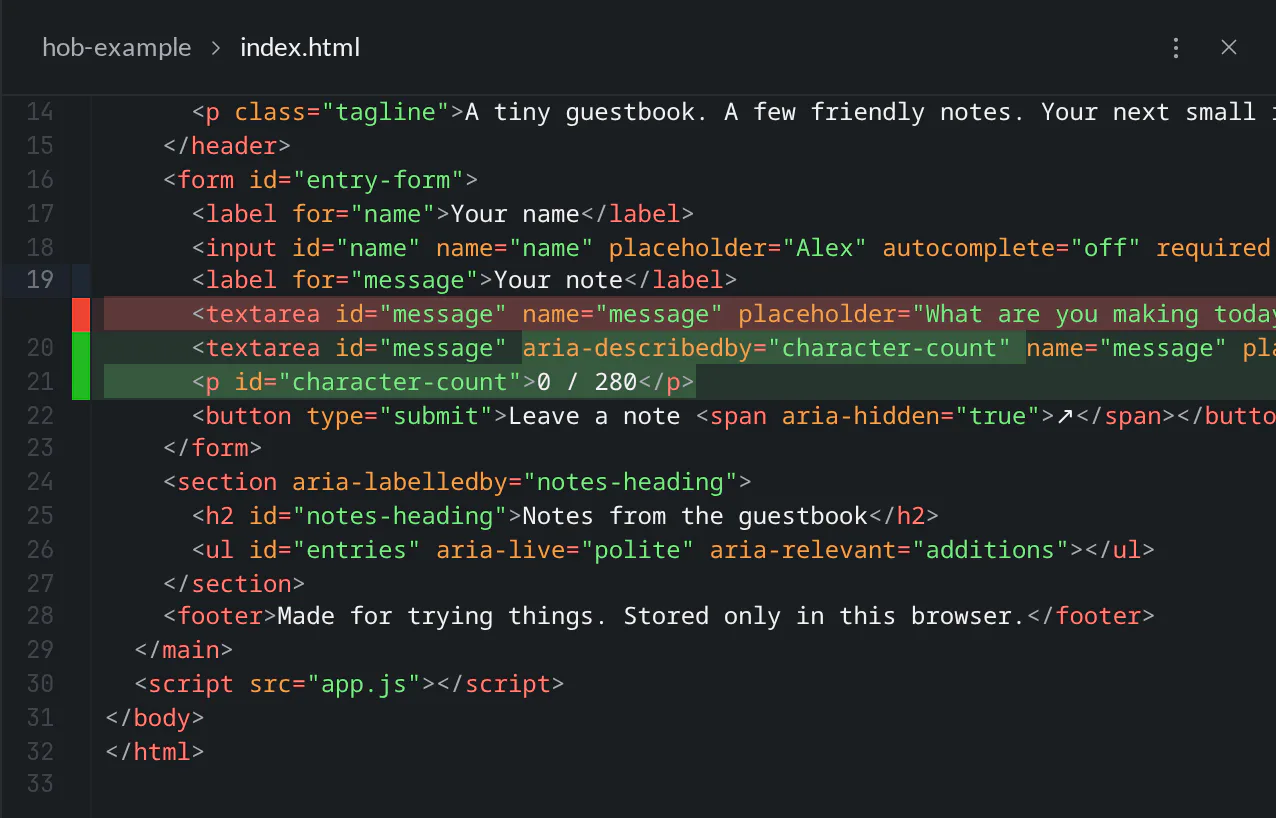
The diff follows saved changes to the file. If the agent edits it again, review the new content before committing; an earlier review only covered what you read at that moment. Use Changes to check the other modified files too, then return to the issue to compare the result with the task.
For agents
Bring the diff into the same workspace as the conversation and explain the change there. Open the file first:
hob open file index.htmlUse the returned pane ID to select its diff renderer:
hob pane set --id <render-pane-id> --renderer diffPoint at the current file lines that matter rather than pasting the whole diff:
hob attention file:index.html --location line:20-21 \
  --title "Counter markup" \
  --message "The note field describes its counter. Review this alongside the update code."
Verify line numbers against the current file before creating the pointer, and include the returned attention link in your reply. Explain the result, let the person review it, and commit when requested. See Working with your agent for attention and collaboration in context.