
Returning to your work
Come back to your projects, conversations, and working layout, and know what needs to start again after a shutdown.
Leave one workstream, handle another, and return with the context still in place. hob saves your project and workspace arrangement as you work, so you can pick up from the panes, conversations, and files you were using.
Switching projects does not stop running agents, terminal commands, or preview servers. It changes what you are looking at. Quitting hob's host—the process running your work—is a different boundary: saved context can return, but the old processes do not survive a shutdown or computer restart.
What comes back
| Part of the work | What returns | What to check after shutdown |
|---|---|---|
| Projects, windows, and workspaces | Saved open projects, workspace layouts, pane placements, and recent workspace selection | Choose the project and workspace you want to continue |
| Agent conversations | Saved conversation blocks, including recorded tool activity | Send the next instruction to resume; if its worktree is gone, recovery is read-only. An interrupted task has not kept running |
| Terminal panes | Saved command blocks and recorded output | hob starts a fresh shell when restoring a dead terminal; rerun the command or server you need |
| Files and previews | Open file paths and their document, source, diff, or preview modes | Files load their current contents from disk; the pane is not a backup of an older version |
| Saved file revisions | Versions retained in hob project storage for the configured period | Ask an agent to list or restore a version; the pane’s temporary Undo file edit history does not return. See file revisions. |
| Composer drafts | Saved unsent text | Review the draft and send it when ready; restoring it does not submit it |
| Preview-server recipes | The saved command and working directory | Check whether the site is available; start the saved recipe if its server stopped |
| Scheduled messages | The saved outbox and its schedule gates | Overdue gates discovered on reopening await manual release; review them before continuing |
| Reading positions | Positions remembered within the current client session, where supported | Exact scroll and cursor positions are not guaranteed across a full app restart or another device |
Saving a workspace arrangement does not replace saving a file or making a Git commit. Code and Markdown normally autosave after a short delay; if you chose manual saving, save your edits before leaving. See Files & previews.
Return after switching projects
Choose your project from the project switcher, then open the workspace for the task. Its pane layout brings the work back into view. An agent may have finished, a command may still be running, or a question may be waiting for your answer.
Use Home to find what needs attention across your workspaces. See Projects and workspaces for navigation and attention indicators. To keep work available away from this computer, use remote access with the host still running.
A project switch itself is navigation. Explicitly stopping a command, closing a pane, or quitting the host has its own lifecycle behavior; don't use those as a substitute for switching to another task.
Continue with another provider
If a provider is unavailable, open a new agent pane with another configured
backend. Reference the original conversation with the @- pane picker and
ask the new agent to read the recorded task, inspect the current files, and
identify what remains. Your project and its history stay in hob.
This starts a new backend session. It does not move a live conversation between backends or switch providers automatically. If you only need another subscription for the same backend, use a supported account switch instead.
Continue after a shutdown
Pick up the conversation
Read the last saved exchange and any tool results before sending the next instruction. If the backend can resume its session, hob continues that conversation. Saved hob history remains useful context even when the backend's own session is no longer available.
A useful next instruction makes the interruption explicit:
Ask your agent
Restart the command you need
A restored terminal keeps earlier command blocks and shows a Resumed marker. When its old shell is gone, hob creates a new shell for that pane. The previous process's environment changes and running programs are not recreated by its saved output.
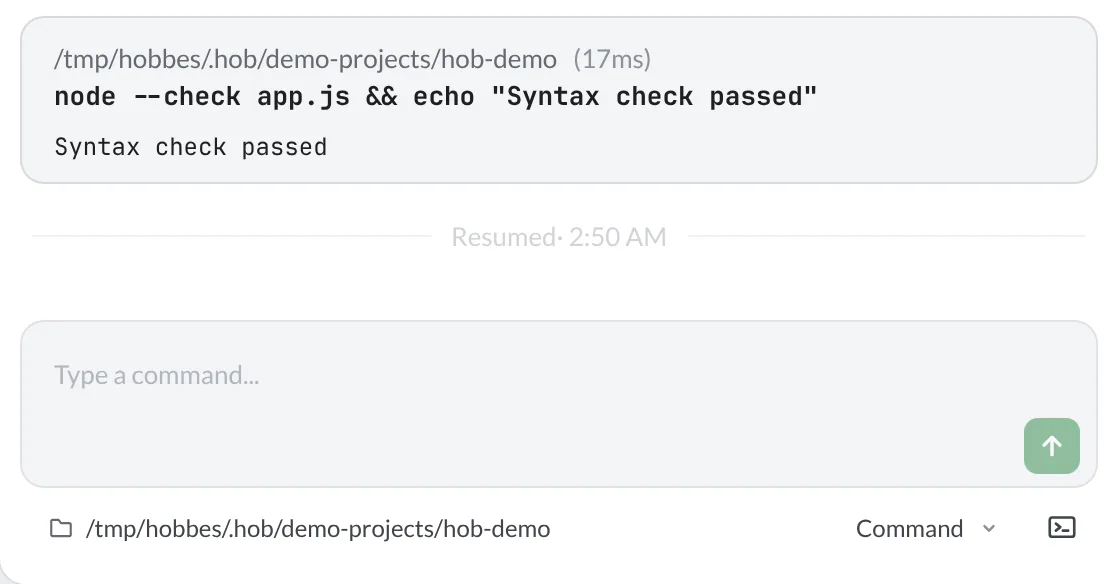
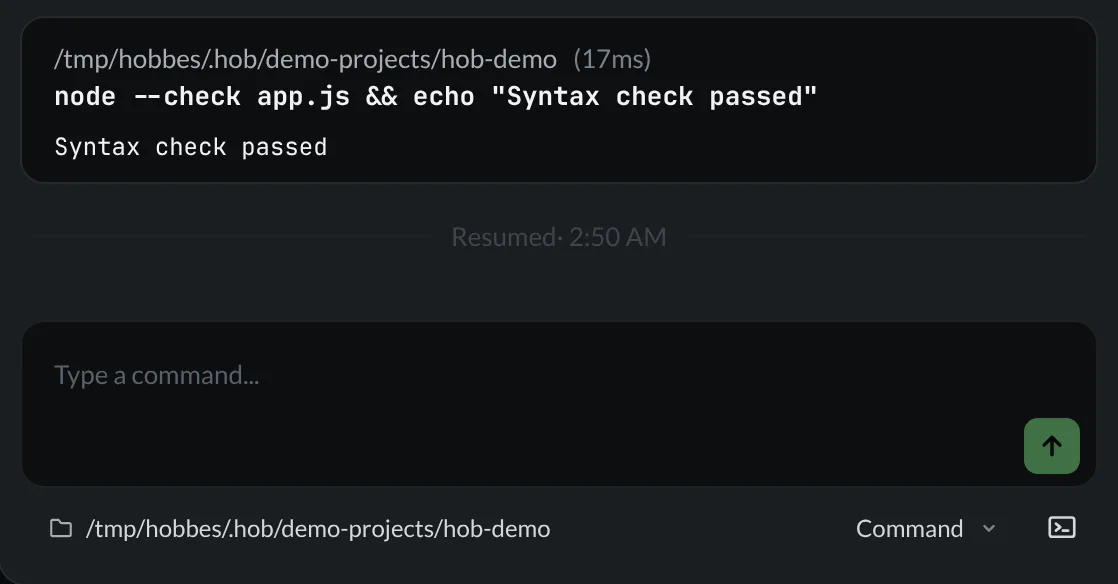
Rerun a completed check from its command block, or find a command through terminal history. Start any development server you still need, and check its new output rather than treating an earlier passing result as a fresh run.
For a web pane with a saved server recipe, Start preview server can bring that preview back. A site managed outside the pane may already be available; hob can use that URL without starting a competing process. See Browser previews for server recipes. The included guestbook runs from a local HTML file and needs no server.
Review waiting work
Queued messages and unsent drafts are different. Scheduled messages remain in the outbox; they do not turn into composer drafts after a missed deadline. Use the queue's Continue or Resume schedule action when required, after checking what is waiting. See Scheduling a message.
An automation with a configured startup or restart policy may start a new run. That is a fresh execution under its policy, not an old process surviving shutdown. See Automations before relying on automatic recovery for a long-running workflow.
Reopening a past session
Use History to find a conversation you closed and open it as a peek at the relevant turn. Keep it in a workspace when you want to continue working with it.
For a layout you deliberately want to reuse, save a named workspace snapshot. Snapshots complement automatic restoration; they are not Git checkpoints or process backups.
Multiple windows
Each native window has its own saved workspace layout and geometry. Reopening hob can restore those windows and their open projects. Use each window's project and workspace selection to return to the work you want; restoring several windows does not restart every command that was running in them.
For agents
Recover a saved conversation with hob conversation show <pane-id>, even when
the backend transcript is gone. To bring a person back to it, use
hob attention pane:<pane-id> and include the returned link; playing that
pointer can restore a closed pane and focus the relevant conversation. Add a
verified block location when you know the turn they need.
See Working with your agent for recovery and attention. Read the current files and process state before claiming that an interrupted task has resumed.