
Remote access
Continue the same project from another computer, a browser, or the hob mobile app, with your agents, tools, and working context still on the Host.
Leave your desk without leaving the work behind. Connect your desktop app to a hob Host on another computer, open the Web IDE in a browser, or use the hob mobile app to find what needs your attention and steer an agent from your phone. Each surface connects to a hob Host: your projects, conversations, terminals, and tools stay on the machine that runs it.
Access requirements
The Host you connect to and the desktop that connects both need an active
hob Pro+ license. The Web IDE and hob mobile need it on the Host. On a new
profile every kind of remote access starts Off. hob --headless turns
desktop connections and the Web IDE on at Localhost only when you never
chose a setting for them; see Headless mode.
Choose your surface
| Surface | Reach for it when… | Connection |
|---|---|---|
| Desktop app | You want the full desktop app, including web panes, while the work runs on another computer, such as a headless server. The recommended way to use a headless Host. | A private network or VPN, or your own SSH tunnel. |
| Web IDE | You want the tiled workspace in a browser tab on a computer without hob. Web panes need the desktop app. | A private network or VPN, or your own SSH tunnel. |
| hob mobile | You want to monitor and steer from your phone: find an unreviewed result, answer an agent, or follow a command's output. The app is available for iOS; Android is in beta. | This machine, a private network, or the internet relay. |
The Host runs the work; these devices provide the interface. Agent CLIs, credentials, project files, and build tools belong on the Host. You do not need to install your development stack again on your phone.
Enable access and connect
Choose Remote in the desktop titlebar to open Access to this computer. It has a tab for each kind of connection to this Host:
- hob mobile: the hob mobile app on your phone.
- hob desktop: other desktop apps that connect to this Host.
- Web IDE: browsers that open this Host's Web IDE.
To connect this desktop app to another Host, use the computer button at the left of the titlebar, or Connect to another computer… at the bottom of Access to this computer. See Connect your desktop to another Host.
Each tab has its own Access scope: Off, Localhost only,
Private networks only, or, for hob mobile only, Internet. Private
networks include the usual home and office address ranges and VPN ranges such
as Tailscale's. A request from any other address is refused. Desktop
connections and the Web IDE are two independent switches on one listener port;
on a headless Host, hob connection desktop and hob connection web-ide set
them from a shell.
Web IDE
On the Web IDE tab, set the access scope, then copy the Connection URL and open it in your browser. Use the full URL from your own Host: it contains the credential needed to connect. If the browser is a viewer, choose Take control to start working.
The Web IDE brings the same workspaces, agent conversations, terminals, files, and review tools into a tab. Paste an image into an agent message, review a changed file, or switch projects as you would at your desk. Web panes show a notice instead of the page; use the desktop app for them.
The Web IDE accepts connections only from this machine or a private network. It does not use the hob mobile relay. For a Host across the public internet, use an SSH tunnel or a VPN.
Connect hob mobile
Pair your phone
Install the hob mobile app: it is available for iOS, and Android is in beta. On the hob mobile tab, set the access scope, then scan the QR code with the app. For the relay, choose Internet first. Keep the pairing link private: it carries your hob mobile credential.
Approve the device
A new device shows a four-character request code. Compare it with the code under Pending requests on the Host, then choose Approve there. Reject a request you do not recognize. You can remove approved devices from the same tab later.
Use hob mobile
Take control if prompted, then open Inbox. Find the guestbook's Add a character counter conversation under the current workspace; its blue Unreviewed marker tells you there is a result to look at. Open it to read the response and send your next instruction. See queueing and steering for sending a follow-up during a turn and using Send now from the Outbox.
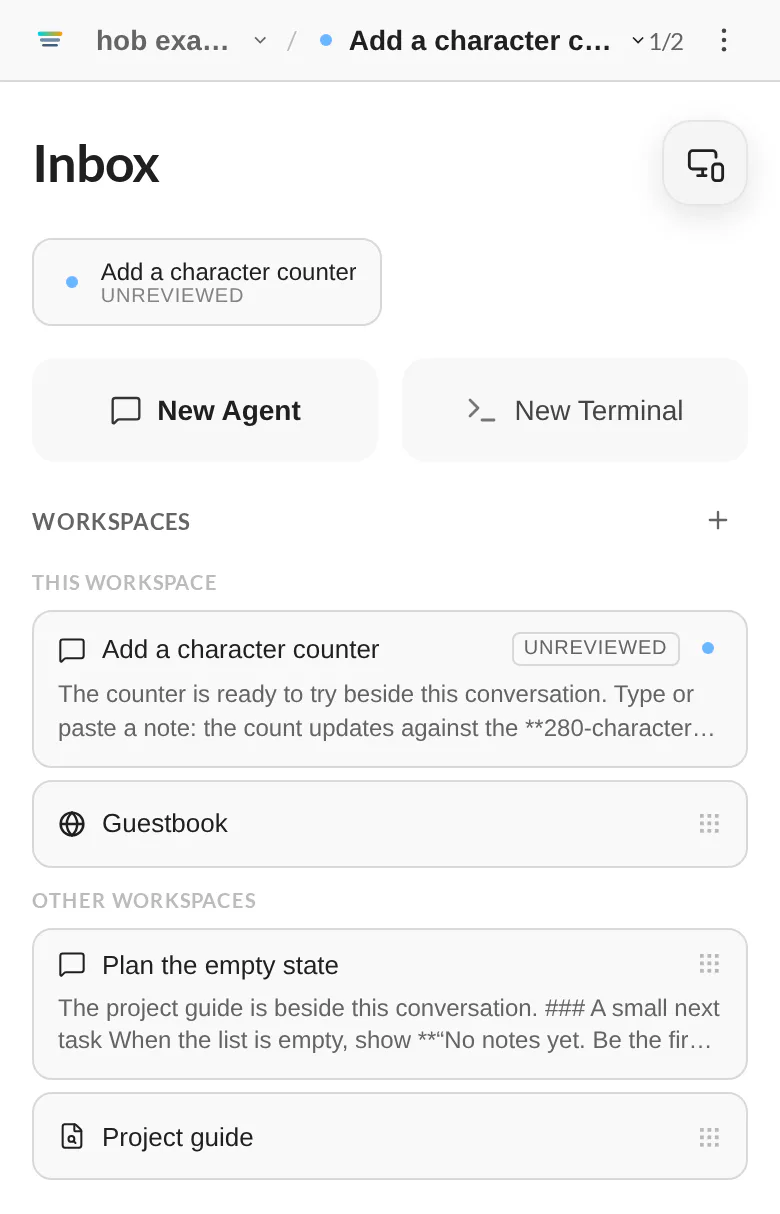
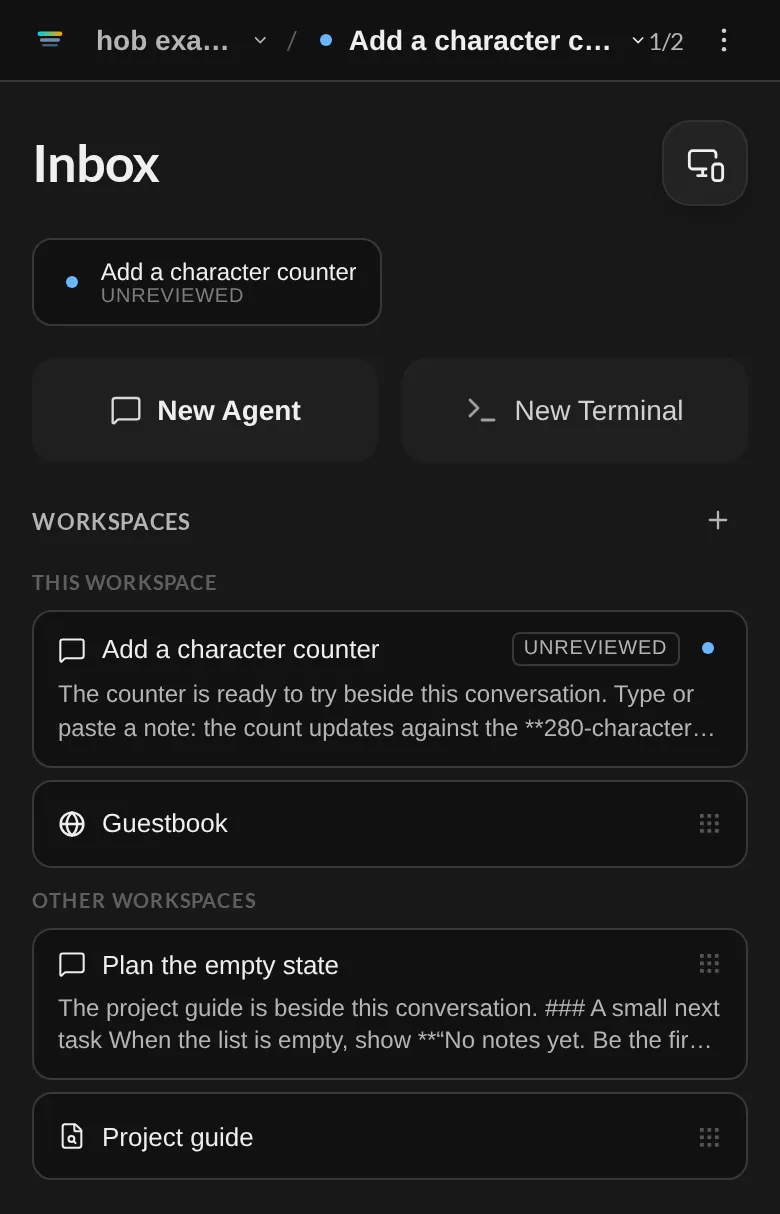
You can read conversations and tool calls, send messages, respond to input and permission requests, stop agents, and inspect terminal output. Your answer goes to the existing agent on the Host. See Working with your agent for the questions, plans, and review moments you can pick up here.
hob mobile also renders Mermaid diagrams in completed agent replies. Use the desktop app or the Web IDE for diagrams in Markdown file panes.
Connect your desktop to another Host
Use this to work on a headless server or another computer from your own desktop app. The window then shows that Host's projects, settings, and home. Agents, terminals, and files run on that Host. Web pages still open in your desktop app, and website sign-ins stay on your computer.
Allow desktop connections on the other Host
On the other Host, open the hob desktop tab and set Access scope to
Localhost only or Private networks only. A headless Host starts at
Localhost only unless you chose otherwise, and you can pair from its
command line with hob --headless --pair. For a Host with a public address,
connect over SSH or use a
VPN.
Request a connection
On your computer, choose the computer button at the left of the titlebar to open Host connections, then choose Connect to a new computer. Enter the other Host's address and choose Request connection. Find on local network and Choose SSH machine help you pick it; computers you already saved are left out. Keep hob open on both computers.
Compare the codes
Both computers show a code. On the other Host, choose Codes match · Approve under Pending requests. On your computer, choose Codes match · Pair. Reject a request you do not recognize.
Name and connect
Give the Host a name and choose Save. hob saves it in Host connections. Choose Connect to open it in this window.
Connect over SSH
If you can sign in to the other computer with ssh, hob can check it for hob,
install and start hob there, and pair, all from Connect to a new computer.
Select Choose SSH machine, then pick a computer from your ~/.ssh/config
or enter a destination. hob checks it and shows the next step on the same
form. hob uses your own ssh and stores no SSH credentials. It approves
the request on the other computer over SSH and shows the code for your
information. Each connect opens a new SSH tunnel. See
Set up a new VM for each step.
Find a computer on your network
Choose Find on local network to find computers on your network that run hob. Nothing is sent until you choose it. A Host answers only while its desktop connections are set to Private networks only, and it never announces itself. Its answer gives only its name, its port, and an ID that identifies that computer. Each computer is listed once, and this computer is never listed. Choose a computer to fill in its address, then choose Request connection. On macOS, the first scan asks for permission to use the local network. A Mac that answers asks once too, when you set its desktop connections to Private networks only, or when hob starts with that setting. Some firewalls block the answers; if nothing is found, enter the address instead.
Set up the other Host from your desktop
The first time you connect to a Host that never chose a theme or a tool layout, hob asks whether to set it up like this computer, for example Set up build-vm like this computer? Each item the Host has not chosen has its own switch, on by default:
- Theme copies your theme. A custom theme from this computer is copied to the Host first.
- Layout copies where your tools are.
Choose Copy and continue to copy the items that are on, or Skip to choose them in the Host's own setup. hob remembers either answer and does not ask again for that Host. If you close the question without an answer, hob asks again on the next connect. A Host keeps every setting it already has, and later changes in that window apply to that Host.
Then the Host's own setup runs in the window, with the Host's name above the first step. It skips the steps the Host already has: activation when the Host's license is active, and the theme or layout you copied. The remaining steps, Connect your agents and agent file sync, set up the Host, because its agents run there.
To change Hosts later, use the computer button in the titlebar. A window that shows another Host names that Host next to the button. Host connections lists This computer first, then your saved Hosts. hob does not mix local and remote projects in one window. If a Host is unavailable, you can retry or connect to a different computer; hob does not switch to this computer by itself.
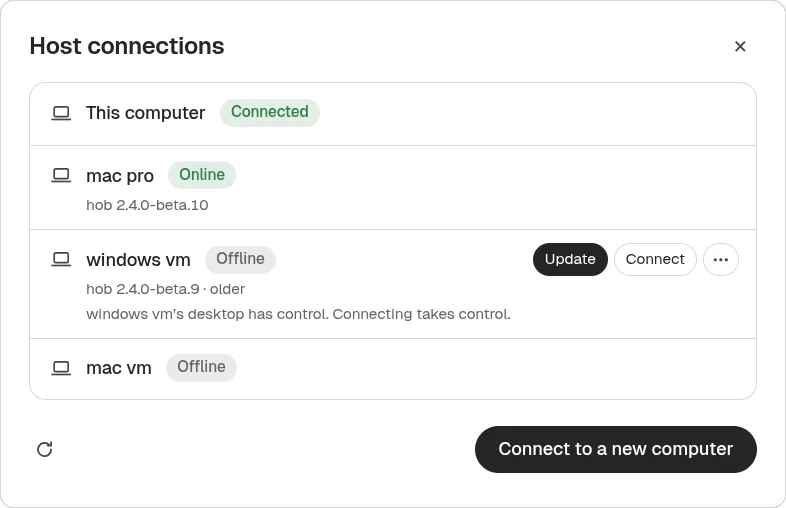
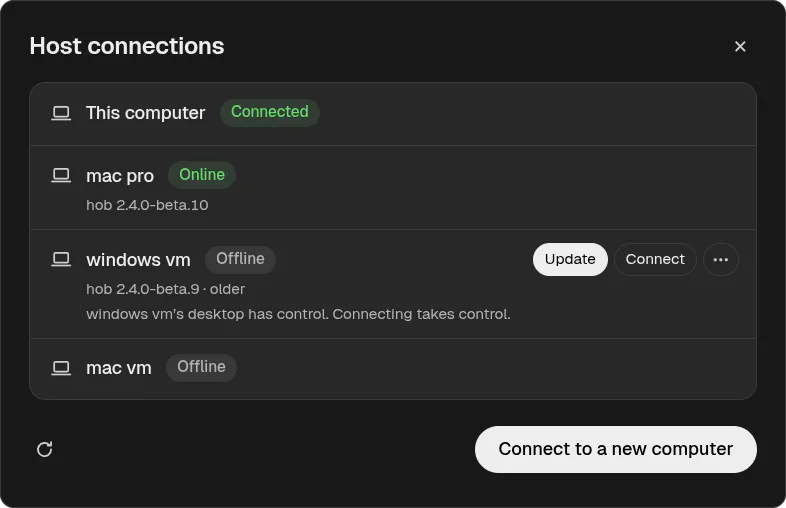
In a window that shows another Host, Host connections opens inside that window, but it belongs to this computer. The other Host cannot see your saved Hosts or use them.
Manage saved Hosts
Each saved Host in Host connections shows whether it is connected, online, offline, or reached over SSH. Its More actions menu has Edit and Forget. Edit changes its nickname or address. The saved Host key stays fixed, so a different computer at that address is rejected. Forget removes the saved connection; pair again to reconnect. To forget the Host this window shows, connect to another one first. If a Host stops trusting this computer, choose Pair again.
Update a remote Host
Each saved Host shows its hob version. When it is older than your desktop app and can update itself, choose Update. The update restarts that Host and stops its agents, terminals, and automations, so finish running work first. hob downloads and verifies the signed release, installs it, and waits for the Host to report that it is healthy. If it does not, the Host rolls back to the previous version. A headless service restarts in headless mode.
Updates only go forward. If the remote Host is newer, update this computer instead. The Host keeps its own release channel; to change it, choose Switch channel and update.
Move control between devices
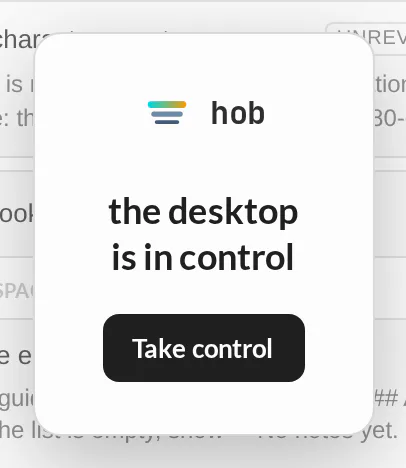
One surface controls the Host at a time: the desktop app, one browser IDE client, or one hob mobile client. Other connected surfaces become viewers. They show a privacy shield over their frozen view and receive control updates rather than live project content.
Choose Take control on the device you want to use. hob synchronizes that device before removing its shield and returns to the last controller's working location. Authentication and device approval let you connect; control determines where you can interact now.
Switching projects is navigation: it does not stop agents, terminal commands, or preview servers. Disconnecting a remote client does not stop the Host either. Host shutdown ends its processes; reopening restores saved context, not those processes. See Returning to your work for what comes back and what you start again.
Credentials mode
In Settings → Remote connections, hob mobile credentials chooses how hob mobile access links behave:
| Choice | What it does |
|---|---|
| Reuse credentials | Keeps the saved access link across restarts (Fixed mode). |
| Generate new credentials each time | Issues new credentials when hob mobile access is turned on (Ephemeral mode); earlier links stop working. |
Restore hob mobile access at startup restores previously configured access when the Host starts. Regenerate credentials on the hob mobile or Web IDE tab rotates the credential for that surface. Keep the new link; the old credential no longer authorizes access.
The Web IDE remembers an authorized browser in an HttpOnly, host-only cookie
for up to 400 days, refreshed when the IDE opens. Turning off Web IDE access or
rotating its credential invalidates that authorization. Clearing browser
data requires the access URL again. Keep using the hostname from your URL:
localhost and 127.0.0.1 have separate browser cookies.
Relay — internet access
With hob mobile set to Internet, the Host makes an outbound connection to
connect.hob.dev. Your phone connects through that relay, so you do not need
to forward a router port for hob mobile. The work still runs on your host.
Relay encryption
| Part of the connection | What it carries or can see |
|---|---|
| Access link | The hob mobile credential is in the URL fragment. It stays on your device; the fragment is not part of any HTTP request. |
| Host and trusted client | Derive the encryption key from that credential and encrypt/decrypt the mux websocket messages with AES-GCM. |
| Relay | Routes encrypted frames and manages connection/session authorization. It can observe transport metadata, including timing, IP addresses, and frame sizes; it is not given the credential or payload-decryption key. |
Security
Treat access links as credentials, verify new-device request codes, and remove trusted devices you no longer use. Follow the Headless security guide for listener, TLS, tunnel, private-network, and file-access setup.
For agents
Your agent keeps working on the host while you change devices. It can open a
preview with hob pane open web --file index.html and leave it in the same project
for you to review remotely. Use the normal
agent interface; a remote client does
not require a second conversation or a separate agent installation.
Device approval and taking interactive control stay with the person connecting.
Remote VMs with --headless
Run the same Host without a desktop window using Headless mode. That guide owns installation, background/service operation, and host security. The desktop app, Web IDE, and hob mobile connection and control flow above apply to that Host too.
To reach a VM over SSH, follow Set up a new VM. For an SSH tunnel that you run, or a private network, follow Reach a VM over the internet. All commands, agent processes, and file operations run on that host; the connecting device provides the UI.