
Files & previews
Keep source, specs, reports, and media beside the agents working on them, with live updates and direct editing where you need it.
While an agent changes the code, you may need the spec, a report, or an image to judge the result. A render pane brings a file into your workspace so you and your agent can refer to the same material without switching applications or copying it into chat.
Open the source while an agent changes it, read a generated PDF before approving it, or make a small wording correction yourself. hob chooses the renderer for the file and keeps its contents current as changes are saved.
Opening files
In the guestbook task, ask the agent to open
app.js beside the conversation so you can review the counter function:
Ask your agent
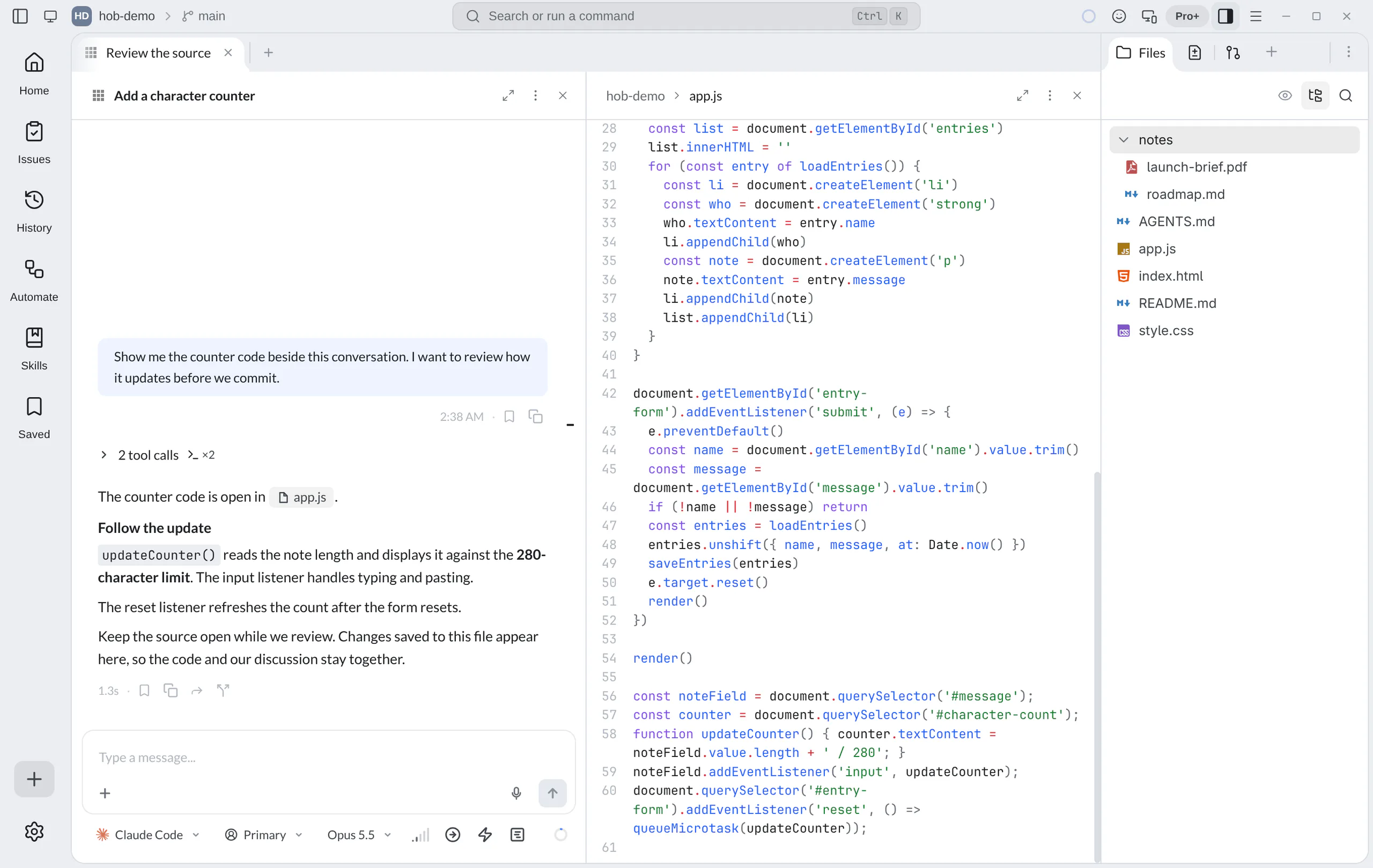
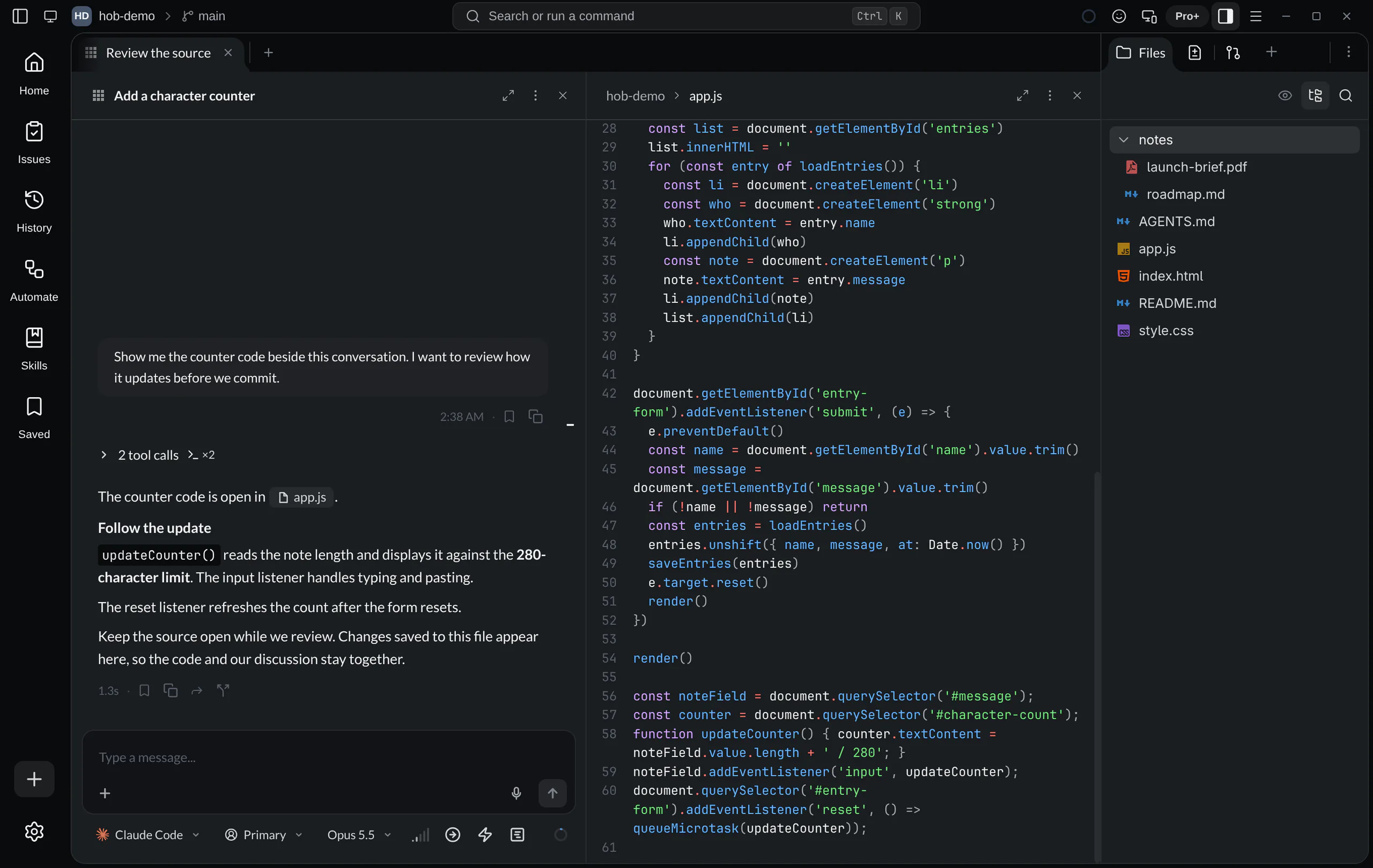
Open files yourself through Go to File, the Files tree, or a file link in the conversation.
Render panes tile with your agents. Keep a frequently used reference in the Dock when you need it across workspace changes.
Live reload
An open render pane watches its file. When an agent or another tool saves a
change to disk, a clean pane reloads it. You can keep the counter implementation
in view while the agent works instead of repeatedly reopening app.js.
If you have your own unsaved edits, hob preserves them and asks you to resolve the competing disk version. That distinction matters when a person and an agent touch the same file.
Editing files
Code and Markdown panes support direct editing. Click into the document to
make a change; use Cmd/Ctrl+F to find text and Cmd/Ctrl+S to save immediately.
For a larger implementation, keep the agent working on the task and use the
pane to inspect the result.
Autosave is on by default, after a short delay. In Settings → Files & search → File behavior → Autosave code changes, choose After a short delay, When focus changes, or Off — save manually. This setting applies to both code and Markdown editors.
Markdown uses one editable document view. Formatting stays rendered around
you; source markup appears for the block you are editing. The file remains
ordinary Markdown. Its diff control switches to a comparison with Git
HEAD; other text files use source / diff, while SVG also has a
preview / source choice.
When the file changes on disk
If a save finds that the disk version has changed, hob stops autosaving and shows File changed on disk. In this example, the comment typed in the pane has not been written over the other version:
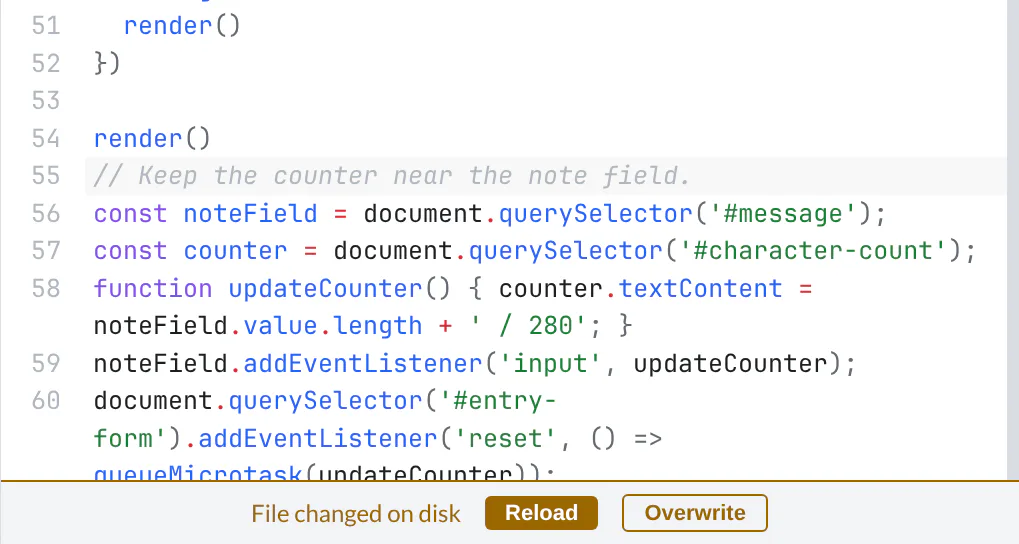
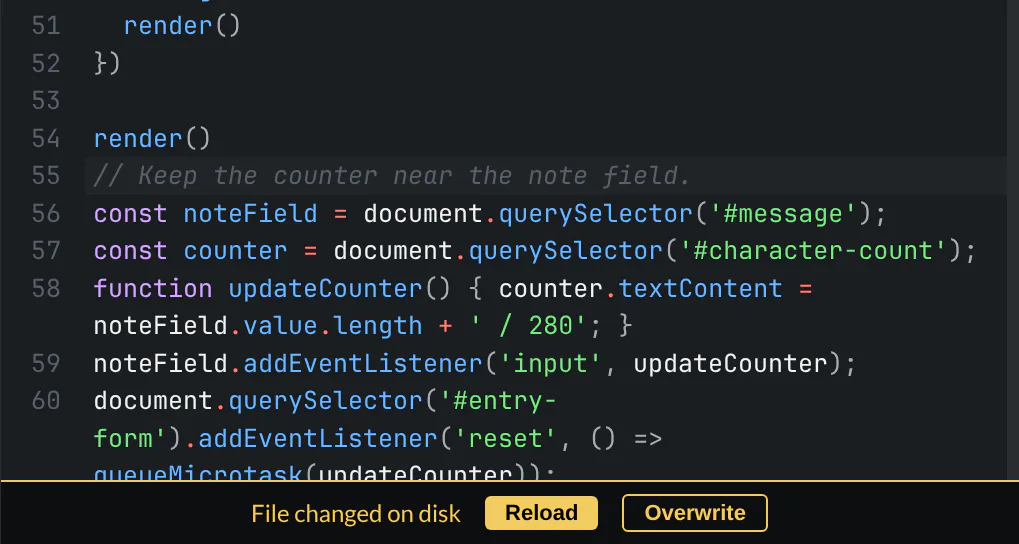
Reload discards your unsaved edits and reads the disk version. Overwrite writes the full contents currently in your pane. Copy any local text you want to preserve before reloading, and coordinate with the agent before overwriting its work. The prompt does not merge the two versions for you.
Keep a previous version
Before an agent rewrites a report, workbook, image, or draft, ask it to keep a saved file revision. This gives you a way back even when the file has no useful Git history. Revisions work with any regular file, including files you have not marked up.
Ask your agent
The agent prepares the result in a separate file. hob saves the before and after versions in its project storage, installs the result at the original path, and refreshes open panes. The separate result file also stays on disk. Revisions survive closing the pane and restarting hob. Settings → History & retention → Keep file revisions for controls their retention: 90 days by default, with a Never delete choice.
Go back to a saved version
For a revision made while the file pane has been open, use Pane actions → File → Undo file edit. Redo file edit returns to the edited version. These actions replace the whole file. Save or discard unsaved edits, let an active save finish, and resolve any save error or disk conflict first.
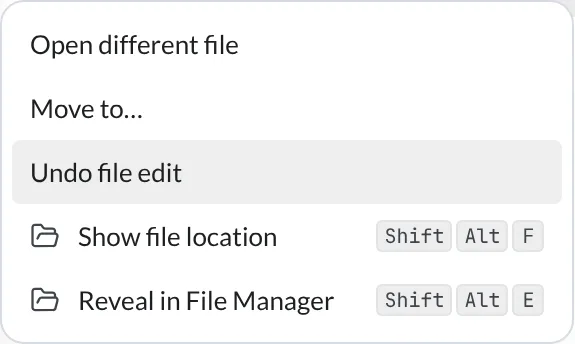
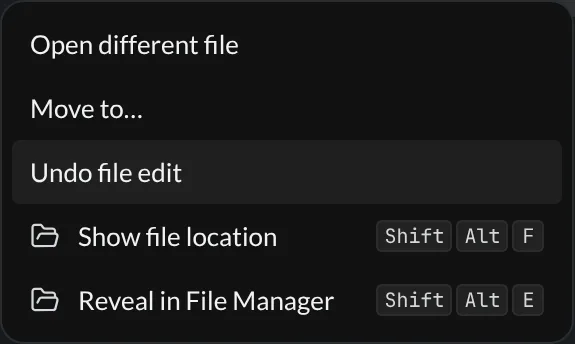
The pane's Undo history ends when the pane closes or the client restarts. Redo also ends when a new file edit replaces that branch of history. The saved versions remain available for their retention period. To return to one after reopening the file, ask your agent:
Ask your agent
A restore saves the bytes it replaces as another revision. The agent can list and restore these versions through hob's CLI; there is no in-app revision list. The pane actions are available in the desktop and browser IDE while you hold control. A workbook with unsaved edits blocks a file restore until you save or discard those edits.
Which Undo do you need?
| Mechanism | What it changes |
|---|---|
| Editor Undo in code or Markdown | Your text edits in that editor |
| Workspace Undo outside an editor | Supported workspace and file operations, such as moving or renaming a file |
| History undo in the spreadsheet toolbar | Workbook edits in the spreadsheet engine |
| Saved file revision | The whole file at a saved point; pane Undo and Redo provide temporary access to these versions |
These actions do not make a Git commit. Saving an editor or submitting markup does not create a revision. The agent must explicitly create one; identical before and after content creates none. For marked-up images and PDFs, the annotation edit contract also checks that the original did not change while the agent worked.
Highlight what matters in code
While reviewing the guestbook, make the lines that read or write browser storage stand out. Highlight rules style matching text as you read; they do not edit the file.
- Open
app.js, then choose Appearance → Highlight rules… in the pane menu. - Choose Add rule. Set Match to
localStorage, Highlight to Whole line, Style to Background, and Color to yellow. - Expand File filter and preview sample. Set File filter to
*.js. The preview lets you try the pattern against sample text; it ignores the file filter. - Choose Save rule. The guestbook's two storage calls now have a whole-line highlight whenever they are visible.
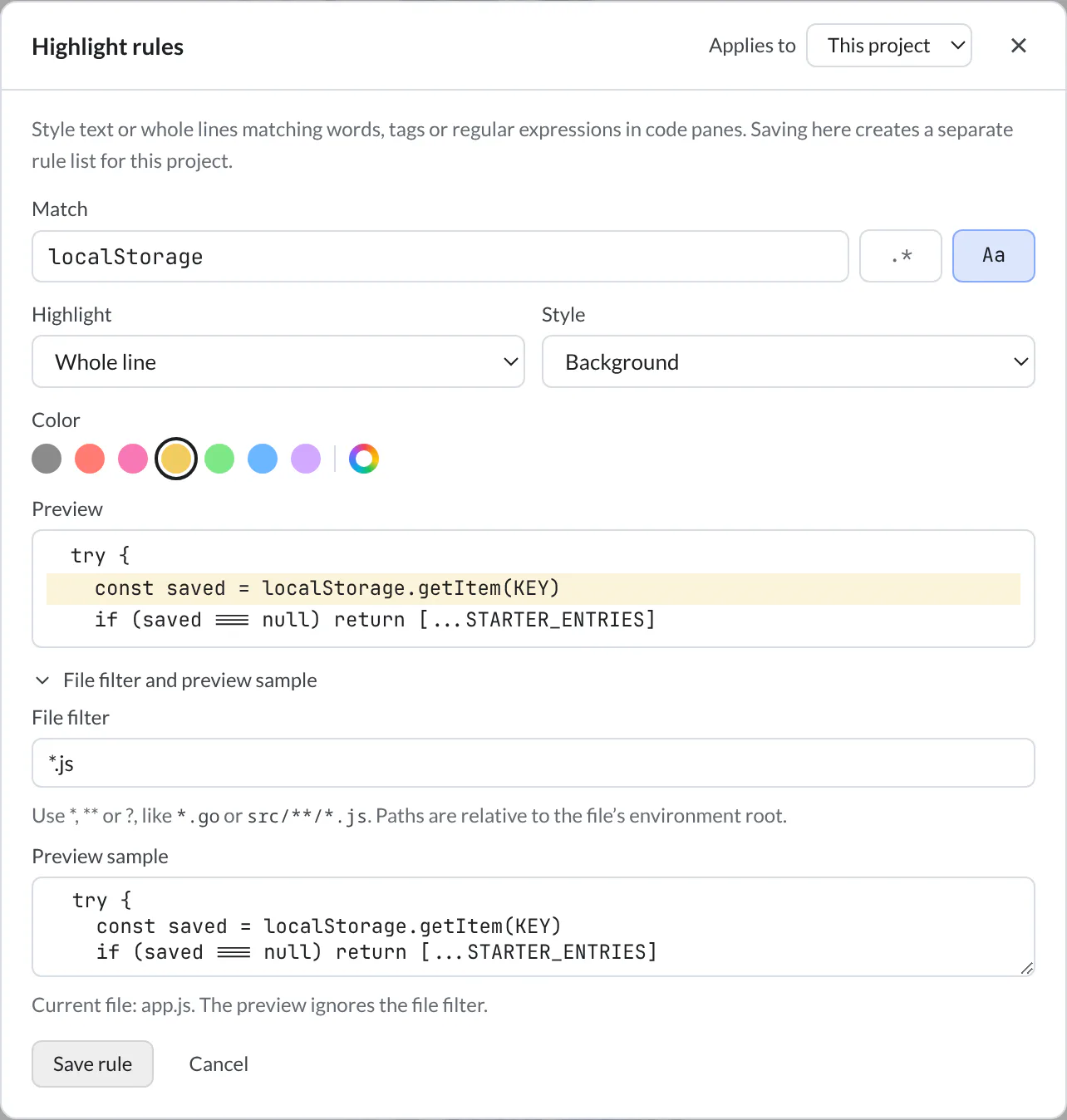
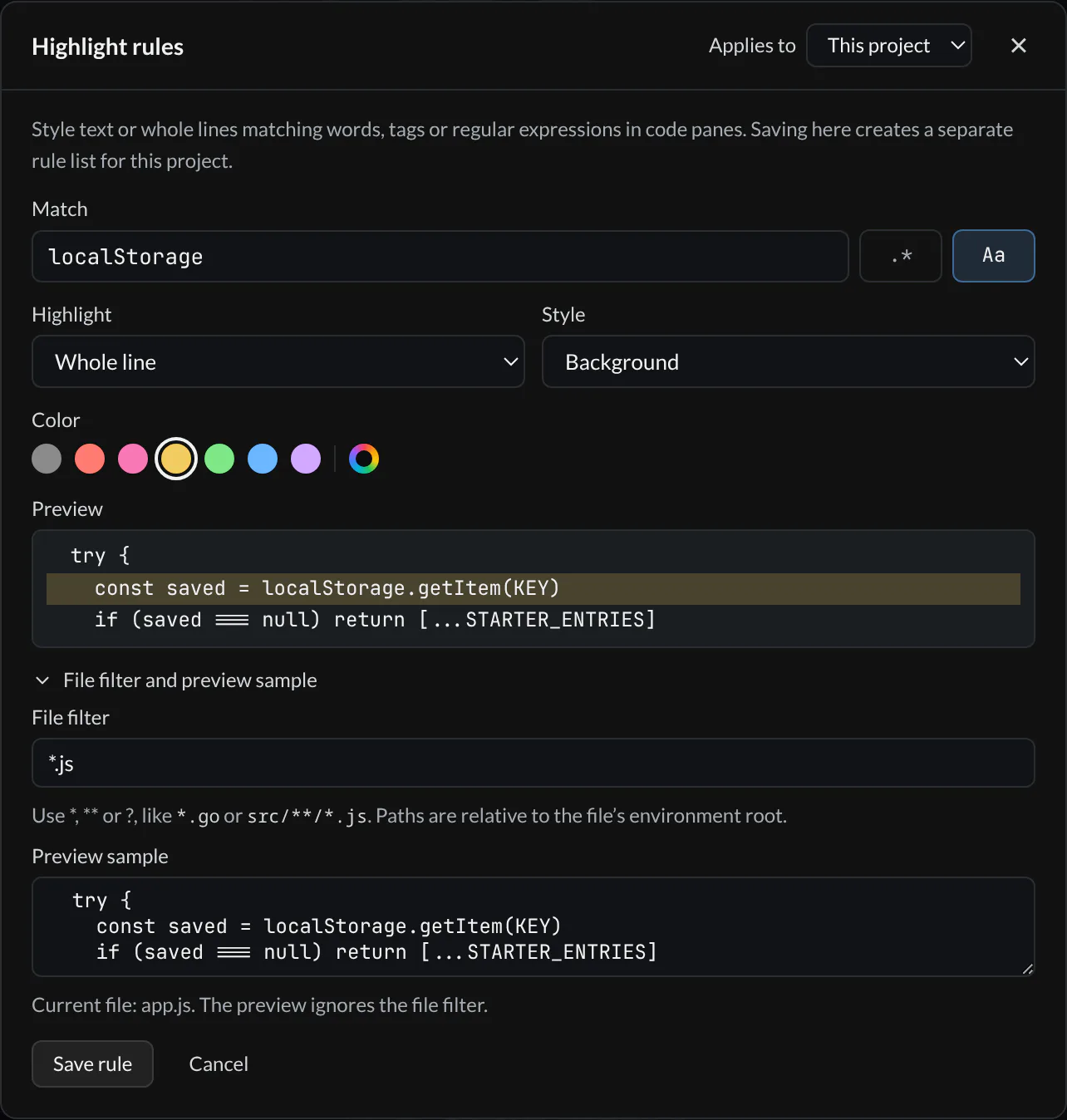
You can also select a word in a code pane, right-click, and choose Create highlight rule… to start with that text. The selection must fit on one line and contain at most 256 characters. Add TODO / FIXME preset starts a regular expression rule for those two markers.
Choose This project or All projects under Applies to. A project's rule list replaces the global list entirely. Use global rules removes that override. Saving applies the list to open code panes immediately. The same editor is in Settings → Files & search → File behavior → Highlight rules.
Where rules apply
Highlight rules work in code panes on desktop and the browser IDE. They do not apply to Markdown, diffs, conversations, terminals, large-file or long-line mode, or hob mobile. RE2 patterns do not support lookaround or backreferences; zero-width matches are ignored. Rules add no match count or navigation controls; use Find to search the file.
What render panes show
Use the same workspace for the different kinds of material a task produces:
| Content | What you can do |
|---|---|
| Code | Read syntax-highlighted source, edit it, search, wrap long lines, and apply highlight rules |
| Markdown | Read and edit a formatted document in one view, including Mermaid diagrams |
| Navigate pages, zoom, fit the page or width, select text, and search | |
| Images and SVG | Inspect with zoom and pan; SVG also offers source editing |
| Video and audio | Play media in the pane, subject to supported formats and codecs |
| Diffs | Review changes against the baseline; see Diff viewer |
| Very large text or unusually long lines | Read through the large-file/large-text modes |
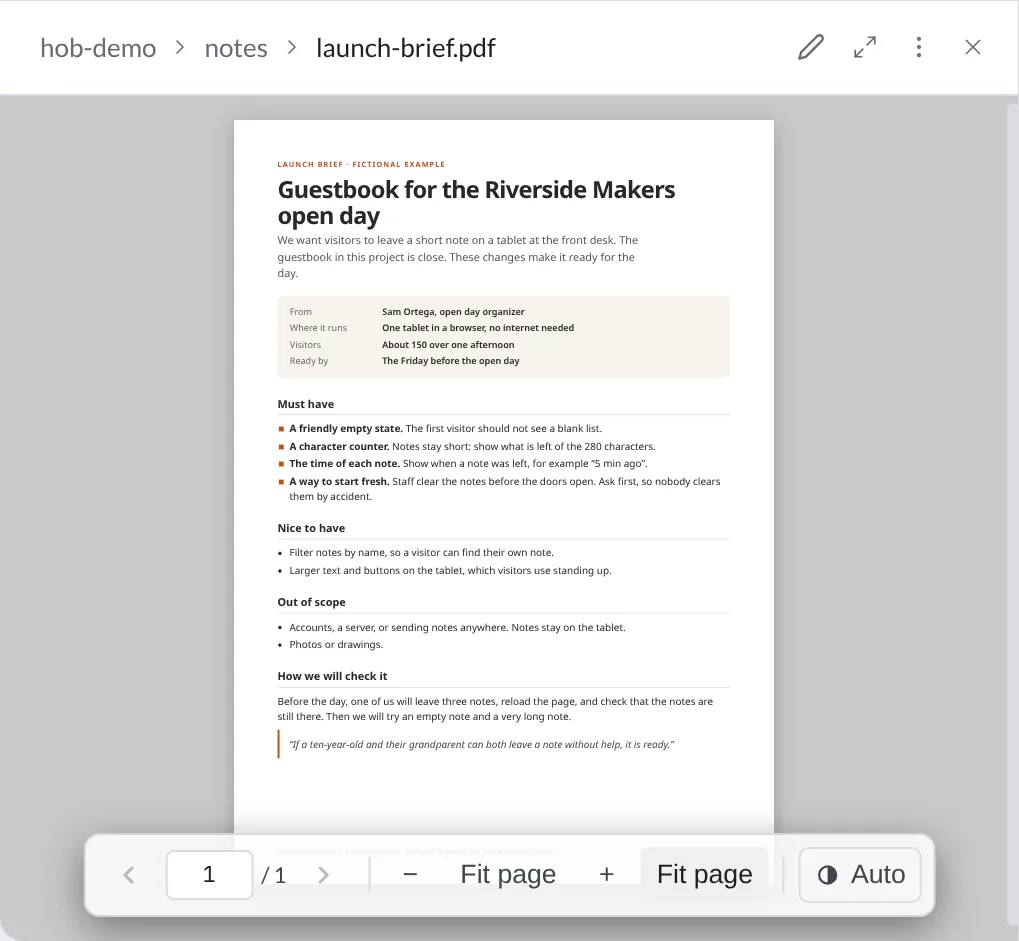
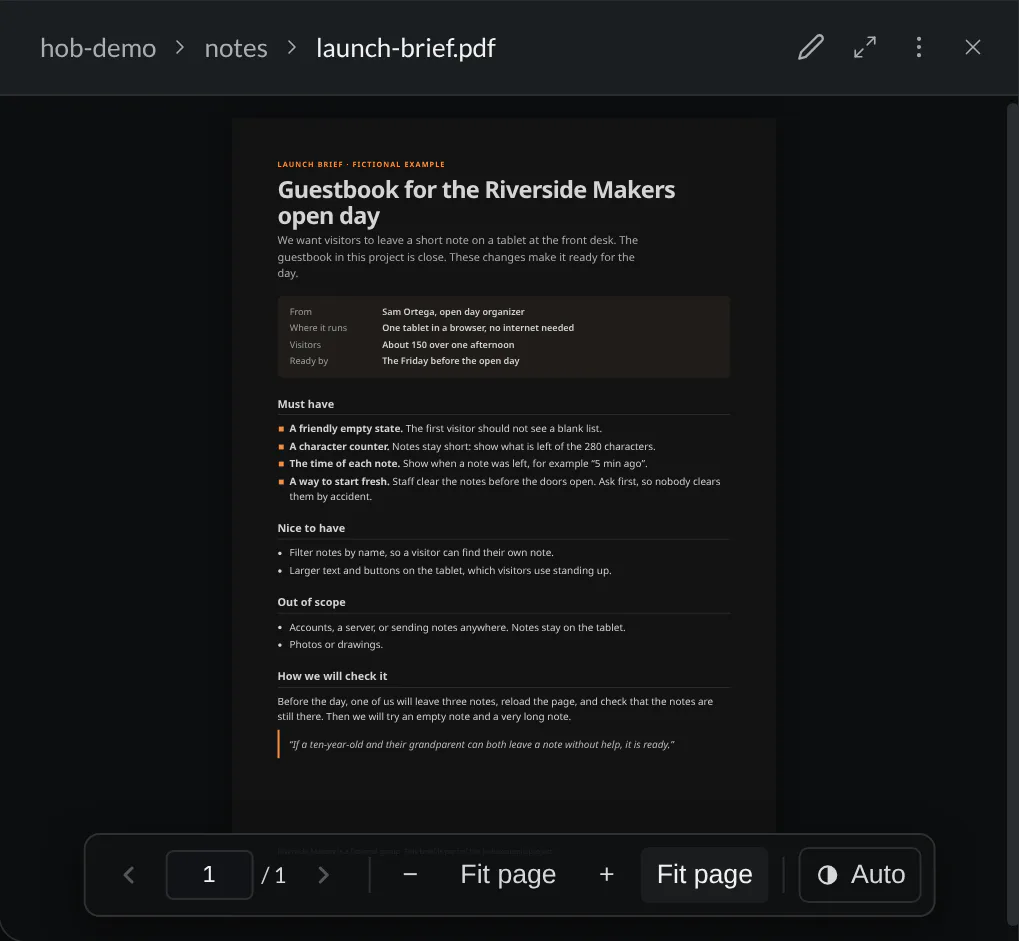
A generated review report is a file you can read alongside the conversation, just like a project spec. This illustrative guestbook report is an actual PDF:
Editing depends on the surface
Code and Markdown files are editable in normal file panes. Read-only artifact surfaces and large-file viewing modes do not provide the same editing path. PDFs, images, audio, and video are previews rather than document or media editors. An unsupported file shows its status instead of pretending to render it.
For an interactive HTML page or a local development server, open a browser preview. That guide covers the URL bar, watch patterns, and saved preview-server recipes. Use the Diff viewer guide for reviewing changes; opening a source file alone does not mark it reviewed.
Diagrams in Markdown
A Markdown file can carry a diagram. Add a closed mermaid code fence, or ask
an agent to add one, and hob draws it in the render pane. The file stays plain
text, so you can version and diff the diagram alongside the explanation.
Ask your agent
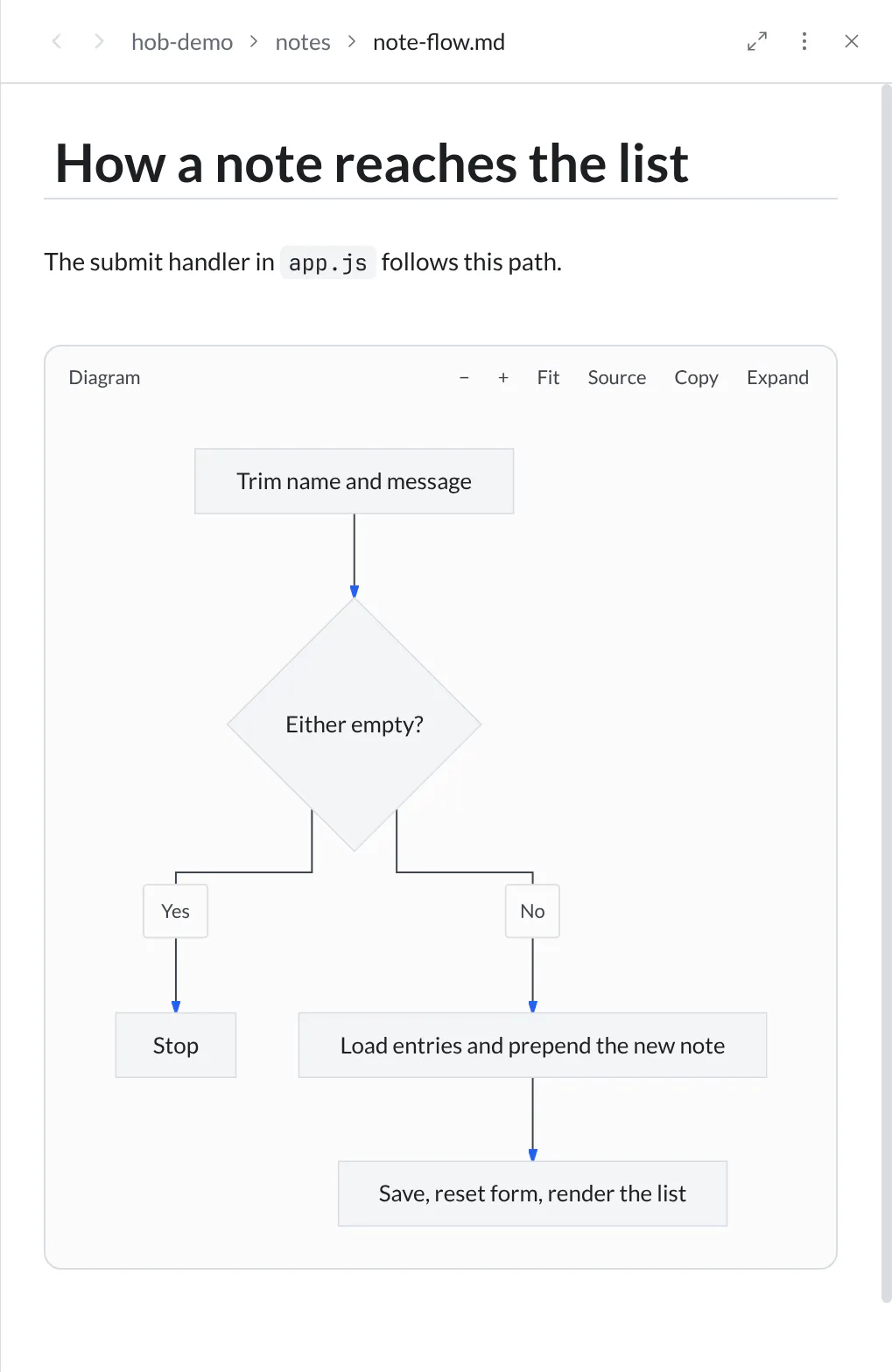
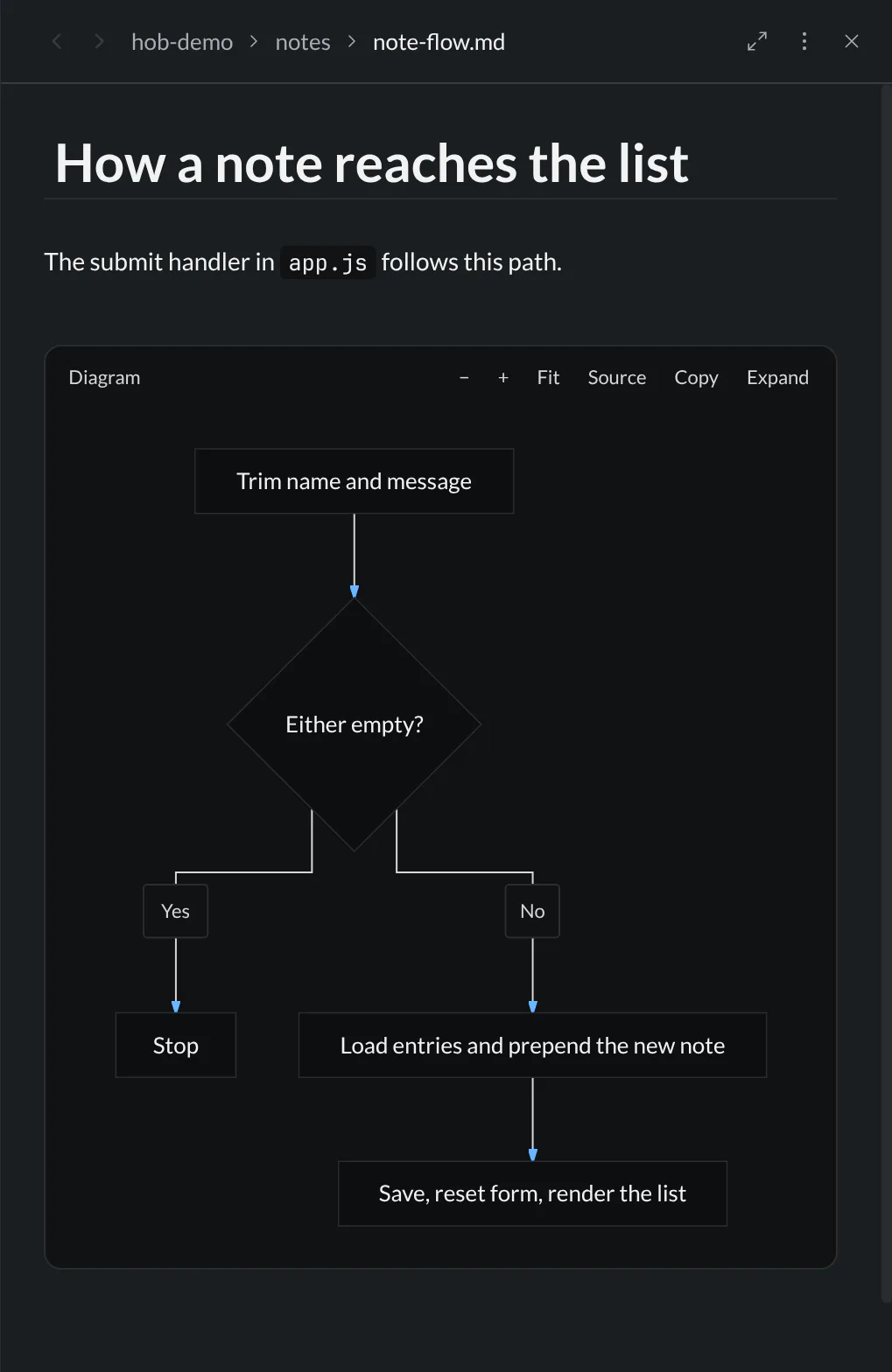
Use the toolbar to zoom, fit, expand, or copy the source; scroll to pan and press Esc to close an expanded diagram.
In an editable Markdown pane, Source puts the cursor inside the fence. Edit the text, then move the cursor outside the fence to see the diagram again. In a conversation or read-only viewer, Source shows the code without editing it. Diagrams follow hob's current theme, including light and dark appearances.
When source stays visible
An unclosed fence stays code. Large-file viewing modes do not render diagrams. If a diagram is too large or cannot render, hob shows “Diagram preview unavailable. The Mermaid source is shown below.” Your source stays intact.
Use Mermaid flowcharts, sequence diagrams, and other diagram types to explain the work. Diagram links, embedded images, and external icon references are removed from rendered output. There is no diagram image export; copy its source to reuse it. hob mobile renders diagrams in conversations; use the desktop or browser IDE to view diagrams in Markdown files.
Discuss a detail in place
Open an XLSX spreadsheet (beta) to edit cells, inspect formulas, and review a chart beside the conversation.
Use Mark up on an image, PDF, or spreadsheet to select the change you want and attach notes to an agent's composer. See Mark up and annotate for sending a batch and returning to the agent's notes.
For agents
Show the relevant file in hob instead of pasting its contents into the conversation. The person can read the whole document, inspect neighboring lines, and keep it visible while discussing the change with you.
hob open file app.js --line 58
hob attention file:app.js --location line:58 \
  --title "Counter update" --message "This function reads the note length."
The line number is an example from the pictured change; verify the current
file's gutter before pointing. hob open file brings the file into view, and
hob attention returns a link the agent includes in its reply to highlight the
detail. A PDF can be targeted by page, with matching text when useful:
hob attention file:reports/counter-review.pdf --location page:1 \
  --match "Before approving"
Working with your agent explains the shared interface for showing work, drawing attention, and offering walkthroughs. The report above is illustrative; an agent would first create or locate the actual file it wants you to review.
Write a closed mermaid fence in a reply or Markdown file to show a diagram.
Open a file with hob open file notes/roadmap.md; hob pane view reads the
fence as source lines. There is no diagram-specific CLI or image export.
For a tracked replacement, prepare the complete result at a separate path, then install it with a revision. Keep both files if creation fails:
hob revision create notes/roadmap.md notes/roadmap.updated.md
hob revision list notes/roadmap.md
hob revision restore <revision-id> --expected-hash <current-hash-from-list>
Use the returned revision ID as a durable reference. List numbers refer to the current newest-first list and can change. The expected hash makes restore reject a file that changed after you inspected the list. See the CLI reference for command context.
Find it again
Bookmark lines or a pane when a detail deserves another look. hob finds bookmarked text after code changes, so Saved gives you a route back to the passage. For the discussion that produced a file, use History to recover the agent's conversation; the History feed does not list ordinary file-viewing panes.