
Secrets, schedules, and trust
Give repeatable work a schedule, keep credentials out of prompts, and decide which shared workflows may run.
A useful automation can check the project while you are away, keep a development service available, or call a service without putting its credential in an agent prompt. hob keeps the definition, permission decision, execution, and result within the same project context.
Start with a workflow you have run and inspected. This guide takes the guestbook checks into unattended use, then shows where stored secrets fit when your own project needs an external service.
Review shared work before it runs
A shared automation lives in the project's repository. Its first run pauses for your approval, including when an agent or a parent automation requests it. The review uses the same dialog as a skill review: it says why the automation waits (a first run, or a definition that changed outside hob), shows the execution environment the run will use, and says what approving allows. The dialog does not list the automation's commands, authored scripts, or declared secrets. Review those in the automation's File and Configuration tabs before selecting I approve this version of the automation and Approve and run.
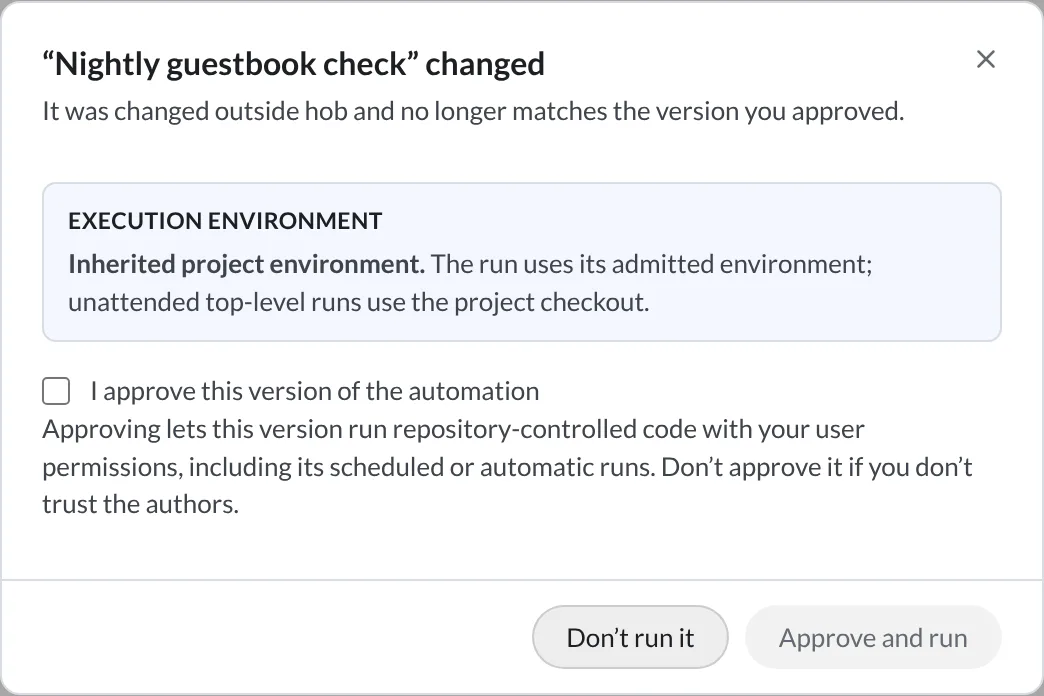
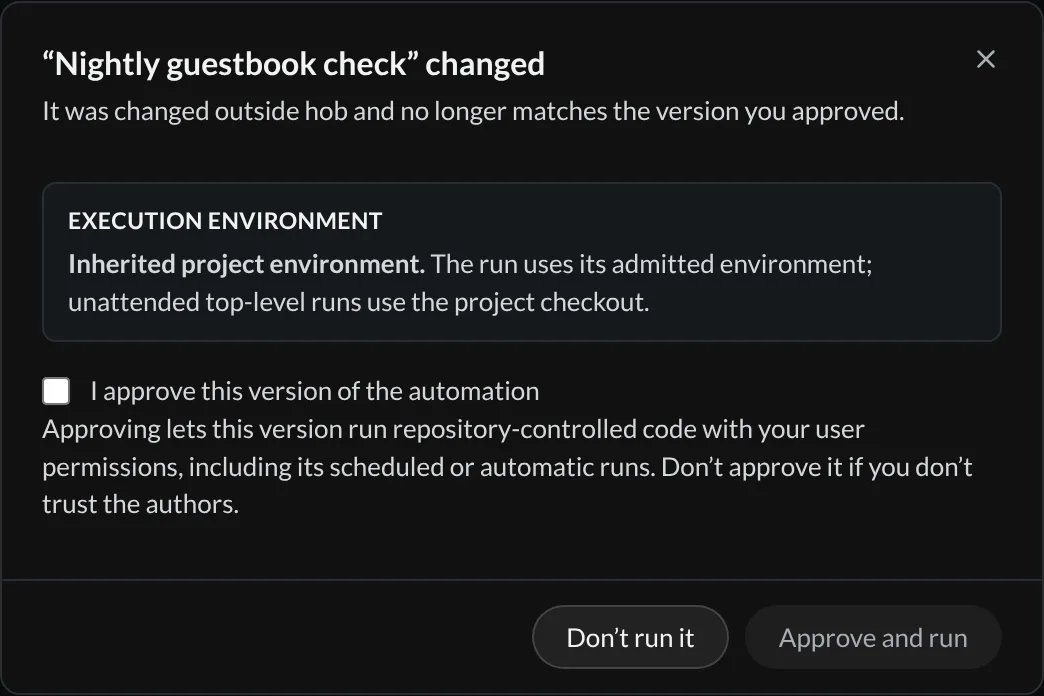
For a definition that declares a schedule or restart policy, that same trust confirmation also grants automatic-run permission. Review those triggers as part of the decision. A repository cannot authorize its own automatic runs by adding YAML, and an agent cannot approve the request for you.
Trust is recorded locally for the execution definition. An edit saved through hob's automation editor can carry existing trust and automatic-run permission forward. A repository update or external edit that changes the trusted execution definition requires renewed review. The dialog identifies that change; it is not a line-by-line diff of the bundle.
Settings → Trust lists each shared automation you approved once, with its
project, whether it may also run automatically, and whether its current
definition is approved. Expand it to revoke one definition, revoke the approvals
of old definitions, or revoke them all; the next run of a definition without an
approval asks again. Agents can read the list with hob trust list.
Store a credential and declare its use
The guestbook itself needs no secrets. For a project that does, open the full Automations view, select the automation, and open Configuration → Secrets.
Declare the name
Add the names your automation needs to its definition. For an illustrative external service called Noteboard, the declaration could be:
secrets: [NOTEBOARD_TOKEN, NOTEBOARD_SIGNING_KEY]A declared name without a stored value appears as Not configured. That makes missing setup visible before you try to run the workflow.
Store it in the project or globally
Select Add beside the missing name, enter the value, and use Project for credentials specific to this project or Global for credentials reused across projects. Stored project and global values are encrypted at rest. Their rows show names and update times; editing replaces a value rather than revealing it.
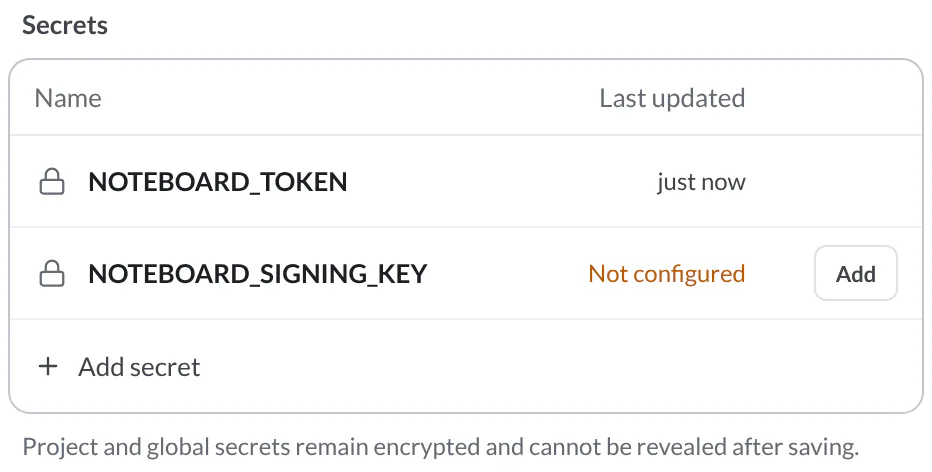
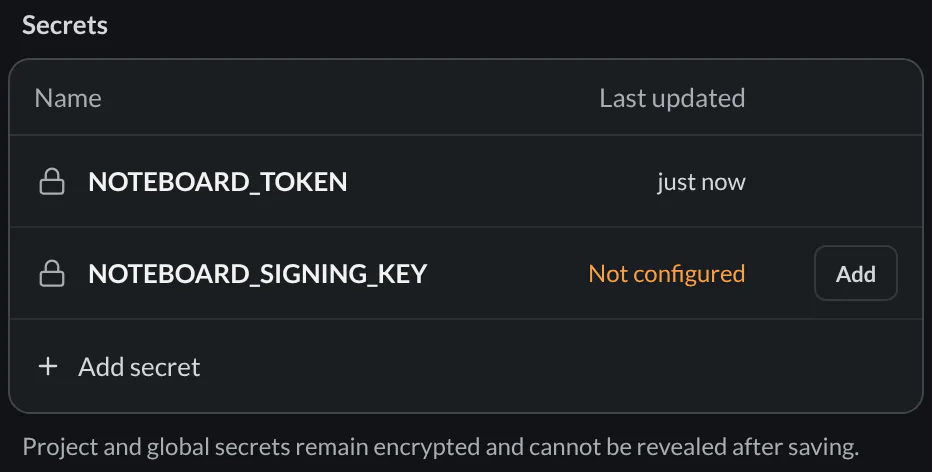
Choose Project or Global for stored credentials. The Automation choice edits an environment value inside the automation definition; it is not the encrypted secret store. Do not paste a credential into a shared definition.
Pass the value to the process that needs it
Prefer a step-level environment variable on the shell or executable step that
calls the external service. For example, an authored publish-report.sh script
could read NOTEBOARD_TOKEN from its environment:
- id: publish
  name: Publish the review
  exec: bash
  args: ["${{ automation.dir }}/scripts/publish-report.sh"]
  env:
    NOTEBOARD_TOKEN: "${{ secrets.NOTEBOARD_TOKEN }}"
This is an integration pattern, not a step in the example project: supply the script
for your service inside the automation bundle. Write generated reports into
HOB_RUN_DIR, and pass only the result the agent needs into its review step.
hob resolves a declared secret from a matching Host environment variable first, then the project store, then the global store. A missing required value fails the run's setup. Nested automations receive secrets through an explicit secret mapping.
What the protection covers
Secret expressions are rejected in agent prompts, presentations, artifact paths, outputs, and nested inputs. The expression grammar also permits them in command arguments, step working directories, and conditions; environment variables keep credentials out of those command and path fields.
hob scrubs known secret values from automation output and history. That does not make arbitrary files, transformed values, or external services safe to expose. Secret handling is not a sandbox around files an agent can already read.
Run a check each night
The Host runs the schedule
A schedule runs while the hob Host is running with this project open. Every run is a new execution. A headless Host can keep the schedule available without a desktop window; shutting down the Host stops execution.
The Building automations example asks
which files to review. Adding a default does not make it schedulable: automatic
triggers cannot use structured inputs at all. Its agent review also uses Ask
mode, so keep that workflow for attended work.
Make a fixed-scope companion for the unattended part. This version checks
app.js at 02:00 in a named timezone, with no question or approval prompt inside
the step. Node must be installed on the Host.
version: 1
name: Nightly guestbook check
concurrency: forbid
on:
  schedule:
    - every: 1d
      at: "02:00"
      timezone: America/Chicago
      missed-run: skip
steps:
  - id: check
    name: Check JavaScript syntax
    exec: node
    args: [--check, app.js]
    timeout: 1m
Download the definition, then install it from a terminal in the guestbook project:
hob automation init --stdin --scope private < /path/to/downloaded/automation.yamlCreating an enabled scheduled automation makes it eligible for future ticks; use a schedule you actually want before installing it. Choose shared instead of private when the team should receive the definition, then run it manually and complete the trust review before relying on its schedule.
Run the check once and inspect its result in Run history. A successful syntax check means the JavaScript parsed; it does not test the page in a browser. Keep the agent-assisted review as the next attended step when you return.
Choose what happens after a missed run
1d is a calendar day in the chosen timezone; 24h is elapsed time. Calendar
schedules can skip missed occurrences, as above, or use missed-run: run-once
for at most one catch-up run. Elapsed schedules skip missed ticks. Pin the
timezone when a shared definition should keep the same wall-clock schedule on
different machines.
concurrency: forbid prevents an overlapping run of the same automation. The
reference covers queueing,
replacement, daylight-saving behavior, and other recurrence rules. After each
run, inspect its steps and artifacts in
Run history.
Keep a service available with the project
A schedule answers “when should this run?” A restart policy answers “which service should hob keep running?” They preserve different intentions across a Host restart; neither preserves a living process.
| Trigger | When it runs | After Host restart | What Stop does |
|---|---|---|---|
| Schedule | At its configured times while the project is open | Resumes scheduling when the project opens; missed-run policy applies | Stops the current execution; disable the automation or remove the schedule to prevent future ticks |
restart: unless-stopped | After a manual Run activates the policy, then on project load and after process exit | Starts a fresh process when the project opens if the policy is still active | Deactivates lifecycle restart until you manually Run it again |
on: webhook | When a webhook endpoint bound to it receives a request, while the project is open | Delivers events that waited for the project, within their maximum age | Stops the current execution; pause or delete the endpoint to stop future events |
For a project with a development server, this is the minimal service definition:
version: 1
name: Development server
restart: unless-stopped
concurrency: forbid
shell: sh
command: npm run dev
The guestbook runs directly from a file and does not need this server. Use this
pattern for a project whose npm run dev already works. Declaring the policy
makes it eligible; the first manual Run activates it.
Restart management supports one foreground shell run step, including the
command shorthand above, with concurrency: forbid. It cannot use structured
inputs or an interactive PTY. For a finite sequence of checks and agents, use
steps and a schedule instead. Switching to another project is navigation:
ongoing work continues while the original project remains open.
Check that the service is responding
A running process can still be unresponsive. Add one HTTP, TCP, or shell health
probe to a restart-managed service. Allow time for startup, then choose
on-unhealthy: report to surface failures or restart to restart the process.
For the development-server example, after checking its actual port:
health:
  http: http://127.0.0.1:5173/
  interval: 30s
  timeout: 3s
  start-period: 20s
  on-unhealthy: restart
See the health-check reference for thresholds and probe options. The URL must match your service; it is not a port the guestbook reserves.
For agents
Prepare and validate the definition with hob automation validate before
installation. Use hob automation show to locate its managed bundle, and
hob automation runs and hob automation logs to inspect execution. Never put
a credential in the prompt while helping configure a secret.
A shared trust request is a human decision. Explain which automation is waiting and let the person review it; repeated Run calls cannot approve it. Author an unattended workflow with a fixed scope and explicit permission behavior rather than relying on someone answering a future question.
Next
Building automations
Turn a fixed workflow into a reusable plan with inputs, reliable handoffs, and explicit failure behavior.
Webhooks
Let GitHub, Stripe, Slack, and other services start an automation on your computer, with signatures checked and events kept while it is offline, within the endpoint's maximum age and the relay's retention limits.