
Parallel agents
Divide a task across agents and providers, keep their exchanges visible, and decide when work continues.
An implementation benefits from a second set of eyes. A larger project may need several workstreams at once. hob lets you put the right agents beside each other, give each a clear responsibility, and follow their work in one project—even when they use different backends.
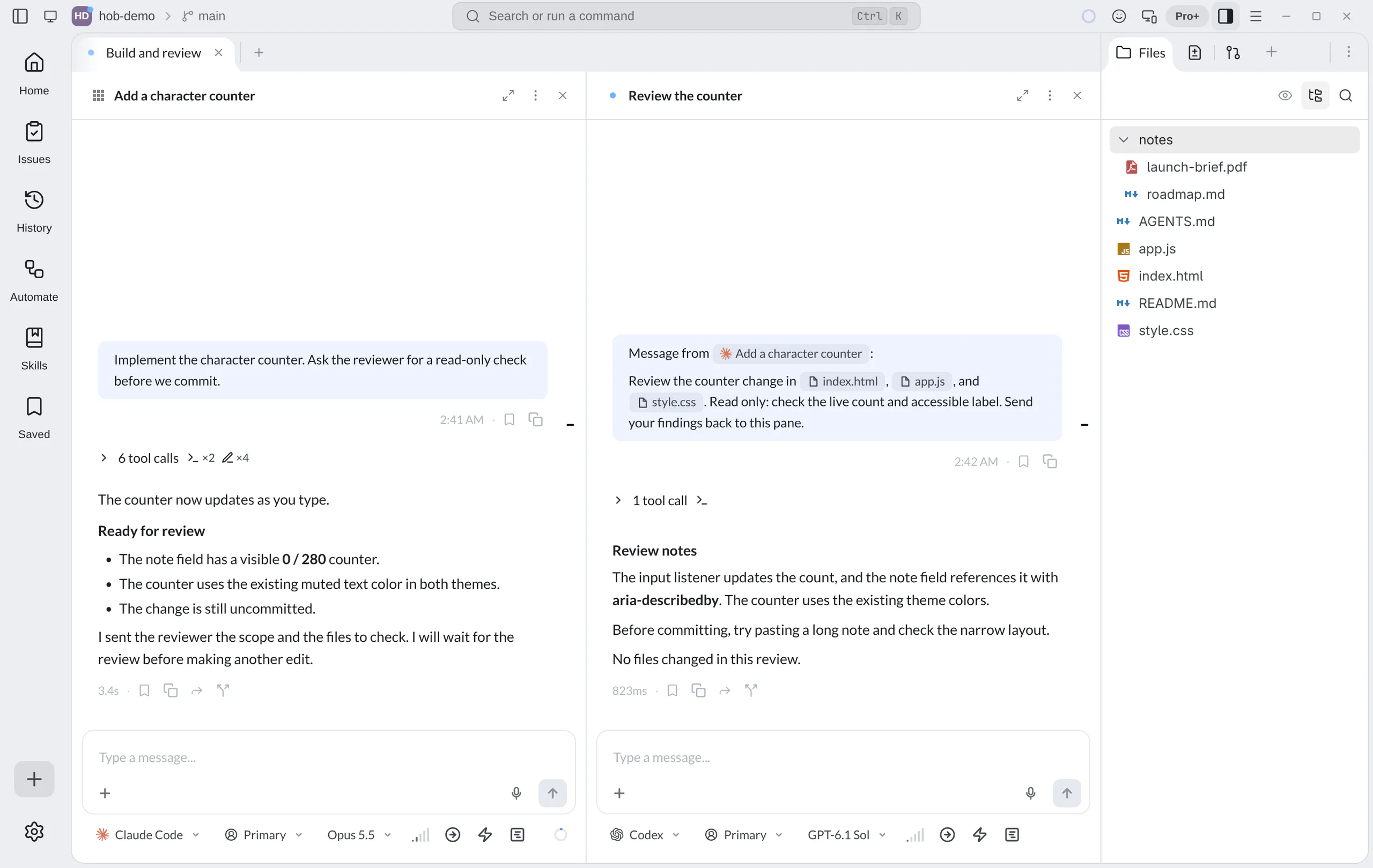
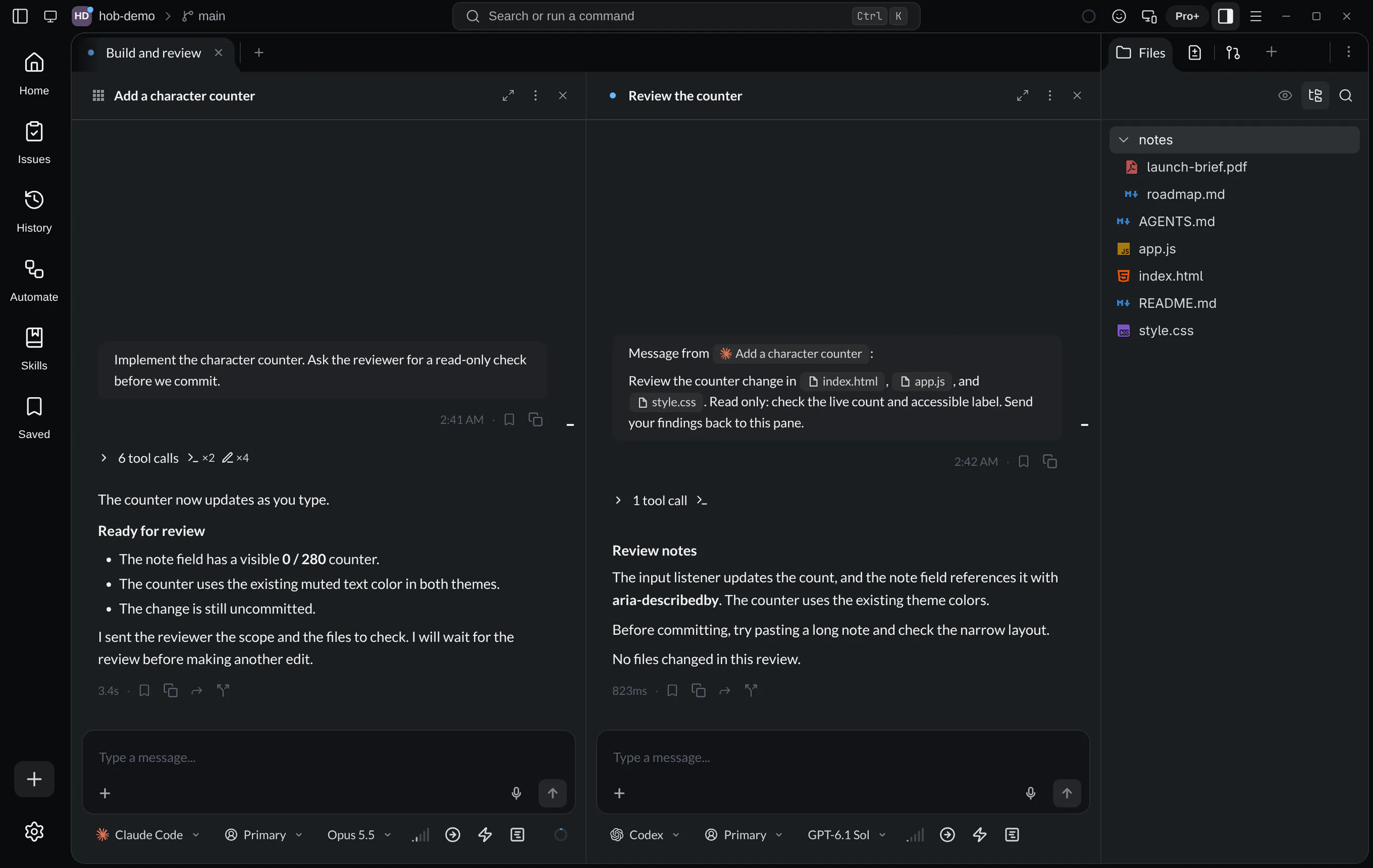
In the guestbook, one agent writes the character counter and another reviews it without changing files. Their conversations, handoff, and provider choices stay visible together.
Launching agents
Choose New Agent from the command palette to add an agent to the workspace.
The default Alt+A shortcut reuses an empty agent pane if one is available;
Alt+Shift+A always creates a fresh one. Name the pane after its responsibility,
such as “Review the counter.”
You can also ask the agent already working on the task to open a reviewer:
Ask your agent
Each pane has its own conversation, backend, model selection, and permission settings. A new agent needs a task and relevant context; it does not automatically inherit every detail from the agent beside it.
Agent input
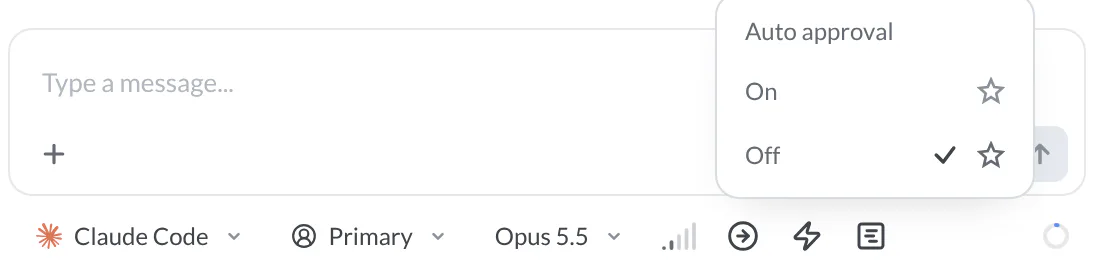
Use the chips below the composer to choose this pane's backend, profile, model, and reasoning effort. Choose them for the task: a reviewer may need different settings from the agent implementing the change.
| Control | Use it to… |
|---|---|
| Auto approval | Let hob answer this pane's permission requests automatically. |
| Fast mode | Request faster output on supported models. It applies on your next message and restarts the agent process. |
| Plan | Ask for an approach to review before implementation. |
Auto approval and Fast mode have a chevron for On, Off, and
saved defaults.
The main button changes this pane; the menu's markers set defaults for new agents.
Shift+Tab cycles permission and plan choices.
Claude Code, Codex, and OpenCode can run side by side. That gives you options when a provider is unavailable or you want another model's perspective. It is not automatic failover: choose another agent and give it the context it needs. An existing conversation does not move between backends. Supported account switching and compatible profiles on the same backend are separate choices; see Accounts and profiles.
Review the pane's permission settings before sending its task. The effect of an approval mode depends on the backend and its configuration; a toggle is not a guarantee that every command will prompt. For questions, permissions, and plans, see Working with your agent.
Divide the work before running it
Give agents complementary roles and a clear handoff point:
| Agent | Responsibility | Boundary |
|---|---|---|
| Add a character counter | Implement the small change and explain what to review | Wait after handing it to the reviewer |
| Review the counter | Read the diff against the issue's acceptance criteria | Report findings without editing files |
These panes share the same checkout. Tiling two agents does not isolate their file changes. For simultaneous implementation on separate branches, use worktree workspaces. For work in one checkout, agree on file ownership and when one agent must wait.
Fork a conversation to try another direction
Keep the context of a useful conversation while trying another approach. For the guestbook, keep the counter that shows characters used, then fork the conversation to explore a label that shows characters remaining.
Hover the metadata row beneath a completed assistant turn and select Fork from here. The button appears when the turn completed successfully and has a saved backend checkpoint. You can choose an earlier eligible turn, too. Read-only conversations cannot fork. This action lives on the turn; it has no keyboard shortcut, slash command, or CLI command.


hob opens Fork: Add a character counter to the right, with the conversation through that turn and an empty composer. A source in the Dock creates its fork in the Dock. The backend, account, and working directory come from the chosen turn. Model, effort, and permission mode copy the source pane's current settings. The backend stays fixed.
Send your first message to start the new direction:
Ask your agent
Until that first send, the pane is a preview: no new backend session is created, and queueing, steering, scheduling, and another fork are unavailable. On send, hob uses the backend's native fork support in Claude Code, Codex, or OpenCode. It continues the chosen context without replaying it as a fresh prompt.
After the backend accepts the message, Forked on the source and Forked from on the new conversation let you navigate between them. The original conversation keeps its own direction. Inherited turns do not add to Stats; a started fork can itself be forked.
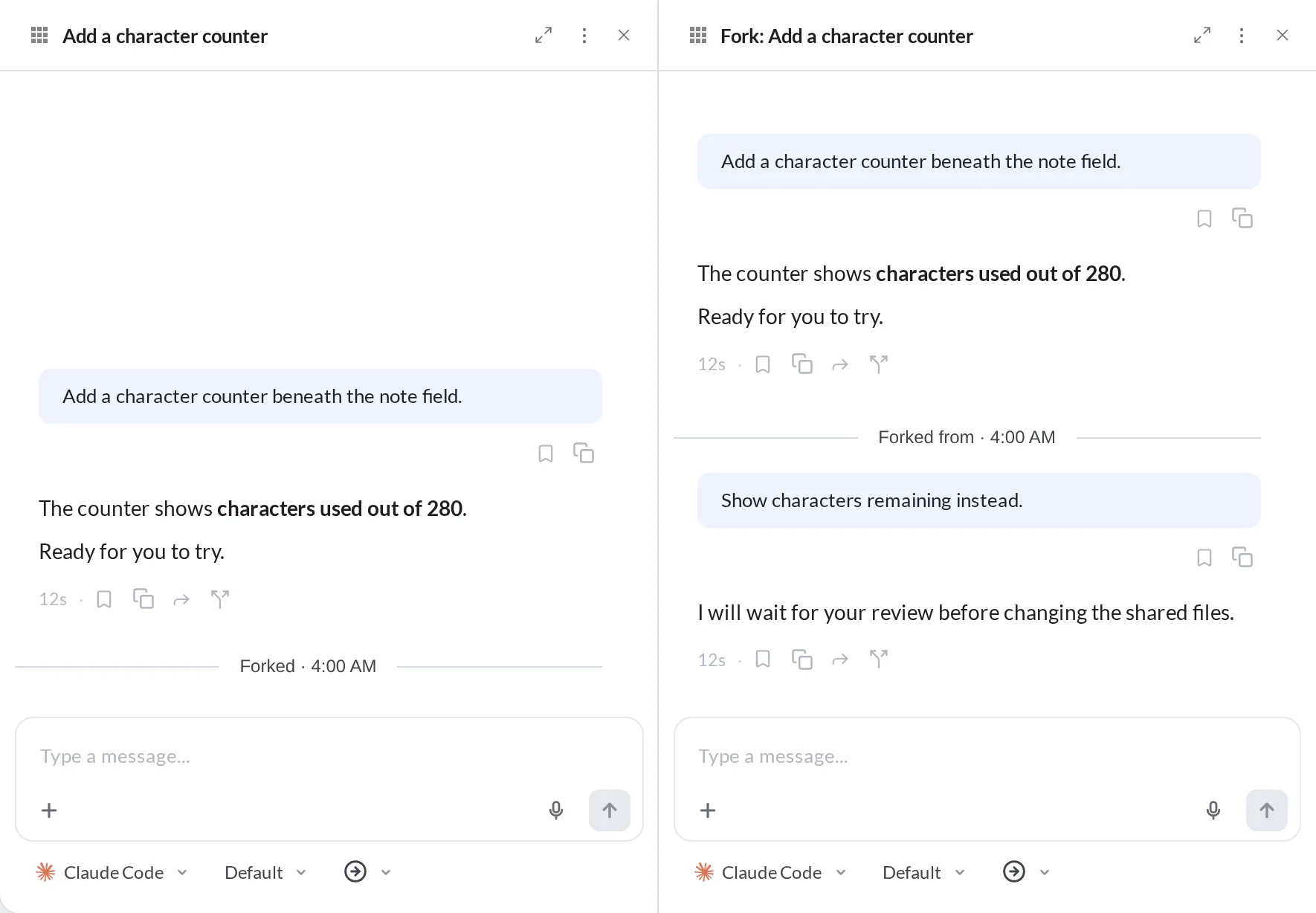
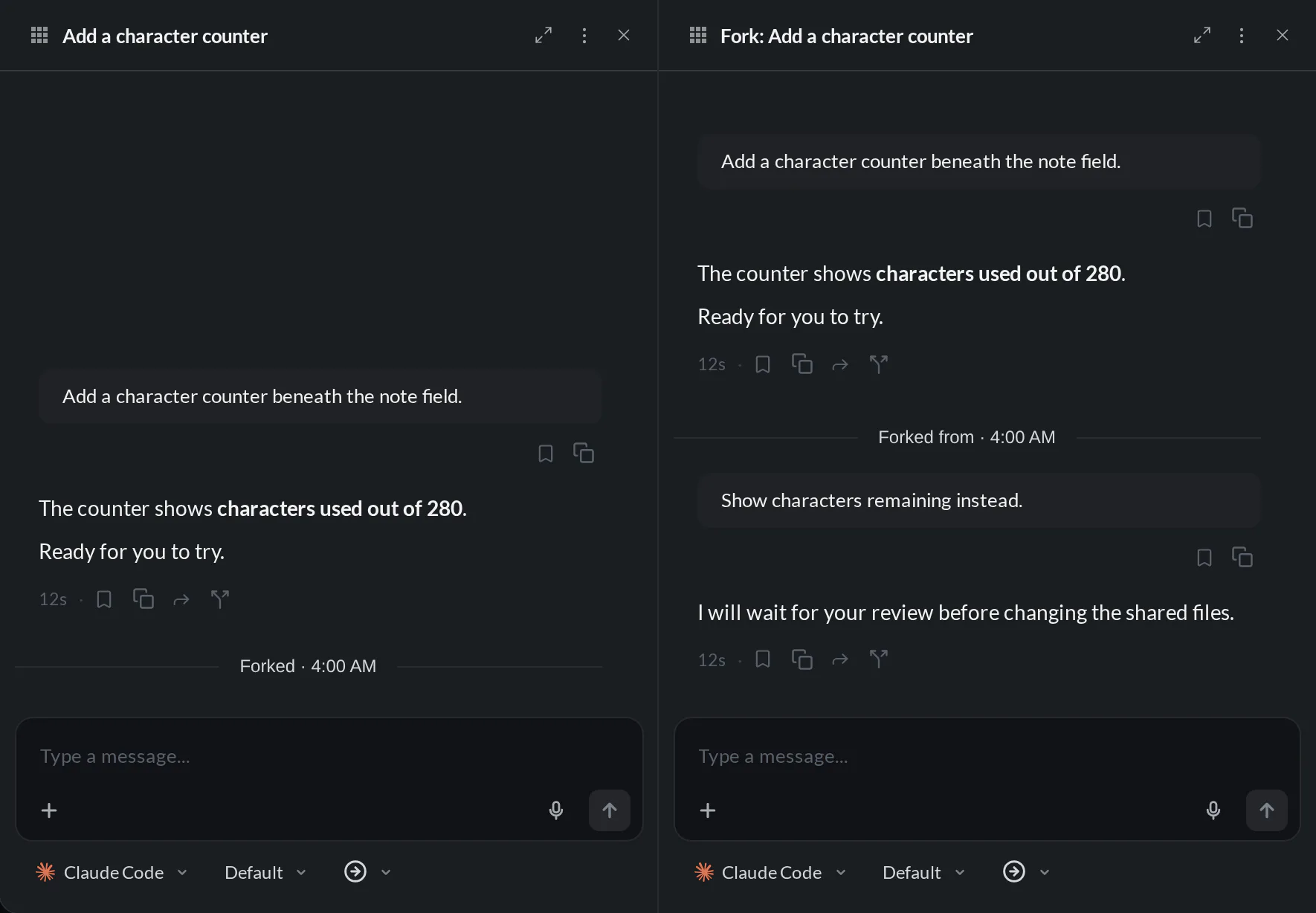
A failed first send reports an error and can restore your draft. A native child may already exist when delivery fails. If hob reports an unknown creation or delivery outcome, check that error before trying again; do not assume that no session was created.
Hand off starts a fresh agent; a fork continues the chosen conversation.
A fork stays in the source environment and worktree. Both agents can touch the same files, so keep the file-ownership boundary from the preceding section. Forking requires an active license. It also works in hob mobile while you hold control; hob mobile does not have a Dock placement.
Let agents talk to each other
An agent can send a scoped request to another pane and receive its response through hob. The recipient sees an attributed message, and the source pane reference keeps the origin within reach. You can inspect the exchange in the same interface where the work happens.
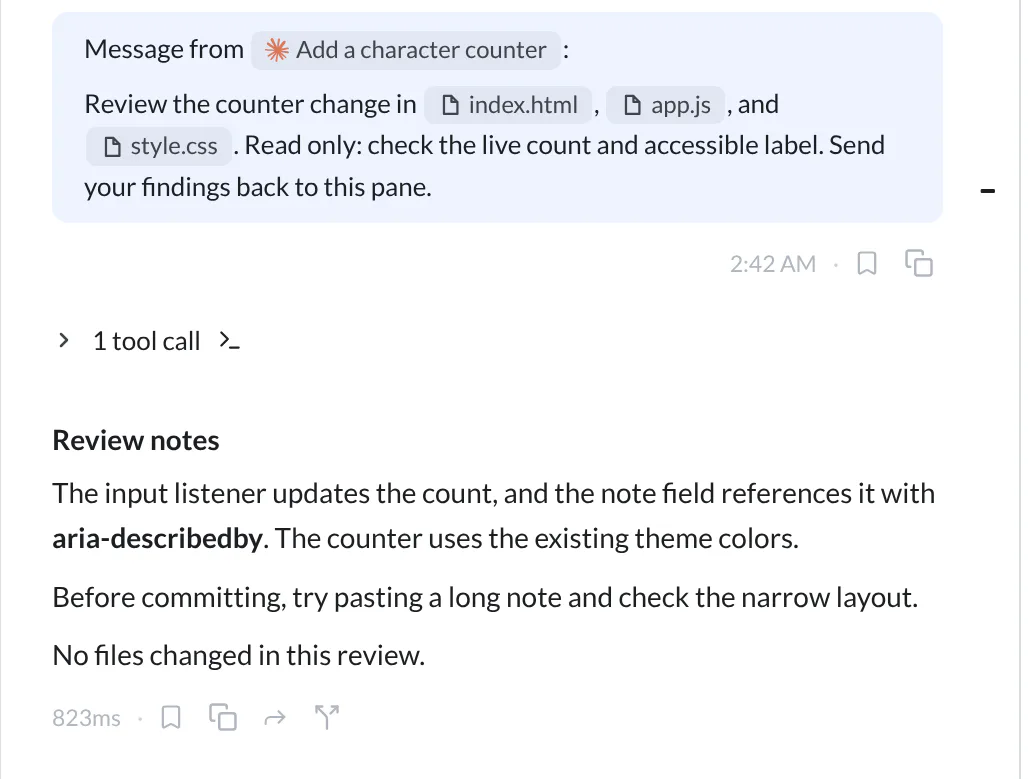
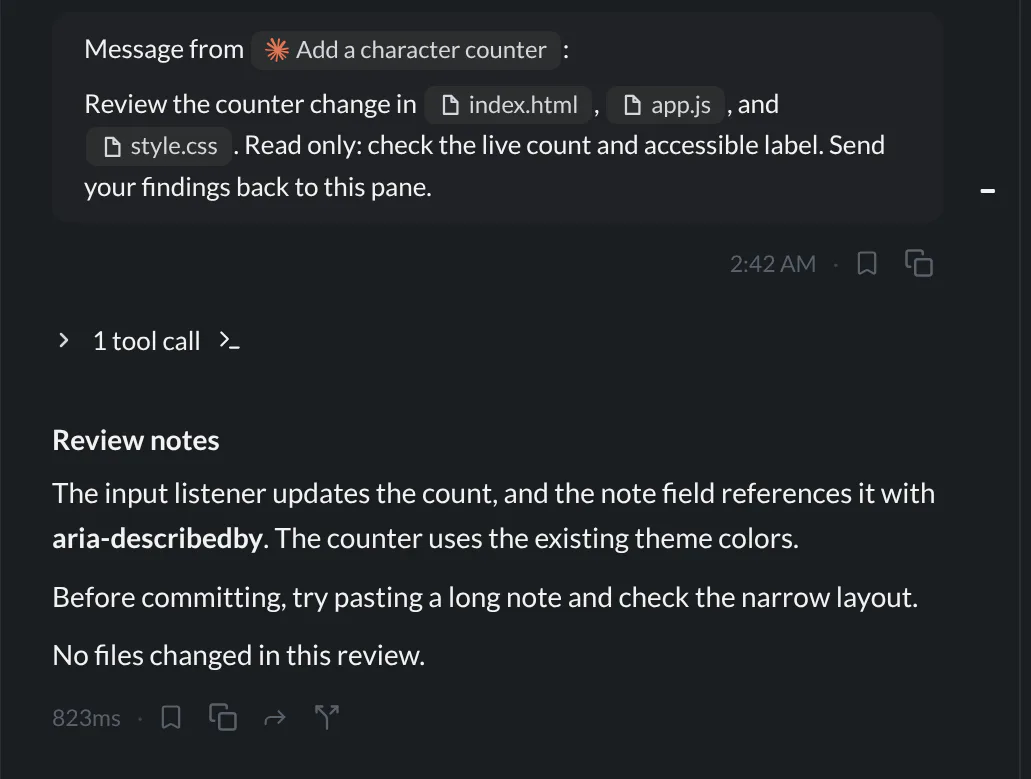
By default, messages reach a running agent at a turn boundary. Use
hob message --now only when an agent needs to steer ongoing work; see
the CLI delivery boundary. The recipient is responsible
for sending its answer back; the sender should finish its turn rather than
polling the other conversation for a reply. A useful request states the scope,
constraints, and what should come back—not just “take a look.”
Hand a pane to an agent as context
Type @- in the composer and select another pane. hob inserts a reference with
a readable title and backend label, so you can ask about a particular
conversation without copying its transcript. The picker starts with agent
panes; change its scope to include other pane types. Panes in the same
workspace appear first, and the current pane is excluded.
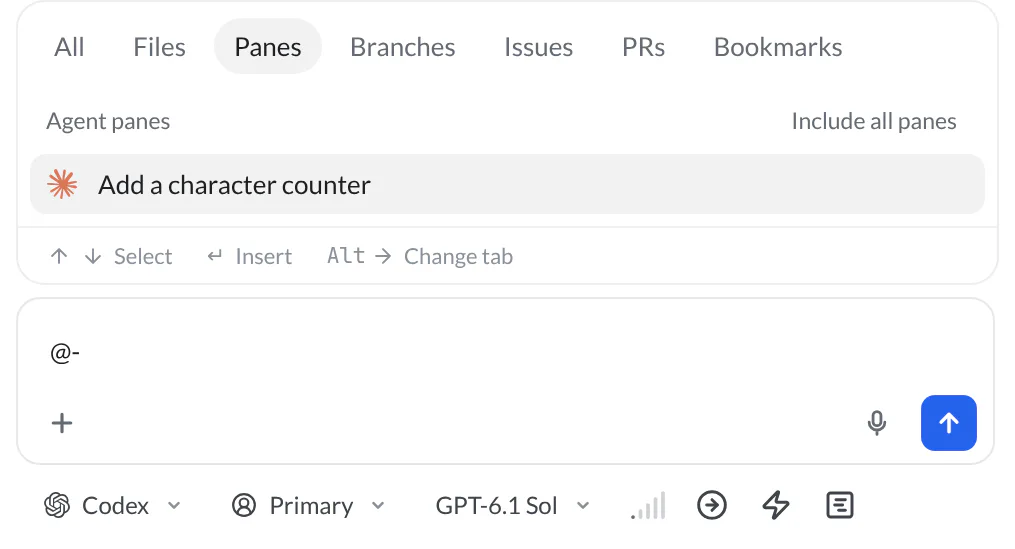
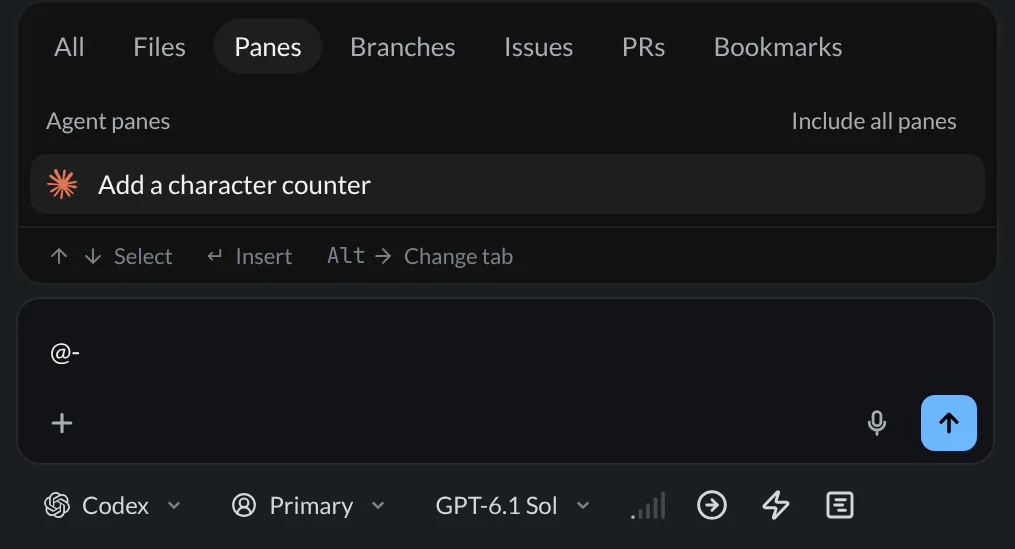
Selecting a reference adds it to the draft; it does not send the message. Describe what you want the agent to recover from that context, then send it. You can also follow pane references in transcripts to return to their source.
Follow work that needs you
Open Home to see the workspaces and panes that need attention. A question, permission request, or plan may need your judgment before an agent continues. The workspace activity indicators help you find those moments without checking every conversation in turn.
Use Stats to review how conversations start and which ones reach a commit. Its Hours section separates combined agent effort from elapsed busy time, so parallel work is easier to understand.
Working with a running agent
Keep the next task ready, correct the current direction, or stop to review:
| You want to… | Use… | What happens |
|---|---|---|
| Add work after this turn | Enter in the composer | The message joins the Outbox and waits for the running turn to finish and any earlier queue items or gates. |
| Correct the running task | Cmd/Ctrl+Enter in the composer | hob sends the message as steering, without waiting for the normal queue. |
| Cancel the running turn | Stop, Esc Esc, or Cmd/Ctrl+C with no text selected | The turn stops; changes and commands already performed are not undone. |
Claude Code, Codex, and OpenCode accept steering. The backend decides when it can incorporate the message, so delivery during a turn does not mean the model acts on it instantly. Use steering for a correction that matters to the work already underway; queue an independent follow-up.
To make Enter steer instead, set Settings → Agents → Enter while an agent works to Send now. Cmd/Ctrl+Enter then queues the message. This applies only while an agent works; an idle agent always sends on Enter.
For example, while the agent adds the guestbook counter, compose this and press Enter (with the default setting):
Queue for after this turn
If the agent starts introducing an unnecessary color, compose this and press Cmd/Ctrl+Enter:
Steer the running task
After stopping a turn, inspect what changed before continuing. Stopping is separate from answering a question or approving an action.
Manage the Outbox
The Outbox shows messages in delivery order, with scheduled gates between them.
Each message has Send now, which delivers it as steering, Remove, and
More actions → Edit message. Drag a message by its handle, or use Ctrl+↑ /
Ctrl+↓ to move a focused item across a gate; its position determines when it
can run.
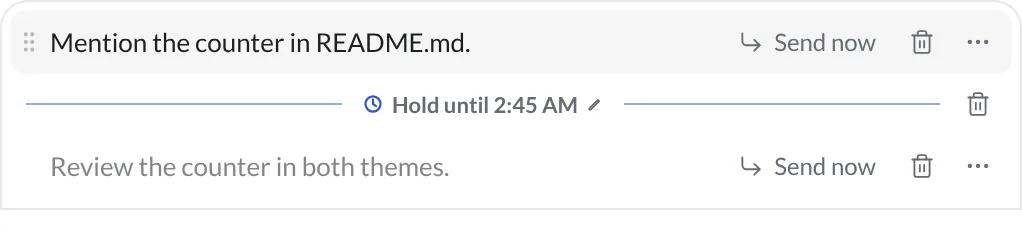
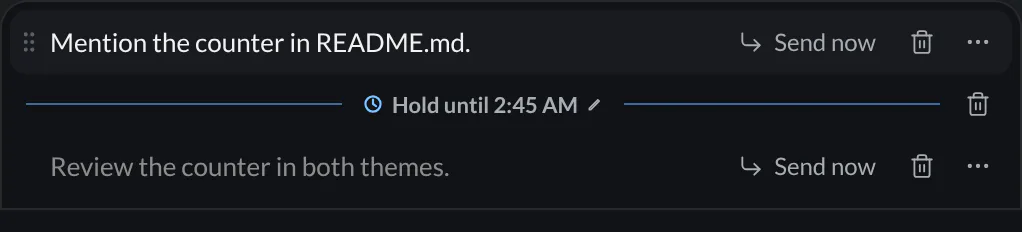
ready in… appears while a queue-order change settles. Session limits can add a Session limit gate with Try now. Its automatic continuation and gate have restricted controls.
If steering cannot be delivered
A failed composer steering message returns to your draft with “Couldn’t send yet. Try again in a moment.” The running turn continues. Review the draft before retrying; hob preserves any newer text you have already started typing.
A failed Send now keeps the message in the Outbox. If the backend rejects it after accepting delivery, hob restores it at the head of the queue and reports the failure in the conversation. Check the queue before sending it again.
In hob mobile, you can queue messages, use a queued row's Send now, and remove messages. The send button and Enter follow the Enter while an agent works setting; Cmd/Ctrl+Enter does the other action when using a keyboard. Creating schedules, editing queued text, and reordering items are desktop/browser IDE controls; hob mobile displays their gates.
Scheduling a message
Write the prompt, then right-click the composer action button (Send, or
Stop while working), or press Alt+Enter, to open Schedule send.
Choose a day and local time, then select Schedule. The day picker covers
today and the next six days.
A scheduled prompt appears behind a Hold until gate. Several messages and gates can coexist; the position of each message relative to a gate determines when it becomes eligible. Select the gate's time to change it. The composer stays available while messages wait.
Reaching the scheduled time makes a message eligible; an active turn or earlier work can still delay delivery. Scheduling runs on the hob Host, including a headless Host. Switching projects or workspaces does not cancel the schedule.
Return to a paused schedule
The Host must be running to deliver messages. An overdue gate discovered when restoring a queue is not released automatically. The banner says Scheduled prompt was due… · paused; choose Continue when ready. If the head gate is still in the future, choose Resume schedule instead.


For repeatable work with several steps, inputs, or a recurring schedule, use Automations.
For agents
Create a delegate with its assignment in one operation:
hob pane open agent --task "Review the character-counter diff without editing files. Check the acceptance criteria and report findings back to the requesting pane."Use hob pane list to identify an existing collaborator, then
hob message --pane <pane-id> --text "<scoped request>" to deliver the request. Include
your source pane ID when it is needed for the reply. hob pane input only
changes a draft; it does not deliver it. Send your final response back to
the requesting pane, then end the turn. See
Working with your agent for opening
evidence and drawing the person's attention to the result.