
Welcome
Work with your agents, not just through them. hob is the independent workspace where people and agents work together.
Work with your agents, not just through them. hob is the independent workspace where people and agents work together. The agent works in view beside you. It opens the page, file, or terminal it uses, shows you what it found, and asks you before the step that counts. You direct the work, make the decisions, and keep the record.
The work is not only code. An agent can research a site, walk through an analytics dashboard, review a report, or change and test a running app. Start with your own project, or learn the basics with the included example.
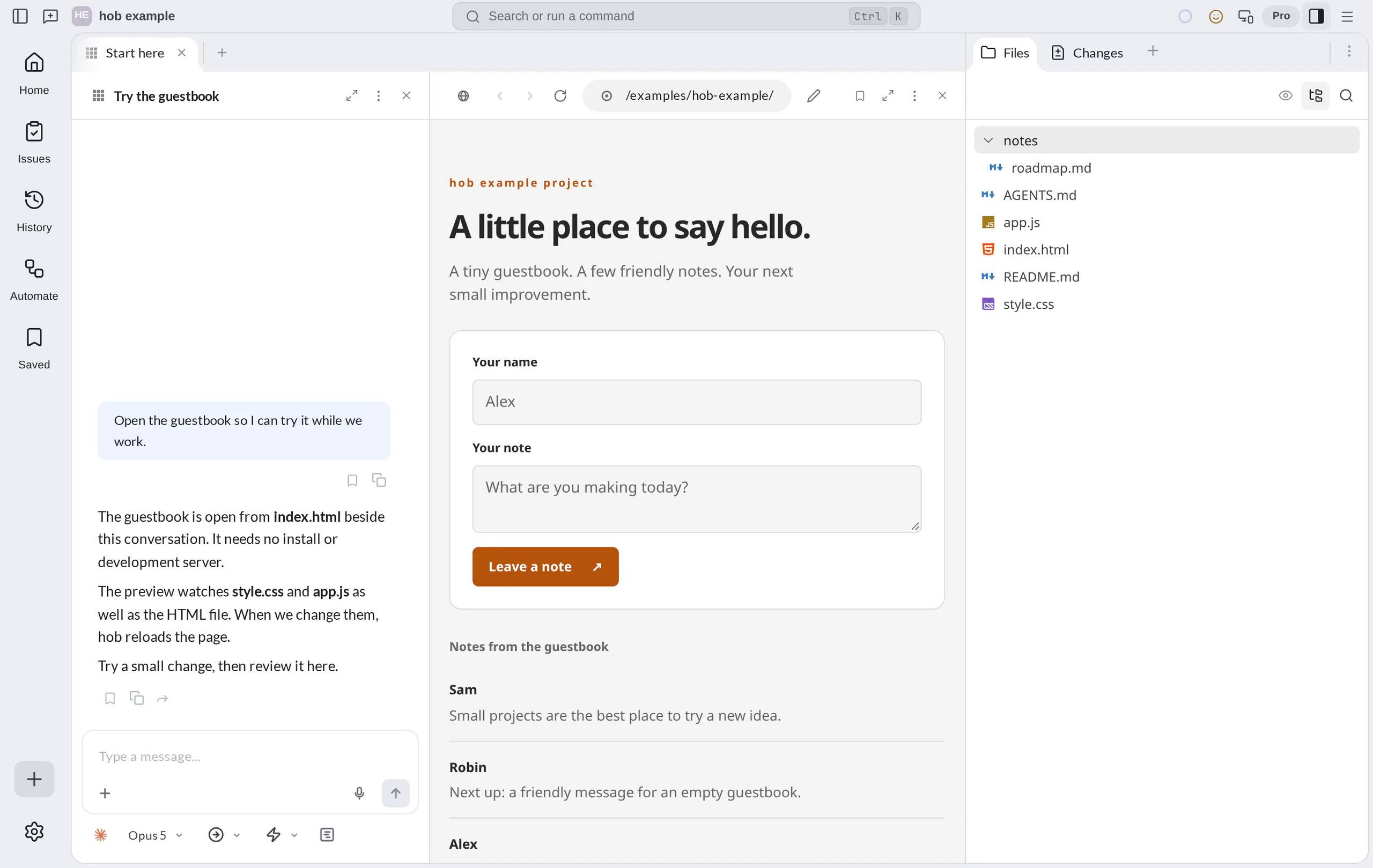
Work together on one task
Here is what one task can look like. You ask why a number in your product's analytics changed.
- The agent opens the analytics site in a web pane and walks through it while you watch. If the site needs your sign-in, the agent hands that step to you.
- The agent finds the cause, points at it, and opens the code that explains it.
- You mark up what to change. The agent makes the change and tests it in the running app while you watch.
- The agent stops before the step that counts, such as a commit or a publish. You check the result and decide.
- You save the useful steps as a skill or an automation for next time.
You can take control at any time. Use the page yourself, answer a question, or send a correction while the agent works.
A workspace your agents can operate
What you can do in hob, an agent can do through hob too. Agents arrange the working context, open previews, run commands, operate web pages, and bring results to you. They can coordinate with another agent, point to a detail that needs review, and guide you through a result when you ask.
This saves you work. You do not open each tool for the agent or explain in chat what is already on the screen. You and the agent look at the same material. See what working with an agent looks like.
Any work, not only code
The same workspace holds web pages and running apps, PDFs, images, Markdown, and code, spreadsheets (beta), and custom HTML interfaces. Bring a report or a site beside an agent, mark the detail that needs attention, and review the updated result. Use file revisions when you need to keep an earlier version.
Keep the record of the work
hob keeps what you asked for, what ran, what changed, and why.
- Start from a local or connected issue and hand its context to an agent.
- Check results with terminals and browser previews beside the task. Use a worktree when code changes need a separate checkout.
- Review the diff and commit the reviewed change. Commits made through hob's Git integration link back to the conversation.
- Return through History to recover the decisions and results. Saved keeps useful moments within reach.
Projects and workspaces keep each workstream organized. Stats helps you see how work reaches a result.
Make it repeatable
Terminals keep commands and output together, with searchable history to find and reuse what worked. A skill teaches every backend a task you repeat. Automations combine shell steps, agent steps, web steps, inputs, and artifacts, with a record of each run. See Secrets, schedules, and trust before you prepare unattended work.
Keep the work. Change what runs it.
Use Claude Code, Codex, OpenCode, or Grok Build with your own provider accounts. hob sells the workspace; the agent tools connect directly to their providers. Your provider subscriptions and usage stay separate.
When a limit interrupts work, you can select another supported account for the same backend. To use a different backend, start a new agent pane and reference the original conversation. The project, files, and recorded work remain in hob; switching backends does not transfer a live session or happen automatically.
Saved workspaces and history help you return after an interruption. Saved context does not keep a process alive after the Host shuts down. Check the current files and last results before resuming.
Keep working away from your desk
Run hob on your desktop or a headless host. To monitor and steer work away from your desk, connect from another device: the desktop app on another computer, the browser IDE, or the hob mobile app for iOS, with Android in beta. Each connects to the same Host, where your agents, files, and processes run.
Choose your starting point
New to hob
Make one small change with an agent in the included example project, from issue to review and commit.
Bring your own project
Connect your agents and do one task together in your own project.
Watch an agent use a web page
Have an agent walk you through a site or test your app while you watch.
See what your agent can do
Let agents arrange context, present results, and guide your review.